
Primary key, Foreign Key and Default constraint are the 3 main constraints that need to be considered while creating tables or even after that. It seems very easy to apply these constraints but still we have some confusions and problems while implementing it. So I tried to write about these constraints that can be created or added at different levels and in different ways or methods.
Primary Key Constraint: Primary Keys constraints prevents duplicate values for columns and provides unique identifier to each column, as well it creates clustered index on the columns.
1) Create Table Statement to create Primary Key
a. Column Level
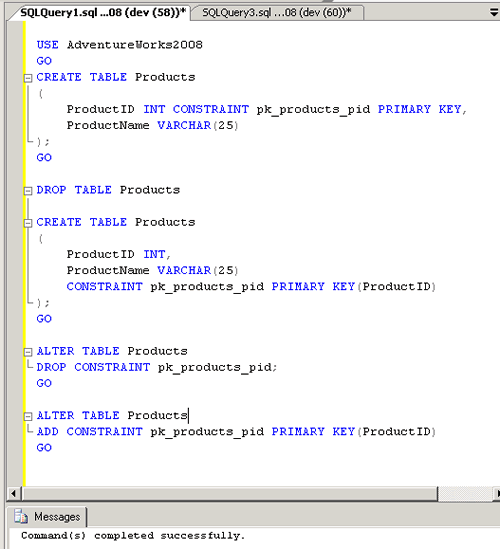
USE AdventureWorks2008
GO

CREATE TABLE Products
(
ProductID INT CONSTRAINT pk_products_pid PRIMARY KEY,
ProductName VARCHAR(25)
);

GO
b. Table Level
CREATE TABLE Products
(
ProductID INT,
ProductName VARCHAR(25)
CONSTRAINT pk_products_pid PRIMARY KEY(ProductID)
);
GO
2) Alter Table Statement to create Primary Key
ALTER TABLE Products
ADD CONSTRAINT pk_products_pid PRIMARY KEY(ProductID)
GO
3) Alter Statement to Drop Primary key
ALTER TABLE Products
DROP CONSTRAINT pk_products_pid;
GO
Foreign Key Constraint: When a FOREIGN KEY constraint is added to an existing column or columns in the table SQL Server, by default checks the existing data in the columns to ensure that all values, except NULL, exist in the column(s) of the referenced PRIMARY KEY or UNIQUE constraint.
1) Create Table Statement to create Foreign Key
a. Column Level
USE AdventureWorks2008
GO
CREATE TABLE ProductSales
(
SalesID INT CONSTRAINT pk_productSales_sid PRIMARY KEY,
ProductID INT CONSTRAINT fk_productSales_pid FOREIGN KEY REFERENCES Products(ProductID),
SalesPerson VARCHAR(25)
);

GO
b. Table Level
CREATE TABLE ProductSales
(
SalesID INT,
ProductID INT,
SalesPerson VARCHAR(25)
CONSTRAINT pk_productSales_sid PRIMARY KEY(SalesID),
CONSTRAINT fk_productSales_pid FOREIGN KEY(ProductID)REFERENCES Products(ProductID)
);
GO
1) Alter Table Statement to create Foreign Key
ALTER TABLE ProductSales
ADD CONSTRAINT fk_productSales_pid FOREIGN KEY(ProductID)REFERENCES Products(ProductID)
GO
2) Alter Table Statement to Drop Foreign Key
ALTER TABLE ProductSales
DROP CONSTRAINT fk_productSales_pid;
GO

Default Constraint: Default constraint when created on some column will have the default data which is given in the constraint when no records or data is inserted in that column.
1) Create Table Statement to create Default Constraint
a. Column Level
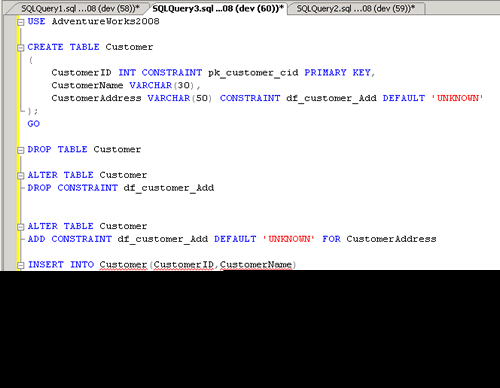
USE AdventureWorks2008
GO
CREATE TABLE Customer
(
CustomerID INT CONSTRAINT pk_customer_cid PRIMARY KEY,
CustomerName VARCHAR(30),
CustomerAddress VARCHAR(50) CONSTRAINT df_customer_Add DEFAULT 'UNKNOWN'
);
GO
b. Table Level : Not applicable for Default Constraint
2) Alter Table Statement to Add Default Constraint
ALTER TABLE Customer
ADD CONSTRAINT df_customer_Add DEFAULT 'UNKNOWN' FOR CustomerAddress
GO
3) Alter Table to Drop Default Constraint
ALTER TABLE Customer
DROP CONSTRAINT df_customer_Add
GO
Reference : Pinal Dave (https://blog.sqlauthority.com)




131 Comments. Leave new
can constraint check the validity of ddl operation??
Fantastic Post.
Hi
can anybody help me to know the diffrence between database developer, database programmer and data analyst. which things i have to prepare for these profiles. because i am confused in it. please reply ASAP.
i wanna to know with simple example how to apply foreign key in tables
create table tb
(
id int constraint pk primary key,
name varchar(20)
)
select * from tb
insert into tb values(1,’pari’)
insert into tb values(2,’mansi’)
insert into tb values(3,’mansi’)
create table mb
(
id int constraint fk foreign key references tb(id),
address varchar(20)
)
select * from mb
insert into mb values(1,’sonipat’)
insert into mb values(2,’panipat’)
hi i am using vb6 with sql server 2008. i have table named address given the query below:
Create Table address
(
[apartment_name][varchar](50) NULL,
[door_number][varchar](50) NULL,
[street_name_1][varchar](50) NULL,
[street_name_2][varchar](50) NULL,
[street_name_3][varchar](50) NULL,
[village][varchar](50) NULL,
[city][varchar](50) NULL,
[state][varchar](50) NULL,
[country][varchar](50) NULL,
[row_upd_date][date/time] NULL,
[apartment_number][varchar](50) NULL,
[agn][int]IDENTITY(1,1) NOT NULL,
[status][bit] NULL,
[pincode][varchar](50) NULL,
[user_id][int] NULL,
)
now that i have to create a field name supplier_id of type integer which links to tables named supplier_contact and Supplier_id and Supplier_name. How make supplier_id as foreign in table named address? Reply please
Hey Pinal,
Can I add two master tables (A & B) primary key as foreign key into Child table(C) and both master primary key refer child single or same column ?
Like :
A has primary key A_Id
B has primary key B_Id
Can i do this ?
C has column C_Ref_Id and refer both A_Id and B_Id
Please suggest, If we can’t do this then why can we not do it.
Thanks in advance. :)
Regards,
Manoj
Yes.
Create database MyDB
go
USE [MyDB]
GO
SET ANSI_NULLS ON
GO
SET QUOTED_IDENTIFIER ON
GO
CREATE TABLE [dbo].[t1](
[c1] [nchar](10) NOT NULL,
[t1] [nchar](10) NULL,
CONSTRAINT [PK_t1] PRIMARY KEY CLUSTERED
(
[c1] ASC
))
GO
SET ANSI_NULLS ON
GO
SET QUOTED_IDENTIFIER ON
GO
CREATE TABLE [dbo].[t2](
[c1] [nchar](10) NOT NULL,
[t2] [nchar](10) NULL,
CONSTRAINT [PK_t2] PRIMARY KEY CLUSTERED
(
[c1] ASC
))
GO
SET ANSI_NULLS ON
GO
SET QUOTED_IDENTIFIER ON
GO
CREATE TABLE [dbo].[t3](
[c1] [nchar](10) NULL,
[t3] [nchar](10) NULL
) ON [PRIMARY]
GO
ALTER TABLE [dbo].[t3] WITH CHECK ADD CONSTRAINT [FK_t3_t1] FOREIGN KEY([c1])
REFERENCES [dbo].[t1] ([c1])
GO
ALTER TABLE [dbo].[t3] CHECK CONSTRAINT [FK_t3_t1]
GO
ALTER TABLE [dbo].[t3] WITH CHECK ADD CONSTRAINT [FK_t3_t2] FOREIGN KEY([c1])
REFERENCES [dbo].[t2] ([c1])
GO
ALTER TABLE [dbo].[t3] CHECK CONSTRAINT [FK_t3_t2]
GO
Thanks Pinal, Its working for me.
Can i use cascade delete with this scenario ?
Manoj – Yes you can test that as well.
can any one reply how many columns can include for single primary key combination like
(column a, column b, column c…….??? )
As per https://docs.microsoft.com/en-us/sql/sql-server/maximum-capacity-specifications-for-sql-server?view=sql-server-2017
Columns per primary key = 16
what is the difference of table level constraint and column level constraint and its use?????
https://social.technet.microsoft.com/wiki/contents/articles/13744.table-level-vs-column-level-constraints.aspx
| Criteria: (7) Add column to EMPLOYEES (0 out of 16 points).
-missing DDL SQL to alter table to add field to an existing table. (hint: ALTER table).
Write a script to add the following column to the EMPLOYEES table:
Column Name Datatype Primary Key (Y/N) Nullable (Y/N)
DepartmentID Integer N N
i cannot figure this out please help
You need to look at books online “ALTER TABLE… ADD”… example A on https://docs.microsoft.com/en-us/sql/t-sql/statements/alter-table-transact-sql?view=sql-server-2017
hell sir,
i am new to sql and i am trying to create a table using the syntax below: and i found your site to be helpful
CREATE TABLE Bk_Location
(
Location_ID Int(20),
Country_ID Int (20)
Street_Address Varchar (255),
Postal_Code Varchar (255),
City Varchar (255),
State_Province Varchar (255),
);
i want Location id to be the primary key and country id to be the foreign key. i have tried some codes but it is giving me errors.
i agent need
INSERT INTO new_table (Foo, Bar, Fizz, Buzz)
SELECT Foo, Bar, Fizz, Buzz
FROM initial_table
— optionally WHERE …