
I received following question in email : How to create a comma delimited list using SELECT clause from table column?
Answer is to run following script.
USE AdventureWorks
GO
DECLARE @listStr VARCHAR(MAX)
SELECT @listStr = COALESCE(@listStr+',' ,'') + Name
FROM Production.Product
SELECT @listStr
GO
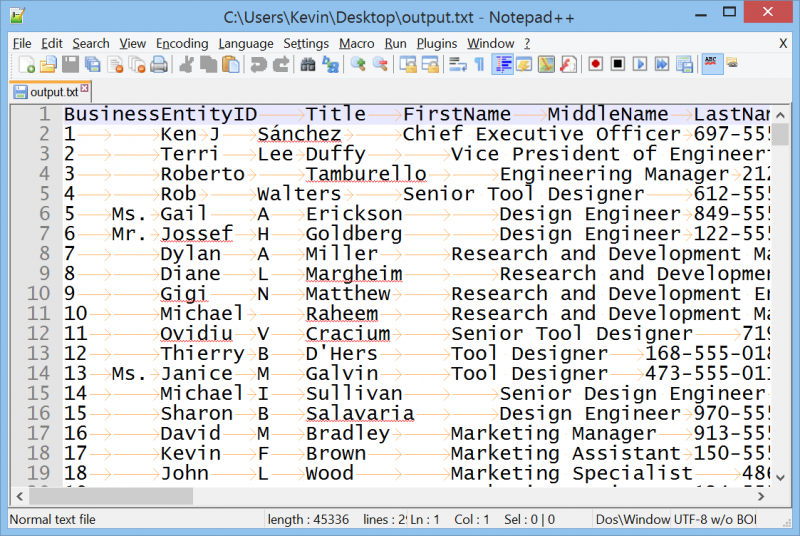
I have previously written a similar article where I have demonstrated this method using three sample examples. You can read the article for further information. SQL SERVER – Creating Comma Separate Values List from Table – UDF – SP
Here are few of the interesting articles related to this blog post:
- SQL SERVER – Split Comma Separated List Without Using a Function
- SQL SERVER – Creating Comma Separate Values List from Table – UDF – SP
- SQL SERVER – SQLCMD to Build Comma Separated String
Simple CSV implementations may prohibit field values that contain a comma or other special characters such as CSV. The CSV file format is not standardized. CSV is a common data exchange format that is widely supported by consumer, business, and scientific applications. CSV formats are best used to represent sets or sequences of records in which each record has an identical list of fields.
Published by Pinal Dave on SQLAuthority. More of my work at pinaldave.com.



109 Comments. Leave new
DECLARE @listStr VARCHAR(MAX)
SELECT @listStr = COALESCE(@listStr+’,’ ,”) + COALESCE(Name,”)
FROM Production.Product
SELECT @listStr
COALESCE would be required for “Name” too
Where is the order no this is just the list of products ,i need orderno & corresponding products seperated by comma
How could you create a set of inline comma-separated values for a query? For example, I tried to show orders and include the orderTypes from a cross-reference table:
SELECT OrderId, Name,
(
SELECT COALESCE(Name+’, ‘ ,”) + Name
FROM OrderType JOIN OrderType_XR ON OrderType_XR.OrderTypeId = OrderType.OrderTypeId WHERE OrderType_XR.OrderId=OrderId
)
FROM Order
but SQL Server reports “Subquery returned more than 1 value. This is not permitted when the subquery follows =, !=, <, , >= or when the subquery is used as an expression.” Can this be done inline or would I need a SQL function?
Declare @Orders
SELECT @Orders = COALESCE(@Orders + ‘,’ ,’ ‘ ) + OrderCOL_Name FROM
(
SELECT Order FROM OrderTable
)AS MyCommaOrderedList;
what is alternative to comma separated list in Sql.i have a query suppose i need to store data of some customer as cust_name,cust_id,add,phno,date,items(one by one in separate column or in list ) and price of each item and quantity then the total. how can i design my db as columns here vary dynamically
can anybody help me to find the equivalent function WM_CONCAT(Oracle) in sql server
Fantastic article. !!
hi all,
i am passing comma separated values to my stored procedure. something like below:
@id=1,2,3,4
@firstname=’a’,’b’,’c’,’d’
now if want something like below:
id firstname
1 a
2 b
3 c
4 d
how can we do this?
Hi Dears,
i need this query with where condition
like below
USE AdventureWorks
GO
DECLARE @listStr VARCHAR(MAX),@parameter varchar(10),@table_name varchar(10)
set @parameter=’Tag_no=1′
set @table_name=’name’
SELECT @listStr = COALESCE(@listStr+’,’ ,”) + @table_name
FROM online where where + @parameter
above query show like this
USE AdventureWorks
GO
DECLARE @listStr VARCHAR(MAX),@parameter varchar(10),@table_name varchar(10)
set @parameter=’Tag_no=1′
set @table_name=’name’
SELECT @listStr = COALESCE(@listStr+’,’ ,”) name
FROM online where where Tag_no
this query not executing pls any one help me
Your examples are always the most helpful and easy to follow. Thanks for your help, this is exactly what I needed!
Hi pinal, the above given example wont handle null as u commented . For eexample
create table people
( name nvarchar(10)
)
insert INTO people VALUES (‘a’),(‘b’),(‘c’),(NULL),(‘d’),(‘e’)
SELECT * FROM people
DECLARE @Names VARCHAR(8000)
SELECT @Names = isnull(@Names+’,’,”)+name FROM people
SELECT @Names
The above will result in d,e
not as expected from a,b,c,d,e
none of this stuff is usefull, if you wanted all rows you can exctract it and do it in xl.
How do you do it IN sql, where each group is concatenated into a string.
DECLARE @List VARCHAR(8000)
SELECT @List = COALESCE(@List + ‘,’, ”) + CAST(LinkedLocationId AS VARCHAR)
FROM UserMaster
WHERE LinkedLocationId = 1
SELECT @List
— It Gives following error
/*
Msg 245, Level 16, State 1, Line 3
Conversion failed when converting the varchar value ‘27,69,70,1,73’ to data type int.
*/
I’m trying to make this work in SQL2000 and it won’t work. The column list seems to be dieing at the first “null” valued column
My procedure is:
— =============================================
CREATE procedure [dbo].[CloneRow]
@tableName varchar(255),
@keyName varchar(255),
@oldKeyId int,
@newTableId int output
as
declare @sqlCommand nvarchar(255),
@columnList varchar(255);
select @columnList = COALESCE(@columnList+’,’ ,”) + Name
from syscolumns
where object_name(syscolumns.id) = @tableName
and syscolumns.name not in ( @keyName )
and iscomputed = 0;
set @sqlCommand = ‘insert into ‘ + @tableName + ‘ ( ‘ + @columnList + ‘) (‘ +
‘select ‘ + @columnList + ‘ from ‘ + @tableName + ‘ where ‘ + @keyName + ‘ = @oldKeyId )’
exec sp_executesql @sqlCommand, N’@oldKeyId int’, @oldKeyId = @oldKeyId
select @newTableId = @@identity — note scope_identity() won’t work here!
GO
Loving your Plural Sight courses, you the man!, now to wrap each list item with single quotes..
USE AdventureWorks
GO
DECLARE @listStr VARCHAR(MAX)
SELECT @listStr = COALESCE(@listStr+’,’ ,”)+ CHAR(39) + Name+CHAR(39)
FROM Production.Product
SELECT @listStr
GO
How does this really works…
muchas gracias,
thanks you very much.
Thanks for the comment Alejandro. I am glad that it was helpful.
I know this is an old post, but I find it strange that you would recommend this as a solution when it is taking advantage of what some may call a “bug.” There are several other ways to do this using recursive CTEs or FOR XML PATH. In my opinion, this should produce a runtime error stating something like “More than one value returned from results set”, as is what happens when you say WHERE someColumn = (SELECT someOtherColumn FROM someTable) and the subquery returns more than 1 value. What are your thoughts on MS changing this behavior, or is it documented that this is intended behavior?
Hi Pinal, I am looking for solution which can be compatible in Azure SQL Dataware house.
It will be help full if you can share same answer for Azure SQL DW.
IF OBJECT_ID(‘tempdb..#tmp_Example’) is not null
DROP TABLE #tmp_Example
create table #tmp_Example
(
ApplicationID int,
Comments varchar(8000)
)
insert into #tmp_Example
(ApplicationID, Comments)
Values
(123, ‘This is comment 1, Comment 2, Comment 3, Comment 4, Comment 5’),
(321, ‘Comment 1’),
(542, ‘Comment 1, Comment 2, Comment 3, Comment 4, Comment 5, Comment 6, Comment 7, Comment 8’)
SELECT row_number() OVER (
PARTITION BY a.ApplicationID ORDER BY a.ApplicationID
) AS ID,
a.ApplicationID,
y.i.value(‘(./text())[1]’, ‘nvarchar(4000)’) as Comments
FROM (
SELECT t1.ApplicationID,
x = CONVERT(XML, ‘‘ + REPLACE(t1.Comments, ‘,’, ‘‘) + ‘‘).query(‘.’)
FROM #tmp_Example t1
) AS a
CROSS APPLY x.nodes(‘i’) AS y(i)
Many thanks.. .whenever I have question in TSQL.. i always find them in your site. God Bless!