Compound Assignment Operators do a calculation and store the answer in one step. Instead of SET @Stock = @Stock – 2, you write SET @Stock -= 2. SQL Server subtracts 2 and saves the result back in the same variable. The shorthand works on variables and on table columns.

What Compound Assignment Operators Do
The long way to add 5 to a variable is to name it twice: SET @n = @n + 5. A compound operator names it once: SET @n += 5. The symbol in front of the equals sign picks the operation. SQL Server reads the old value, applies the operation with the number on the right, and writes the answer back.
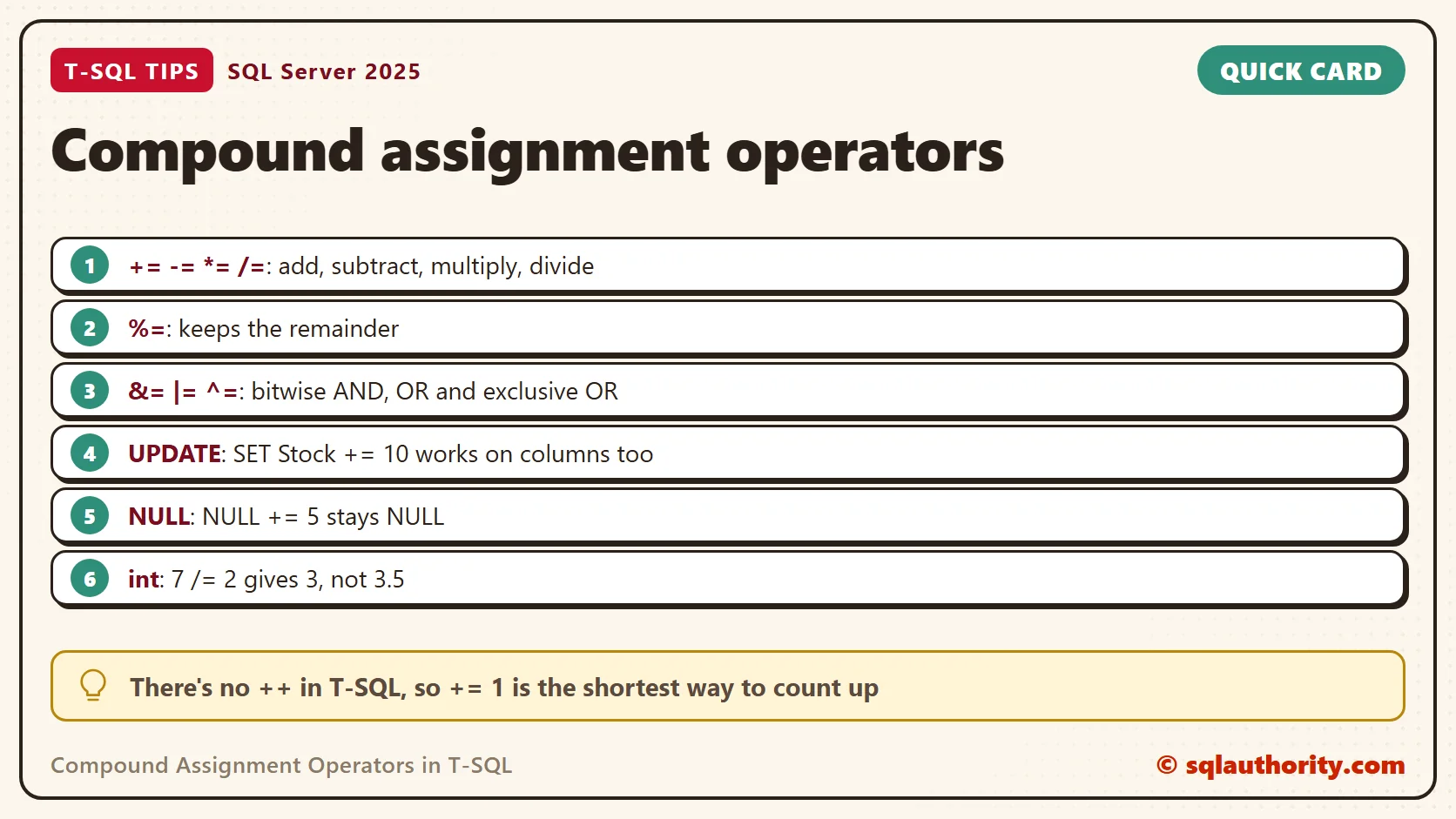
T-SQL has eight of them, one for each arithmetic or bitwise operator, and they’ve been there since SQL Server 2008. There’s no ++ or — in T-SQL, so += 1 is the shortest way to count up. The operators go back to 2008. The demo scripts use DROP TABLE IF EXISTS, so they need SQL Server 2016 or later.
The examples use a small garden center. The script creates a database named CompoundOpsDemo for this post only, so run it on a test server. It builds an inventory table with three items. The Watering Can has no stock count yet, so its Stock is NULL.
IF DB_ID(N'CompoundOpsDemo') IS NULL CREATE DATABASE CompoundOpsDemo;
GO
USE CompoundOpsDemo;
GO
DROP TABLE IF EXISTS dbo.Inventory;
CREATE TABLE dbo.Inventory (
    ItemID   int           NOT NULL PRIMARY KEY,
    ItemName nvarchar(60)  NOT NULL,
    Stock    int           NULL,
    Price    decimal(8,2)  NOT NULL
);
INSERT INTO dbo.Inventory (ItemID, ItemName, Stock, Price)
VALUES (1, N'Seed Packet', 40, 3.50),
       (2, N'Terracotta Pot', 12, 9.99),
       (3, N'Watering Can', NULL, 18.00);
This query tries all eight operators. Every variable starts at 10, and every operator uses 3.
DECLARE @a int = 10, @b int = 10, @c int = 10, @d int = 10, @e int = 10, @f int = 10, @g int = 10, @h int = 10;
SET @a += 3;
SET @b -= 3;
SET @c *= 3;
SET @d /= 3;
SET @e %= 3;
SET @f &= 3;
SET @g ^= 3;
SET @h |= 3;
SELECT @a AS [+=], @b AS [-=], @c AS [*=], @d AS [/=], @e AS [%=], @f AS [&=], @g AS [^=], @h AS [|=];
| Operator | What it does | Result for 10 and 3 |
|---|---|---|
| += | Adds | 13 |
| -= | Subtracts | 7 |
| *= | Multiplies | 30 |
| /= | Divides | 3 |
| %= | Keeps the remainder | 1 |
| &= | Bitwise AND | 2 |
| ^= | Bitwise exclusive OR | 9 |
| |= | Bitwise OR | 11 |
The last three work on the binary digits of the numbers. Here 10 is 1010 and 3 is 0011. AND keeps a bit only when both numbers have it. OR keeps it when either has it, and exclusive OR keeps it when exactly one has it.
Integer Division with /=
Division is the operator that surprises people. When both sides are int, the answer is an int, and the decimal part is dropped. This script chains five steps on one variable and reads it twice.
DECLARE @n int = 10;
SET @n += 5;
SET @n -= 3;
SET @n *= 2;
SELECT @n AS AfterThreeSteps;
SET @n /= 5;
SET @n %= 3;
SELECT @n AS AfterTwoMore;
The first SELECT returned 24: 10 plus 5 is 15, minus 3 is 12, times 2 is 24. Then 24 /= 5 left 4, not 4.8, and 4 %= 3 left a remainder of 1.
If you need the fraction, the variable itself must hold one. This script divides 7 by 2 twice, once into an int and once into a decimal(5,2).
DECLARE @whole int = 7, @exact decimal(5,2) = 7;
SET @whole /= 2;
SET @exact /= 2;
SELECT @whole AS WholeNumber, @exact AS ExactNumber;
| WholeNumber | ExactNumber |
|---|---|
| 3 | 3.50 |
The operator doesn’t choose the type. The variable does.
Compound Assignment Operators in an UPDATE
Compound Assignment Operators work on columns too. The first statement restocks every item by 10. The second sells 2 pots and raises the pot price by 10 percent. The Price column is decimal(8,2), so SQL Server rounds the new price to two decimals.
UPDATE dbo.Inventory SET Stock += 10;
UPDATE dbo.Inventory SET Stock -= 2, Price *= 1.10 WHERE ItemID = 2;
SELECT ItemID, ItemName, Stock, Price FROM dbo.Inventory ORDER BY ItemID;
| ItemID | ItemName | Stock | Price |
|---|---|---|---|
| 1 | Seed Packet | 50 | 3.50 |
| 2 | Terracotta Pot | 20 | 10.99 |
| 3 | Watering Can | NULL | 18.00 |
The pot went from 12 to 20 in stock. Its price went from 9.99 to 10.99, because 9.99 times 1.10 is 10.989. The Watering Can is still NULL, which brings us to the next trap.
What NULL Does
NULL means unknown, and an unknown plus 10 is still unknown. A compound operator can’t repair that. This script compares two variables, one left empty and one starting at 0.
DECLARE @Empty int, @Zero int = 0;
SET @Empty += 5;
SET @Zero += 5;
SELECT @Empty AS StartedNull, @Zero AS StartedZero;
| StartedNull | StartedZero |
|---|---|
| NULL | 5 |
An empty variable is a common reason a total comes back NULL. In my code reviews, I check that every running total starts at 0. For a column that can be NULL, go back to the long form and wrap the column in ISNULL.
UPDATE dbo.Inventory SET Stock = ISNULL(Stock, 0) + 10 WHERE ItemID = 3;
SELECT ItemID, Stock FROM dbo.Inventory ORDER BY ItemID;
| ItemID | Stock |
|---|---|
| 1 | 50 |
| 2 | 20 |
| 3 | 10 |
Strings and Flags
The += operator also appends text. A text variable must be long enough, because SQL Server cuts off extra characters without an error.
DECLARE @short varchar(10) = 'Garden';
SET @short += ' Center Pots';
SELECT @short AS TooShort;
DECLARE @long varchar(40) = 'Garden';
SET @long += ' Center';
SET @long += ', Pots';
SELECT @long AS Fits, LEN(@long) AS Chars;
The first SELECT returned Garden Cen, so the tail was lost with no warning. The second returned Garden Center, Pots, which is 19 characters. Numbers fail loudly instead: a tinyint variable holding 250 stops with Msg 220, an arithmetic overflow, after += 10.
You can also append inside a SELECT that reads a table, as in SELECT @list += Name FROM a table. That works for small jobs, but SQL Server doesn’t guarantee the row order. For a real list, use STRING_AGG, which needs SQL Server 2017 or later.
Flag columns are the best fit for the bitwise operators. Here 1 means Seasonal, 2 means OnSale and 4 means Fragile. The variable starts at 5, which is Seasonal plus Fragile.
DECLARE @flags int = 5;
SET @flags |= 2;
SELECT @flags AS AfterOr;
SET @flags &= 6;
SELECT @flags AS AfterAnd;
SET @flags ^= 3;
SELECT @flags AS AfterXor;
The |= 2 turns on OnSale and gives 7. Then &= 6 keeps only the 2 and 4 bits, which turns off Seasonal and gives 6. Finally ^= 3 flips Seasonal and OnSale, and the answer is 5.
Where They Help and Where They Don’t
They help most when the name is long or the line sits in a loop. SET @RunningTotal += @Amount is quicker to read than the long form. You can’t mistype the name on one side either. Outside SET, UPDATE and SELECT @variable assignments, they’re a syntax error. SELECT 7 /= 2 returns Msg 102, Incorrect syntax near ‘/=’.
You could argue that the long form is clearer for people new to T-SQL, since nothing is hidden. That’s fair for the first week. After that, += is the form you’ll meet in most other languages, and both forms mean the same thing. Pick one style per script so the code stays easy to scan.
What to Remember
Compound Assignment Operators are shorthand: x += y means x = x + y. There are eight, they’ve existed since SQL Server 2008, and they work on variables and on UPDATE columns. Watch /= on int, because it drops the fraction, and watch NULL, because it stays NULL.
When I write a counter or a running total, I start the variable at 0 and use +=. For a column that can be NULL, I use ISNULL on the right side first. That keeps a total from quietly turning into NULL. When you finish testing, remove the example database.
USE master;
GO
ALTER DATABASE CompoundOpsDemo SET SINGLE_USER WITH ROLLBACK IMMEDIATE;
DROP DATABASE CompoundOpsDemo;
A compound operator is not a new feature, it is a shorter way to say what you already mean.
Published by Pinal Dave on SQLAuthority. More of my work at pinaldave.com.
Discover more from SQL Authority with Pinal Dave
Subscribe to get the latest posts sent to your email.