
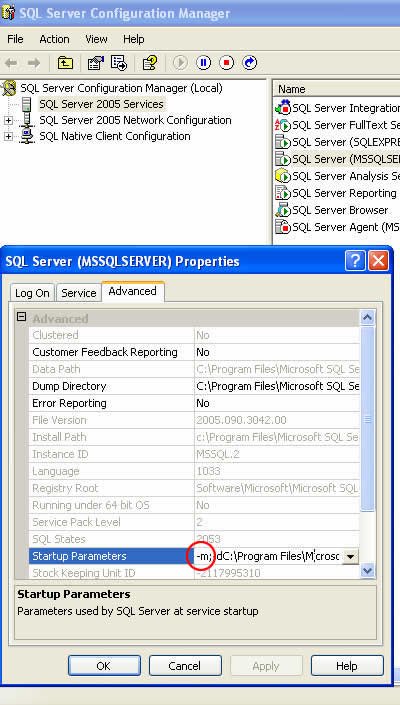
How to start a SQL Server instance in single user mode: add the -m; startup parameter in SQL Server Configuration Manager and restart the service.
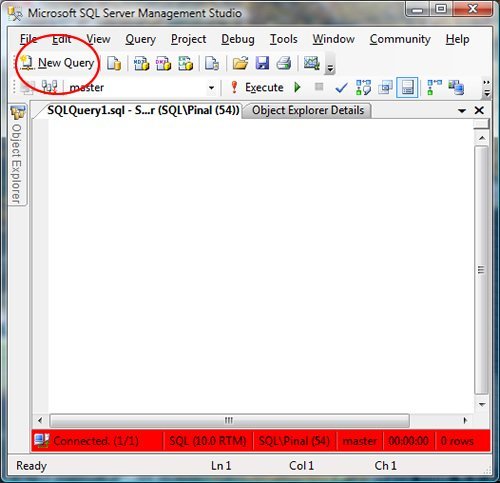
SQL SERVER – 2008 – Change Color of Status Bar of SSMS Query Editor
Change the color of status bar in SSMS 2008 for each server, so a query meant for development never runs on production by mistake. Step by step with images.

Keeping SSMS Up to Date
Keeping SSMS up to date means reading release notes, choosing a supported channel, planning side by side installs, and checking settings.
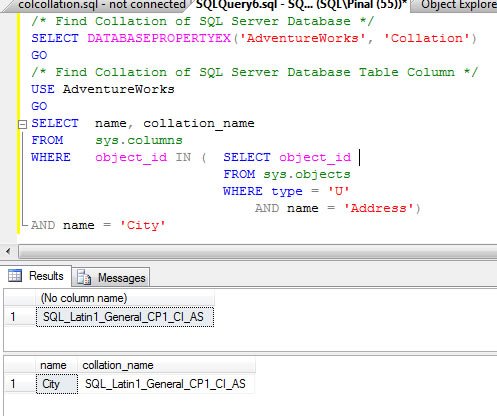
SQL SERVER – Find Collation of Database and Table Column Using T-SQL
A quick tip to find the collation of database and table column in SQL Server with DATABASEPROPERTYEX and sys.columns, using AdventureWorks.

Which SSMS Version Can Connect to Which SQL Server Version
Choose an SSMS version for your SQL Server targets, check client and engine builds, and handle newer encryption defaults.
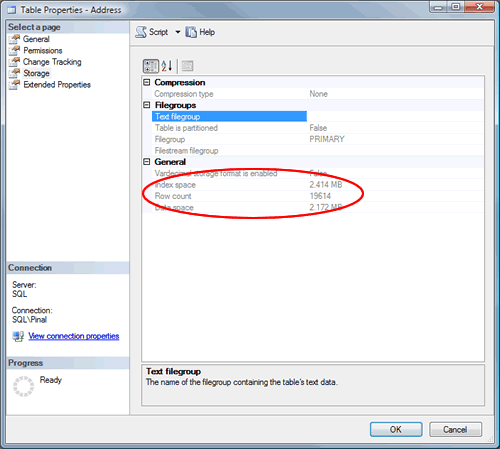
SQL SERVER – Find Table Row Count Without Using T-SQL and Without Opening Table
An interview question: how do you find a table row count without using T-SQL or opening the table? SSMS table properties show it on the Storage page.
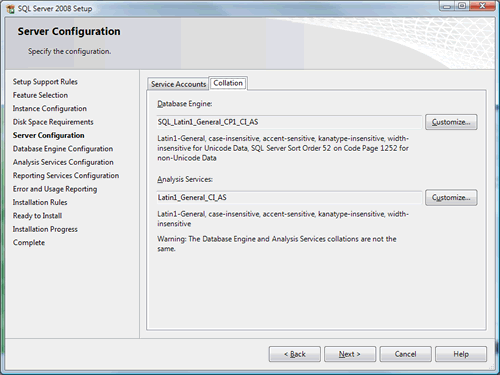
SQL SERVER – Default Collation of SQL Server 2008
How to check or change the default collation while installing SQL Server 2008. The setup default for server installs is SQL_Latin1_General_CP1_CI_AS.