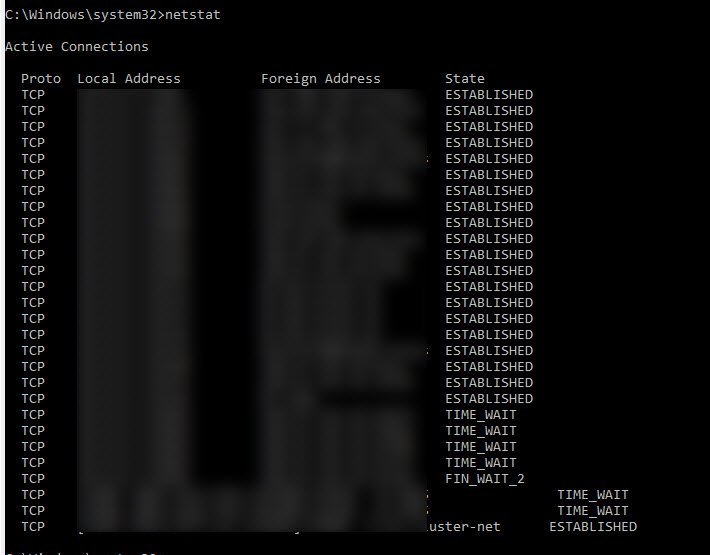
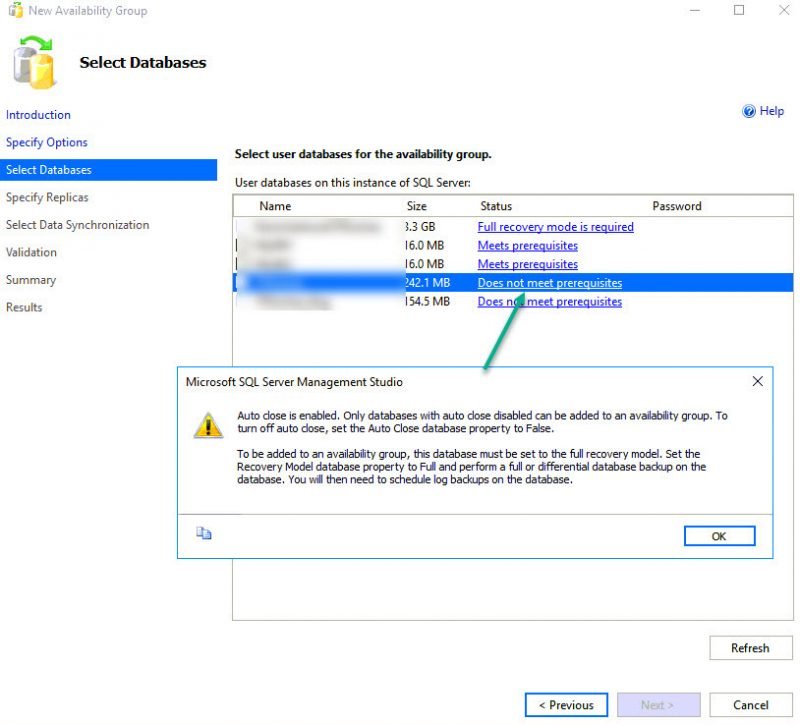
While configuring AlwaysOn availability group for one of my clients, there were various errors. I planned to write blog on all errors which I encountered. Here is an earlier blog. After we bypassed all errors in “Select Databases” screen, we came to “Specify Replicas” screen. We added both server names and as soon as we hit next, we got below message. Let us learn about how to fix AlwaysOn Wizard Error.
SQL SERVER – Error – Auto Close is Enabled. Only Databases with Auto Close Disabled can be Added to an Availability Group
As a part of my consulting job, I do work with clients who wanted to deploy AlwaysOn availability group. Sometimes there are some simple errors which are encountered, but new DBAs are not aware of such things. In this blog we would talk about one of such error.
SQL SERVER – Add Node Error – Rule “SQL Server Database Services Feature State” Failed
While deploying SQL Server 2016 cluster in my lab I ran into this problem when I was trying to add a second node to the SQL cluster. Let us learn about Add Node Error and how to solve it in this blog post.
How to Assign Multiple Variables in a Single T-SQL Query? – Interview Question of the Week #148
Question: How to Assign Multiple Variables in a Single T-SQL Query?
SQL SERVER – Startup Error – Your SQL Server Installation is Either Corrupt or Has Been Tampered With
While playing with my virtual machines, I screwed up something and my SQL service for my named instance was failing to start. Let us learn about a startup error.
When I tried to start via services.msc, here was the error
SQL SERVER – Message: “Please wait for the System Event Notification Service” When Trying to Logoff from RDP Session
I must tell you that there could be many reasons for this behavior, but in this blog, I would talk about a cause which was due to SQL Server. Let us learn about how to fix error related to the Notification Service.
SQL SERVER – Msg 7399, Level 16 – The OLE DB Provider “ADsDSOObject” for Linked Server “AD” Reported an Error
One of my blog reader told that they are having trouble with linked server to AD. SQL SERVER – How to Query Active Directory Data Using ADSI / LDAP Linked Server. Let us learn about error related to OLE DB Provider.
Pinal Dave is an SQL Server Performance Tuning Expert and independent consultant with over 22 years of hands-on experience. He holds a Masters of Science degree and numerous database certifications.
Pinal has authored 14 SQL Server database books and 104 Pluralsight courses. To freely share his knowledge and help others build their expertise, Pinal has also written more than 5,800 database tech articles on his blog at https://blog.sqlauthority.com.
Pinal is an experienced and dedicated professional with a deep commitment to flawless customer service. If you need help with any SQL Server Performance Tuning Issues, please feel free to reach out at pinal@sqlauthority.com.
Pinal is also a CrossFit Level 1 Trainer (CF-L1) and CrossFit Level 2 Trainer (CF-L2).
Nupur Dave is a social media enthusiast and an independent consultant. She primarily focuses on the database domain, helping clients build short and long-term multi-channel campaigns to drive leads for their sales pipeline.
Is your SQL Server running slow and you want to speed it up without sharing server credentials? In my Comprehensive Database Performance Health Check, we can work together remotely and resolve your biggest performance troublemakers in less than 4 hours.
Once you learn my business secrets, you will fix the majority of problems in the future.

Have you ever opened any PowerPoint deck when you face SQL Server Performance Tuning emergencies? SQL Server Performance Tuning Practical Workshop is my MOST popular training with no PowerPoint presentations and 100% practical demonstrations.
Essentially I share my business secrets to optimize SQL Server performance.