Question: How to Identify Process ID for SQL Server Services?
SQL SERVER – ERROR: Failed to verify the Authenticode signature of FileName
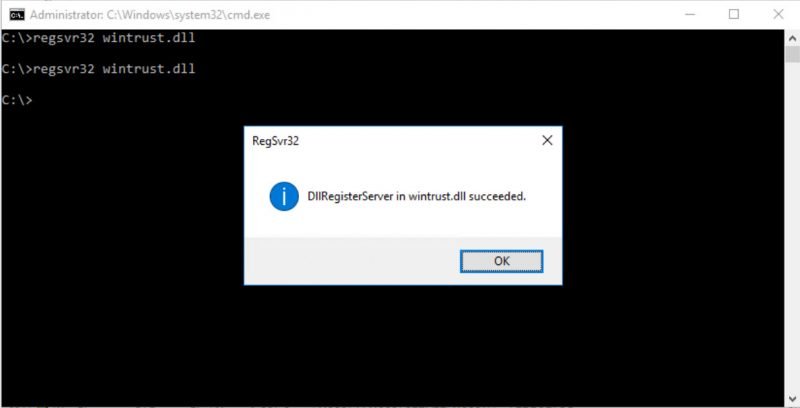
Sometimes there is some malware which would do changes on the machine which is impossible to track. Most of the time, based on my interactions with various clients, we need to format and rebuild the OS because you never know what data is getting compromised using which program running in the background. In this blog, we would learn about an interesting error Failed to verify the Authenticode signature of the filename.
SQL SERVER – Script – Turn off Firewall Remotely (PowerShell, NetSh, PsExec)
I was working with a client to deploy an automated solution to install SQL Server. Since this involved scripting and running PowerShell remotely, we wanted to disable the firewall. Due to automation, we were not supposed to log in to the server and use UI. So, I search on the internet and found a few ways to do that. In this blog, I am going to share scripts which can turn off the firewall remotely.
SQL SERVER – How to Generate Random Password? – Enhanced Version
Earlier last month, I posted an interview question – How to Generate Random Passwords in SQL Server? – Interview Question of the Week #181. Though, my efforts were honest my answer was not complete in that blog post. Thankfully, SQL Server Expert Tim Cartwright noticed the error in the blog post and decided to send me to follow up email with the accurate script to generate a random password.
SQL SERVER – Database Mirroring Login Attempt Failed With Error: ‘Connection Handshake Failed. An OS Call Failed: (80090350)
While Microsoft has introduced an AlwaysOn availability group feature in SQL Server 2012 and people have been using it instead of database mirroring. In this blog, we would learn how to fix error Database Mirroring login attempt failed with error: ‘Connection handshake failed. An OS call failed: (80090350).
SQL SERVER – How to Turn On / Enable Instant File Initialization?
This blog post is a follow-up blog post on the subject of Instant File Initialization (IFI). I suggest you read the following blog posts before you continuing this blog post. Today we will learn how to Turn On / Enable Instant File Initialization?
SQL SERVER – T-SQL Script: How to Search for Multiple Values in ERRORLOG?
There are many situations where we need to apply filters in ERRORLOG to look at meaningful data. In this blog, we would learn how to search for multiple values in the SQL Server ERRORLOG file.
Pinal Dave is an SQL Server Performance Tuning Expert and independent consultant with over 24 years of hands-on experience. He holds a Masters of Science degree and numerous database certifications.
Pinal has authored 14 SQL Server database books and 109 Pluralsight courses. To freely share his knowledge and help others build their expertise, Pinal has also written more than 5,800 database tech articles on his blog at https://blog.sqlauthority.com.
Pinal is an experienced and dedicated professional with a deep commitment to flawless customer service. If you need help with any SQL Server Performance Tuning Issues, please feel free to reach out at pinal@sqlauthority.com.
Pinal is also a CrossFit Level 1 Trainer (CF-L1) and CrossFit Level 2 Trainer (CF-L2).
Nupur Dave is a social media enthusiast and an independent consultant. She primarily focuses on the database domain, helping clients build short and long-term multi-channel campaigns to drive leads for their sales pipeline.
Shaivi Pinalkumar Dave is a book author and a women’s artistic gymnast.
Is your SQL Server running slow and you want to speed it up without sharing server credentials? In my Comprehensive Database Performance Health Check, we can work together remotely and resolve your biggest performance troublemakers in less than 4 hours.
Once you learn my business secrets, you will fix the majority of problems in the future.

Have you ever opened any PowerPoint deck when you face SQL Server Performance Tuning emergencies? SQL Server Performance Tuning Practical Workshop is my MOST popular training with no PowerPoint presentations and 100% practical demonstrations.
Essentially I share my business secrets to optimize SQL Server performance.