
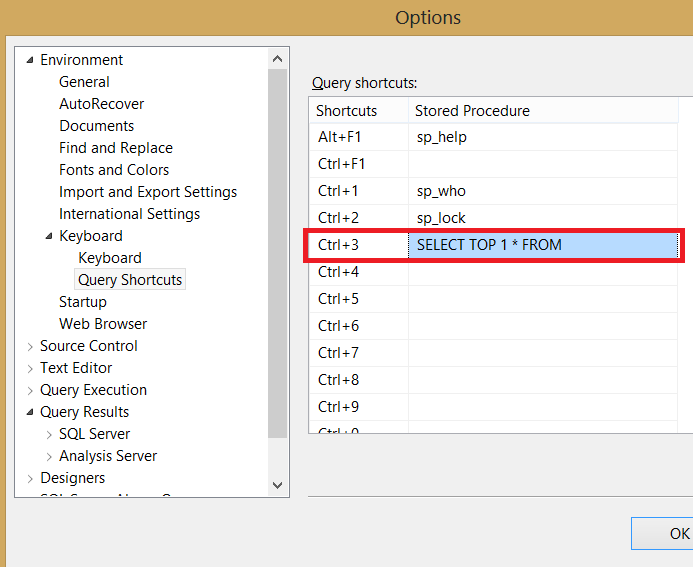
Developers often select only 1 row to peek at what a table holds, but typing SELECT TOP 1 again and again is slow. I share a quicker shortcut for it.

Restore a Database in SSMS: Step by Step
To restore a database in SSMS, right-click Databases, choose Restore Database, pick the backup file, name the destination and choose the recovery state. This post covers each page of the dialog, the tail-log error that stops overwrites, and the T-SQL for a full, differential and log restore chain.

Safe Dynamic SQL With sp_executesql and QUOTENAME
Write safe dynamic SQL with typed value parameters, validated object names, and allowed sort columns, then test hostile input.

Geo-Replication for Azure SQL
Geo-replication for Azure SQL protects against regional failure through readable replicas or failover groups; learn lag, routing, and drills.


Rehearsing a master Database Restore on a Test Instance
Rehearse a master database restore on a matching test instance, including single-user sqlcmd, automatic shutdown, and configuration checks.

Optimized Locking in SQL Server 2025: What Changes for Blocking
Enable optimized locking in SQL Server 2025 with ADR and RCSI, then compare lock counts and blocking while checking LAQ limits.