Question: What is the easiest way to send an execution plan by email?
Answer: Save the plan as a .sqlplan file and attach the file. The recipient can open it in SSMS without having your database or data installed.

I once offered newsletter readers help with one performance problem within 24 hours. There were 1,082 replies in the first day. I answered emails for 18 hours straight, and still could not keep that promise. By the fifth day, after responding to every message, the total had reached 2,187 performance problems.
One recurring obstacle was much simpler than query tuning: readers did not know how to send the execution plan. A screenshot may show a few operators. The saved file lets me inspect the plan and its properties, which is much more useful.
Save the complete plan
- Open a query window in the correct database. For an actual plan, enable Include Actual Execution Plan with Ctrl+M, then execute a query you are authorized to run.
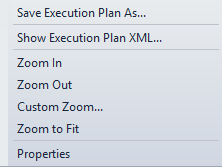
- Open the Execution plan tab. Right-click the plan and choose Save Execution Plan As.
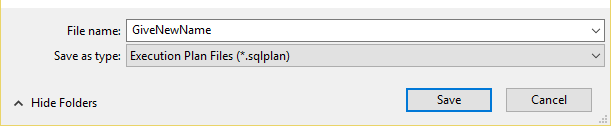
- Save the file with the .sqlplan extension.
- Attach that file to your email. Include the query, SQL Server version, observed symptom and relevant timings or reads when available.
Here is a small query for practicing the steps on AdventureWorks2025:
USE AdventureWorks2025;
SELECT SalesOrderID, SalesOrderDetailID, ProductID, OrderQty
FROM Sales.SalesOrderDetail
WHERE SalesOrderDetailID < 12;
An actual plan requires executing the statement. If running it would be unsafe or excessively expensive, an estimated plan is another option, but label it as estimated. It does not include the same execution measurements.
Send the file and open it

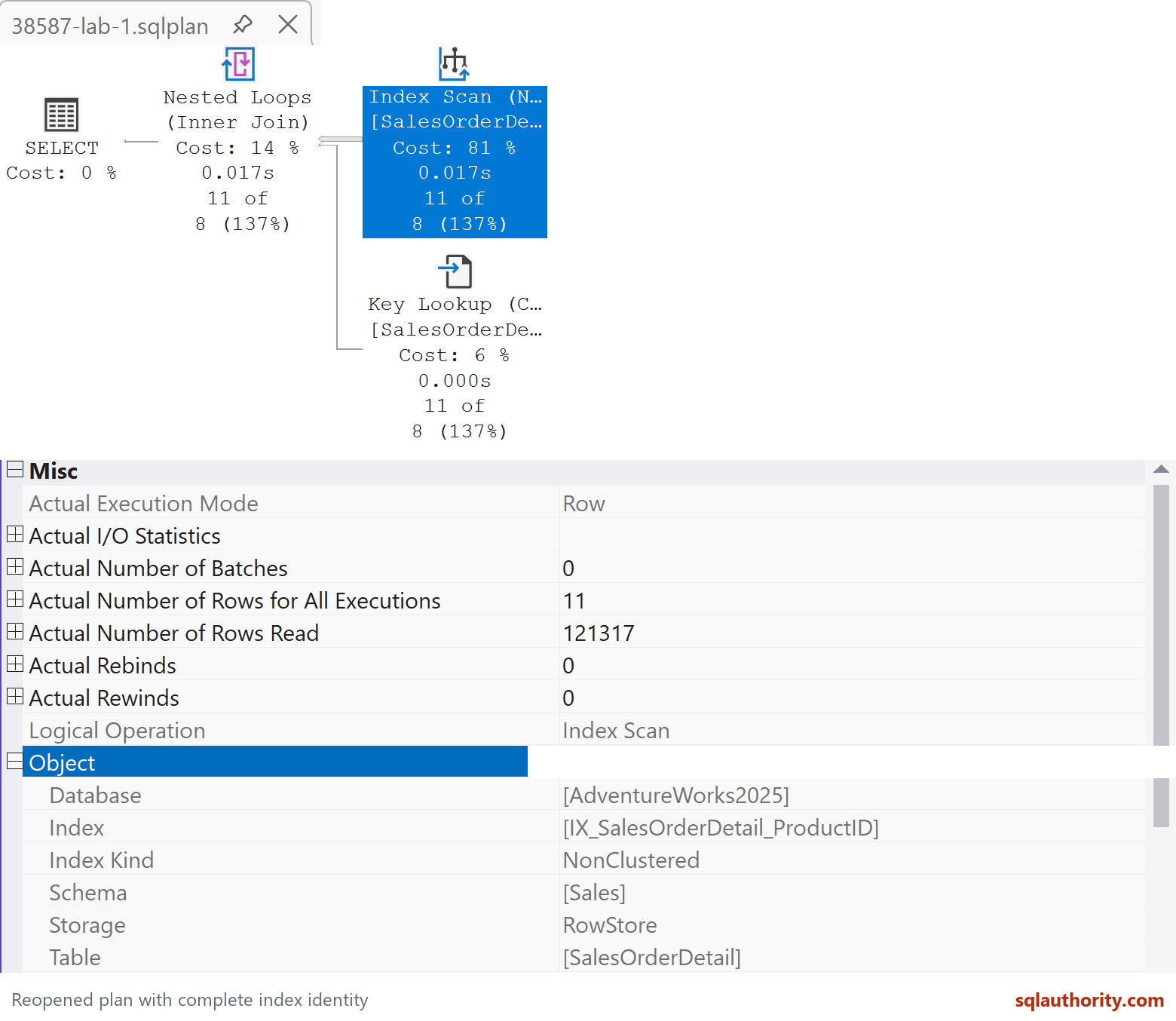
The recipient can use File, Open, File in SSMS, or double-click the .sqlplan file when its file association is configured. This displays the saved plan; it does not execute the query. The recipient does not need the source database simply to inspect it.
Before sharing, inspect the plan for confidential information, including query text, constants and object names. Send it through a channel approved for that information. If you alter a file to remove sensitive material, tell the recipient what changed.
I still prefer the saved plan to a picture of it. Next time I ask for your execution plan, this is the file I mean.
Published by Pinal Dave on SQLAuthority. More of my work at pinaldave.com.
Discover more from SQL Authority with Pinal Dave
Subscribe to get the latest posts sent to your email.