
Today I am blog about something which I found recently while working with SQL Server Profiler. I expected a filter to lower the CPU load, but my test showed the opposite.
Profiler can be invoked just typing profiler in command prompt. I am using Windows Vista Ultimate 32 bit (License Version) and SQL Server 2008 Development (License Version). The reason I have put “License Version” because I encourage everybody to use only licensed software.
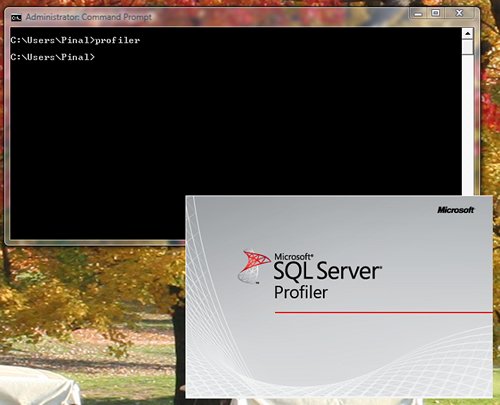
SQL Server Profiler gives feature where we can specify which column filter. Column filter can have value which can be validated with atucal data and based on it, it will store information in profiler stress.
I was always under impression that adding filter will reduce the load on CPU as profiler will have to do less amount of the work. I found that my assumption is wrong while doing testing with very large sample data and collecting very little information with column filter. In fact, column filter increase my CPU usage. After thinking it more I realize why this is happening. I am assuming that SQL Server Profiler has to collect all the necessary information in all the condition but in case of column filter, it will have to compare all the data with filter data, which can be the reason for higher CPU Load. For additional, testing I had removed few of the column filter and found that CPU load is reduced.This validates my theory that when there is filter, CPU has to work harder to filter the data. One good thing is that SQL Server does not store data which is removed, thus it reduces the storage space.
I am eager to know if SQLAuthority.com readers have ever faced situation like this. What is your opinion about it?
Published by Pinal Dave on SQLAuthority. More of my work at pinaldave.com.



2 Comments. Leave new
Truly Correct,
have Experienced the Load when using Column Filter, but its the best experience & can’t stop using the Filter.
hi pinal
I have a query regarding Sql profiler on sql server 2005.
I need to trace all activities done on databases/tables by Sa user. This includes inserts, deletes, updates, truncate and possibly DML statements like create and drop. The problem with sql profiler is that on sql server restart all these logs are gone. Also i want to see the sql statement running on the background.
How do you do about making a daily log of sa activities in a database table or text file.