
UNION vs UNION ALL is a question about duplicates: UNION removes them, and UNION ALL keeps every row. Both stack the rows of two or more queries into one result. Only one of them does extra work to decide which rows are the same.
Two Small Store Tables
The demo has two tables that list plant sales, one per store. StoreEast contains the Basil row twice on purpose. The script creates its own database, so run it on a test server.
IF DB_ID(N'UnionVsUnionAllDemo') IS NULL CREATE DATABASE UnionVsUnionAllDemo;
GO
USE UnionVsUnionAllDemo;
GO
DROP TABLE IF EXISTS dbo.StoreEast, dbo.StoreWest;
CREATE TABLE dbo.StoreEast (PlantName nvarchar(30) NOT NULL, Qty int NOT NULL);
CREATE TABLE dbo.StoreWest (PlantName nvarchar(30) NOT NULL, Qty int NOT NULL);
INSERT dbo.StoreEast VALUES (N'Basil', 10), (N'Basil', 10), (N'Mint', 5), (N'Sage', 7);
INSERT dbo.StoreWest VALUES (N'Basil', 10), (N'Rosemary', 4), (N'Mint', 6), (N'Sage', 7);
UNION ALL Keeps Every Row, UNION Removes Duplicates
Run both operators on the same two queries. The first statement stacks all eight rows. The second compares whole rows and keeps one copy of each. Basil 10 appears three times in the data, and UNION returns it once.
SELECT PlantName, Qty FROM dbo.StoreEast
UNION ALL
SELECT PlantName, Qty FROM dbo.StoreWest;

SELECT PlantName, Qty FROM dbo.StoreEast
UNION
SELECT PlantName, Qty FROM dbo.StoreWest;
The UNION ALL statement returns eight rows. SQL Server doesn’t guarantee their order either, so add an ORDER BY whenever the order matters.
| PlantName | Qty |
|---|---|
| Basil | 10 |
| Basil | 10 |
| Mint | 5 |
| Sage | 7 |
| Basil | 10 |
| Rosemary | 4 |
| Mint | 6 |
| Sage | 7 |
The UNION statement returns five rows.
| PlantName | Qty |
|---|---|
| Basil | 10 |
| Mint | 5 |
| Mint | 6 |
| Rosemary | 4 |
| Sage | 7 |
Duplicates are judged on the whole row. Mint 5 and Mint 6 both survive, because their quantities differ. UNION also removes duplicates inside one table, not only between the two. NULL counts as equal to NULL here. So SELECT NULL UNION SELECT NULL returns one row, and the UNION ALL version returns two.
What UNION vs UNION ALL Costs
To find duplicates, SQL Server must compare rows. The plan shows the extra step. The next script asks for the estimated plans without running the queries. Press Ctrl+L in Management Studio for the same view as a picture.
SET SHOWPLAN_TEXT ON;
GO
SELECT PlantName, Qty FROM dbo.StoreEast UNION ALL SELECT PlantName, Qty FROM dbo.StoreWest;
GO
SELECT PlantName, Qty FROM dbo.StoreEast UNION SELECT PlantName, Qty FROM dbo.StoreWest;
GO
SET SHOWPLAN_TEXT OFF;
| Operator | UNION ALL plan | UNION plan |
|---|---|---|
| Top of the plan | Concatenation | Sort (DISTINCT ORDER BY) |
| Below it | Two table scans | Concatenation, then two table scans |
UNION ALL only stacks the inputs. UNION adds a sort that removes duplicates. On two tiny tables the cost is invisible. On large tables the sort or hash needs memory and can spill to tempdb. Use UNION ALL whenever duplicates can’t occur or don’t matter.
That sort also explains why the UNION rows above came out in order. Don’t rely on it. A large input can use a hash instead, and then the order is different. Only an ORDER BY guarantees the order, and it goes once, after the last query.
A Total Row at the Bottom
A common job is a list with a total row at the end. UNION ALL fits, because the rows are already distinct and a duplicate check would only add a sort. A sort key column then places the total last.
SELECT PlantName, SUM(Qty) AS TotalQty, 0 AS SortKey
FROM (SELECT PlantName, Qty FROM dbo.StoreEast UNION ALL SELECT PlantName, Qty FROM dbo.StoreWest) AS u
GROUP BY PlantName
UNION ALL
SELECT N'All plants', SUM(Qty), 1
FROM (SELECT Qty FROM dbo.StoreEast UNION ALL SELECT Qty FROM dbo.StoreWest) AS v
ORDER BY SortKey, PlantName;
| PlantName | TotalQty | SortKey |
|---|---|---|
| Basil | 30 | 0 |
| Mint | 11 | 0 |
| Rosemary | 4 | 0 |
| Sage | 14 | 0 |
| All plants | 59 | 1 |
The plant rows are sorted by name, and the total row sits at the bottom. The ORDER BY refers to the first query’s column names, which is why SortKey and PlantName work.
Mixing the Two Operators
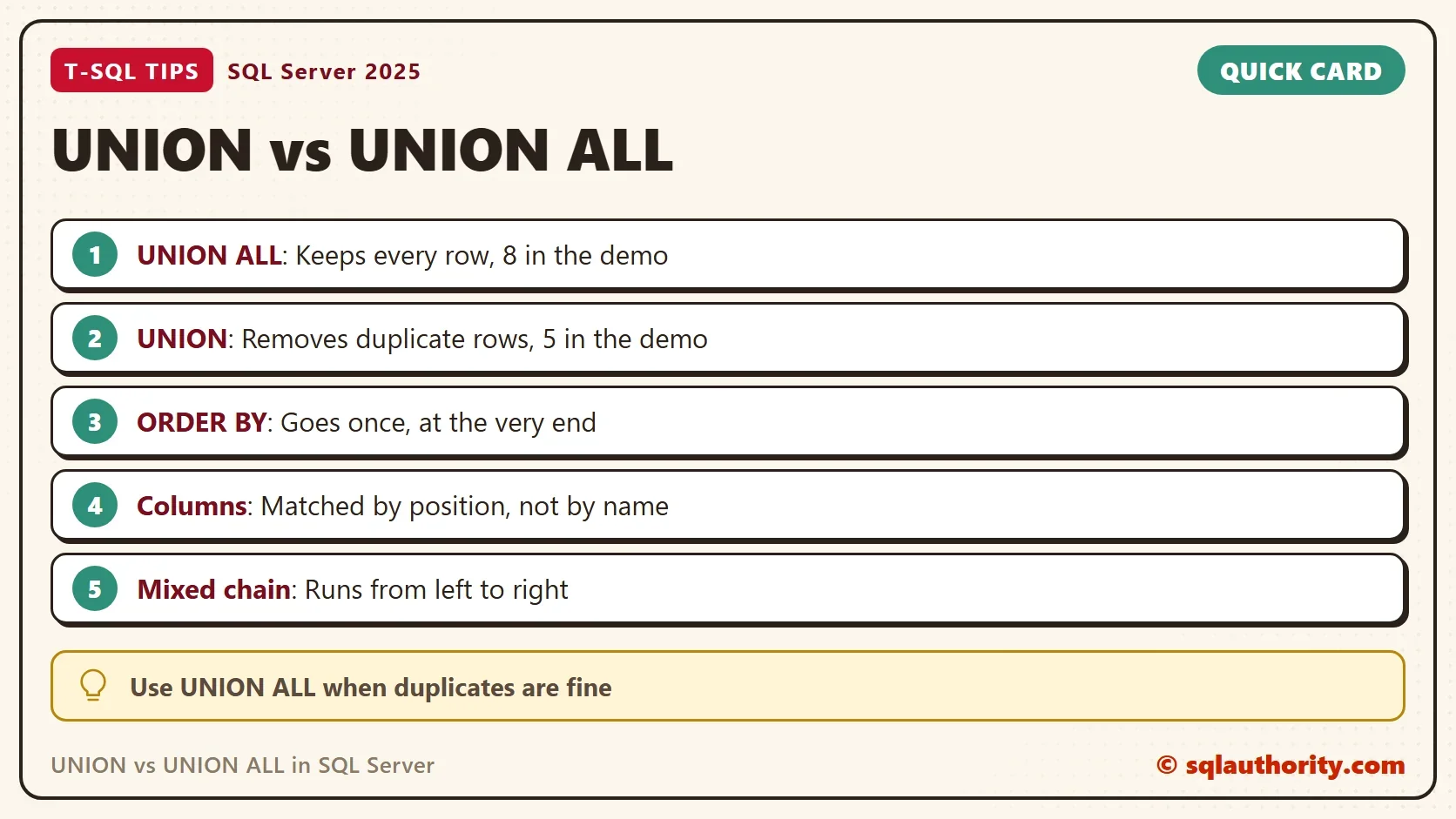
A chain of set operators runs from left to right. The result of the first pair becomes the left side of the next one. The order therefore changes the answer.
SELECT 1 AS n UNION ALL SELECT 1 UNION SELECT 1;

SELECT 1 AS n UNION SELECT 1 UNION ALL SELECT 1;
| Statement | Rows returned |
|---|---|
| UNION ALL, then UNION | 1 |
| UNION, then UNION ALL | 2 |
When you compare UNION vs UNION ALL inside one chain, read it from the left. In the first statement, the final UNION removes every duplicate. In the second, the final UNION ALL adds one more copy after the duplicates were gone. Use parentheses when you mix them. INTERSECT binds tighter than both, so it runs first.
Columns and Data Types
The queries pair up by position. The names in the result come from the first query. The data types are combined by precedence. A whole number stacked on a decimal turns into a decimal. So SELECT 1 UNION ALL SELECT 2.5 returns 1.0 and 2.5. Text against a number fails, and so does a different column count.
SELECT 1 AS n UNION ALL SELECT 'a';
GO
SELECT PlantName, Qty FROM dbo.StoreEast UNION ALL SELECT PlantName FROM dbo.StoreWest;
Msg 245, Level 16, State 1, Line 1
Conversion failed when converting the varchar value 'a' to data type int.
Msg 205, Level 16, State 1, Line 1
All queries combined using a UNION, INTERSECT or EXCEPT operator must have an equal number of expressions in their target lists.
Name the columns in every branch. A SELECT * breaks the day one of the tables gains a column. The same advice covers the old trick of building an INSERT from several SELECT lines joined by UNION ALL. Since SQL Server 2008, a VALUES list with several rows does the same job more clearly.
You could argue that UNION is the safer default, because it hides accidental duplicates. It does. It also hides a real duplicate, and it costs a sort. I choose UNION ALL when the sources can’t overlap. I choose UNION only when I want a list of distinct rows.
What to Remember
UNION vs UNION ALL is a choice you make on purpose. UNION ALL keeps every row and is the cheaper operator. UNION compares whole rows and removes copies. Put ORDER BY once at the end, and use parentheses when the operators mix.
When you finish, run the cleanup script. It drops the demo database.
USE master;
GO
ALTER DATABASE UnionVsUnionAllDemo SET SINGLE_USER WITH ROLLBACK IMMEDIATE;
DROP DATABASE UnionVsUnionAllDemo;
UNION is not the safe version of UNION ALL, it is the one that decides what counts as a duplicate.
Published by Pinal Dave on SQLAuthority. More of my work at pinaldave.com.
Discover more from SQL Authority with Pinal Dave
Subscribe to get the latest posts sent to your email.



1 Comment. Leave new
Hello Sir,
I was working with debugging one query, (Recently migrated from SQL Server 2000 to SQL Server 2008) and query was working fine in SQL Server 2000.
We are observing weird behavior for one table, where we are not able to perform UNION with same table but surprisingly union all is working fine. Can you give us a hint what might be the problem with server.
Error message is saying 9100 contact administrator.
Thanks,
Santosh