
Optimal backup methods start with one question: how much data can you afford to lose? Nobody knows when a natural disaster or a user error will strike. When it does, everybody wants the database back at the point when things were fine. In this post, I answer a few common questions about backup methodology. The goal is to help you pick the plan for your server.
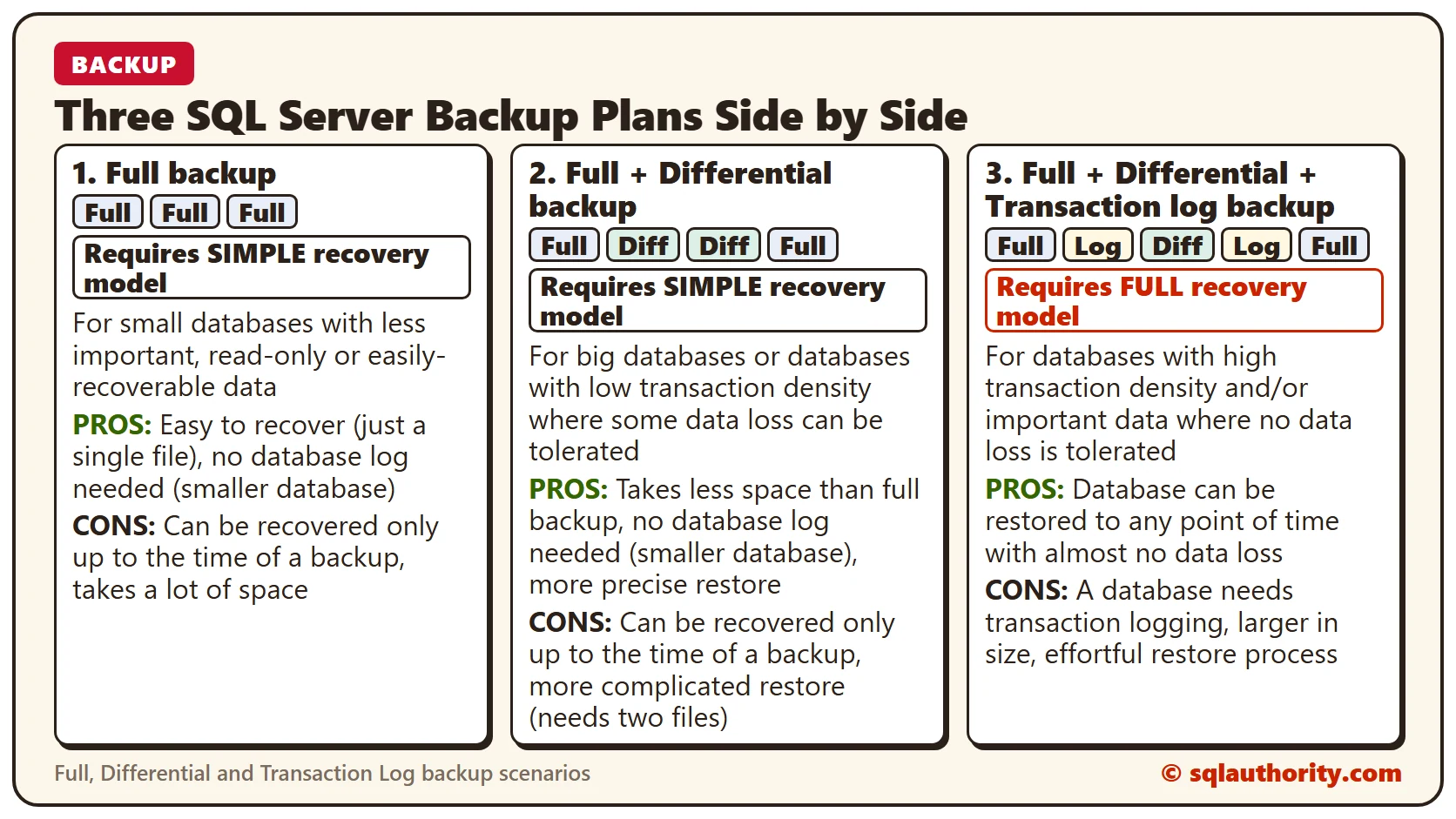
Select a Recovery Model First
Ask yourself first: can I afford to lose a little data (15 minutes, an hour, a day)? Resist the urge to save it all, because that comes with overhead. Most businesses outside finance can afford to lose a bit of data.
If the answer is yes, choose the SIMPLE recovery model (the default) in the database properties. Otherwise, choose the FULL recovery model. FULL also lets you restore to a specific point in time, while SIMPLE restores only to the last backup. That goes beyond this post.
Backups in the SIMPLE Recovery Model
In the SIMPLE recovery model, you can choose Full backups only, or Full plus Differential.
Full Backup
This is the simplest backup. It holds everything needed to restore the database, and it should be your first choice. It is enough for many small databases, but note that it makes a big impact on database performance.
Full + Differential Backup
After a Full backup, a Differential backup picks up all the changes since that Full backup. If you take Full, Diff, Diff, the last Diff holds all the changes, so you don’t need the earlier Differential. A Differential backup is smaller and carries less performance overhead.
Backups in the FULL Recovery Model
In the FULL recovery model, you can choose Full plus Transaction Log, or Full plus Differential plus Transaction Log. You have to take Transaction Log backups, because that is when the log is truncated. Otherwise, your transaction log grows without control.
Full + Transaction Log Backup
Always take a Full backup first, then a series of Transaction Log backups. Unlike Differentials, you need ALL the log backups since the last Full or Diff backup to restore properly. Log backups have the smallest performance overhead, so you can take them frequently.
Full + Differential + Transaction Log Backup
To ease the load on your server, replace some of the Full backups in the previous plan with Differentials. A restore then starts from the Full backup, then the last Differential, then all the remaining log backups.
Typical Backup Scenarios
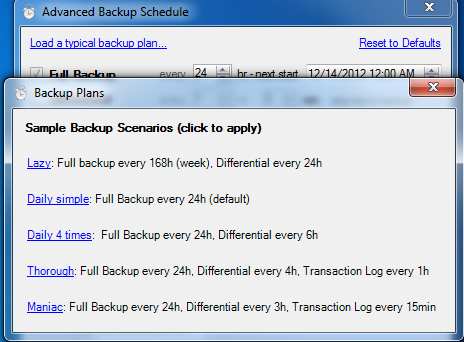
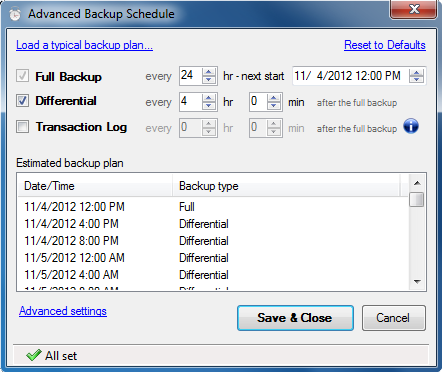
Now for examples. As you know, my favorite SQL backup software is SQLBackupAndFTP. In its Advanced Backup Schedule form, the “Load a typical backup plan…” link gives you scenarios that I think are common. See the image below.
The Simplest Way to Schedule SQL Backups
I hate to repeat myself, but backup scheduling in SQL Server Agent leaves a lot to be desired. I don’t know a simpler way to schedule SQL Server backups than SQLBackupAndFTP. The whole setup takes a few minutes. It covers compression, encryption and upload to a network folder, HDD, NAS drive, FTP, Dropbox, Google Drive or Amazon S3. I wrote a review of it in an earlier post.
Final Words
This post explains the major backup types only. For more complicated scenarios or other options, go to the Microsoft documentation.
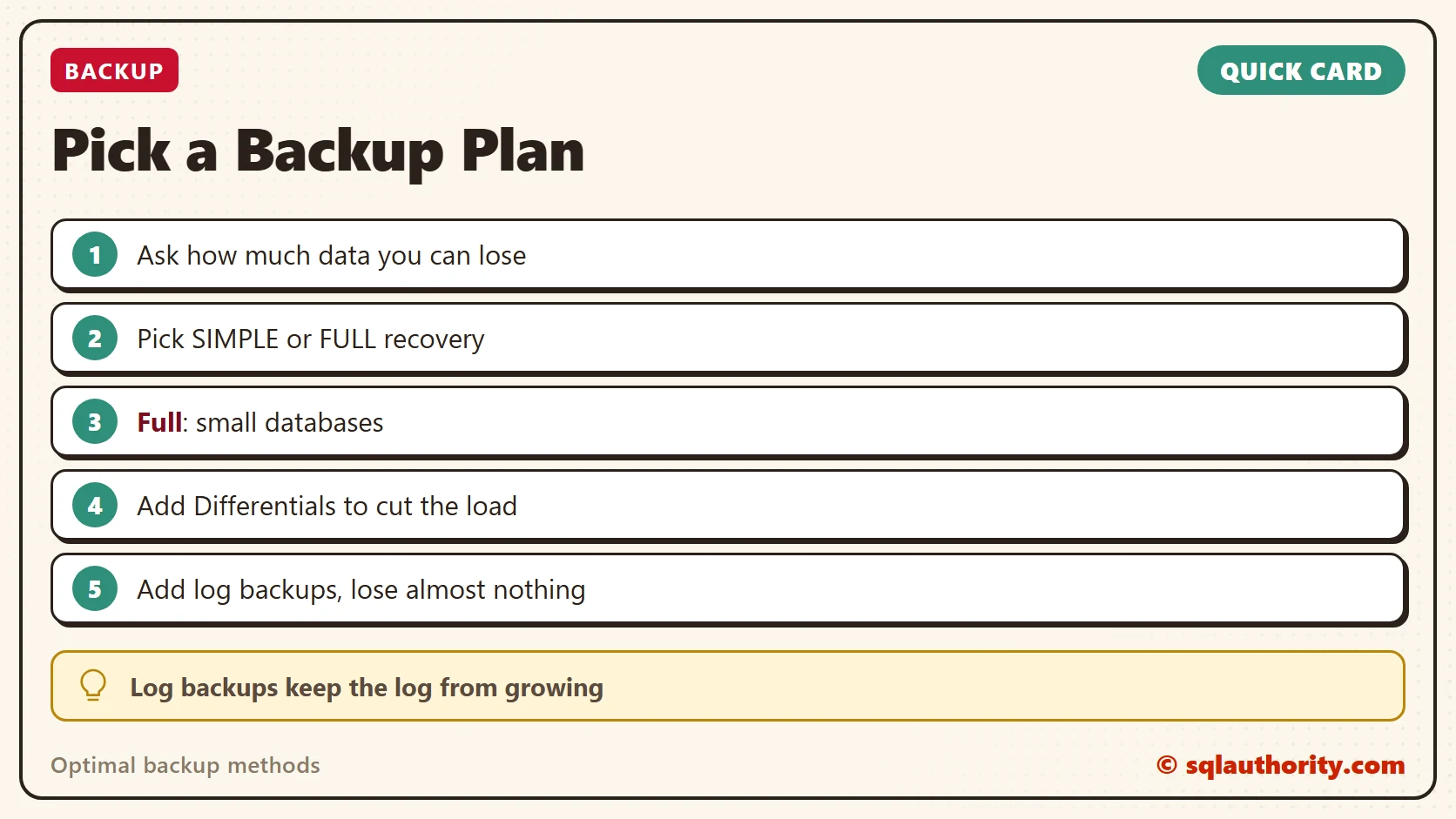
A backup plan is not a schedule, it is a decision about how much data you can lose.
Published by Pinal Dave on SQLAuthority. More of my work at pinaldave.com.
Discover more from SQL Authority with Pinal Dave
Subscribe to get the latest posts sent to your email.




17 Comments. Leave new
Oh Pinal
As always its great & on perfect time for me because I am looking for proper backup planing.
Thanks
You have made the selection of backup much easier for me. I always got confused when it comes to selecting a optimal backup strategy for my database. Thanks a lot Pinal.
thanks a lot
what is the mean of ad hoc?
Hi, and thanks for your useful blob.
I don’t understand 100% when you say “You have to create Transaction Log backup, because at that time the log is being truncated. Otherwise your Transaction Log will grow uncontrollably.”
does it means that if we have full recovery mode but does not choose log backup so the transaction log will increase uncontrollably? so when we choose full recovery mode alltid we have to buckup transaction log?
Thanks Pinal good one!!!
Dear Pinal,
I Have 100 GB Database with me, i need to take regular full backup’s which is not possible, can you suggest which backup plan i need go on..
Thanks in advance
Do not take backup…just Delete it
Just remove your database
and work manulay
What was that Ahmad?
good Artical Pinal
Thank you so much for a detailed description and very clear and precise thoughts. Easy to understand.
Hi Naremdra,
I think it will be schedule full backup every 10 days and differential backup and transaction log backup every 30 mins.
Nice tool! Use SQLBackupAndFTP to backup SQL Server for a long time, thanks!
Very informational article. Really flows well.
Thanks Govind.
You are always best, very good explanation, thanks in advance