To index a computed column, define the formula once on the table and build a normal index on that column. SQL Server then seeks on the stored result instead of calculating the formula for every row.

A Formula in the WHERE Clause Means a Scan
A report asks for order lines worth more than 900. The value is quantity times unit price, so the filter is a calculation. An index on Quantity or on UnitPrice cannot help, because the index holds those columns and not their product. SQL Server reads every row and does the arithmetic.
The demo uses 200,000 order lines. The script creates a database named ComputedIndexDemo. It loads the rows with GENERATE_SERIES, which needs SQL Server 2022 and compatibility level 160. A new database on SQL Server 2025 meets both.
IF DB_ID(N'ComputedIndexDemo') IS NULL CREATE DATABASE ComputedIndexDemo;
GO
USE ComputedIndexDemo;
GO
DROP TABLE IF EXISTS dbo.OrderLines;
CREATE TABLE dbo.OrderLines (
    OrderLineID int IDENTITY(1,1) NOT NULL CONSTRAINT PK_OrderLines PRIMARY KEY,
    ProductName nvarchar(40)  NOT NULL,
    Quantity    int           NOT NULL,
    UnitPrice   decimal(10,2) NOT NULL
);
INSERT INTO dbo.OrderLines (ProductName, Quantity, UnitPrice)
SELECT CONCAT(N'Tea blend ', value % 50),
       1 + value % 20,
       CAST(2 + (value % 37) * 1.25 AS decimal(10,2))
FROM GENERATE_SERIES(1, 200000);
Turn on STATISTICS IO, then run the filter. Logical reads count the pages SQL Server touched, and they do not change from one run to the next. The first query also reports the size of the table in pages.
SELECT used_page_count AS BasePages
FROM sys.dm_db_partition_stats
WHERE object_id = OBJECT_ID(N'dbo.OrderLines') AND index_id = 1;
SET STATISTICS IO ON;
SELECT COUNT(*) AS BigLines FROM dbo.OrderLines WHERE Quantity * UnitPrice > 900;
SET STATISTICS IO OFF;
| BasePages | BigLines |
|---|---|
| 1331 | 540 |
The count is 540 lines, and the Messages tab reports 1,331 logical reads. That is every page of the table. The query looked for 540 rows and read all 200,000.
Add the Computed Column
A computed column is a column whose value comes from a formula over other columns in the same row. By default SQL Server stores nothing for it and calculates the value whenever it is read. The statement below adds one called LineTotal.
ALTER TABLE dbo.OrderLines ADD LineTotal AS Quantity * UnitPrice;
Filter on the new column and the reads stay at 1,331. Naming the column changes how the query reads. It does not change the work, because SQL Server expands the column into its formula and scans.
SET STATISTICS IO ON;
SELECT COUNT(*) AS BigLines FROM dbo.OrderLines WHERE LineTotal > 900;
SET STATISTICS IO OFF;
Index a Computed Column
Now create the index. To index a computed column, name it like any other column. SQL Server calculates the value once for each row and stores it in the index. It keeps the value current when Quantity or UnitPrice changes. Then run three queries. The first names the column. The second writes the formula as it appears in the column definition. The third writes the same product in the other order.
CREATE INDEX IX_OrderLines_LineTotal ON dbo.OrderLines (LineTotal);
SET STATISTICS IO ON;
SELECT COUNT(*) AS BigLines FROM dbo.OrderLines WHERE LineTotal > 900;
SELECT COUNT(*) AS BigLines FROM dbo.OrderLines WHERE Quantity * UnitPrice > 900;
SELECT COUNT(*) AS BigLines FROM dbo.OrderLines WHERE UnitPrice * Quantity > 900;
SET STATISTICS IO OFF;
| Filter | Logical reads |
|---|---|
| WHERE LineTotal > 900 | 6 |
| WHERE Quantity * UnitPrice > 900 | 6 |
| WHERE UnitPrice * Quantity > 900 | 1331 |
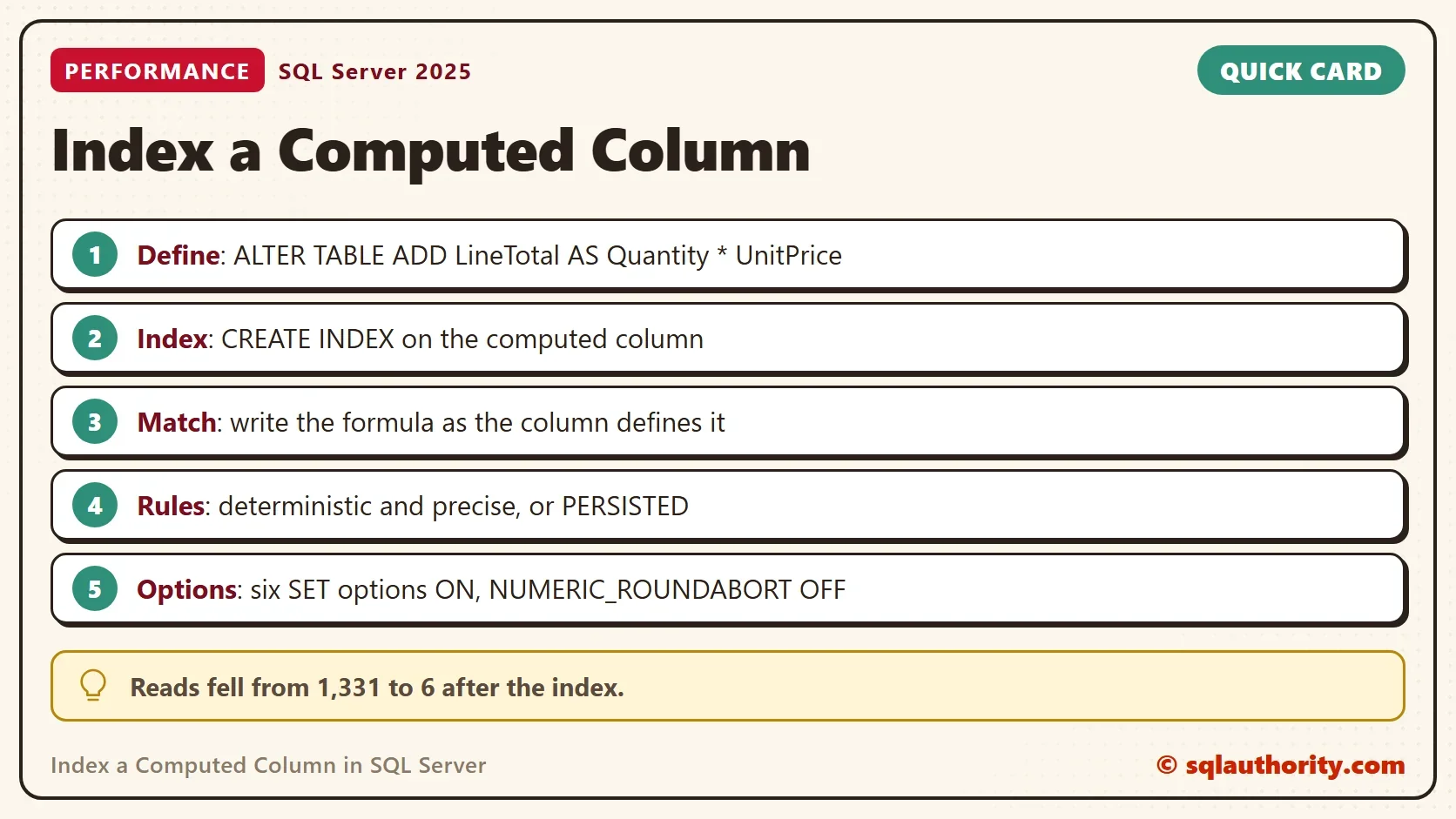
The index turns 1,331 reads into 6 on my test server. A second server read 5 pages, so the exact count differs a little by server. The second query never names LineTotal, and it still uses the index. SQL Server matched the written formula to the column definition. The third query is the same arithmetic with the factors swapped, and it does not match, so it scans again. Write the formula the way the column defines it, or filter on the column.
The index is small because it holds only the computed value and the clustering key. This query lists the pages used by each index.
SELECT i.name, ps.used_page_count AS Pages
FROM sys.indexes AS i
JOIN sys.dm_db_partition_stats AS ps ON ps.object_id = i.object_id AND ps.index_id = i.index_id
WHERE i.object_id = OBJECT_ID(N'dbo.OrderLines')
ORDER BY i.index_id;
| name | Pages |
|---|---|
| PK_OrderLines | 1331 |
| IX_OrderLines_LineTotal | 574 |
PERSISTED or Not
The index already stores the value, so the table itself does not need to. Add PERSISTED and SQL Server also stores the value in every row of the table. That costs space and nothing else here, because the seek already uses the index. Persisted columns earn their place when you index a computed column with an imprecise formula, as the rules below show.
The next script adds a persisted copy of the formula and reads the table size. It rebuilds the table and reads the size again.
ALTER TABLE dbo.OrderLines ADD LineTotalStored AS Quantity * UnitPrice PERSISTED;
SELECT used_page_count AS PagesAfterAdd FROM sys.dm_db_partition_stats WHERE object_id = OBJECT_ID(N'dbo.OrderLines') AND index_id = 1;
ALTER INDEX PK_OrderLines ON dbo.OrderLines REBUILD;
SELECT used_page_count AS PagesAfterRebuild FROM sys.dm_db_partition_stats WHERE object_id = OBJECT_ID(N'dbo.OrderLines') AND index_id = 1;
Right after the change the table grew from 1,331 to 2,657 pages. The rebuild brought it to 1,658 pages, which is 327 pages more than before the column existed. A persisted column costs space in every row. Add it only when a rule asks for it.
The Formula Must Be Deterministic and Precise
SQL Server accepts an index on a computed column only when the formula is deterministic. The same inputs must always give the same output. It must also be precise, which rules out float arithmetic unless the column is persisted. The next script adds three more columns and asks SQL Server what it thinks of each.
ALTER TABLE dbo.OrderLines ADD
    LoadedOn   AS GETDATE(),
    Root       AS SQRT(CAST(Quantity AS float)),
    RootStored AS SQRT(CAST(Quantity AS float)) PERSISTED;
SELECT c.name,
       COLUMNPROPERTY(c.object_id, c.name, 'IsDeterministic') AS IsDeterministic,
       COLUMNPROPERTY(c.object_id, c.name, 'IsPrecise') AS IsPrecise,
       c.is_persisted,
       COLUMNPROPERTY(c.object_id, c.name, 'IsIndexable') AS IsIndexable
FROM sys.computed_columns AS c
WHERE c.object_id = OBJECT_ID(N'dbo.OrderLines')
ORDER BY c.column_id;| name | IsDeterministic | IsPrecise | is_persisted | IsIndexable |
|---|---|---|---|---|
| LineTotal | 1 | 1 | 0 | 1 |
| LineTotalStored | 1 | 1 | 1 | 1 |
| LoadedOn | 0 | 1 | 0 | 0 |
| Root | 1 | 0 | 0 | 0 |
| RootStored | 1 | 0 | 1 | 1 |
LoadedOn calls GETDATE, which returns a different value every time, so it is not deterministic and can never be indexed. Root is deterministic but imprecise, because it uses float. RootStored has the same formula and is persisted, so it is indexable. The three statements below show what SQL Server says when you try anyway.
CREATE INDEX IX_OrderLines_LoadedOn ON dbo.OrderLines (LoadedOn);
Msg 2729, Level 16, State 1, Line 1
Column 'LoadedOn' in table 'dbo.OrderLines' cannot be used in an index or statistics or as a partition key because it is non-deterministic.
CREATE INDEX IX_OrderLines_Root ON dbo.OrderLines (Root);
Msg 2799, Level 16, State 1, Line 1
Cannot create index or statistics 'IX_OrderLines_Root' on table 'dbo.OrderLines' because the computed column 'Root' is imprecise and not persisted. Consider removing column from index or statistics key or marking computed column persisted.
ALTER TABLE dbo.OrderLines ADD LoadedStored AS GETDATE() PERSISTED;
Msg 4936, Level 16, State 1, Line 1
Computed column 'LoadedStored' in table 'OrderLines' cannot be persisted because the column is non-deterministic.
PERSISTED does not rescue a non-deterministic formula, as the last message shows. It only rescues an imprecise one. The persisted copy of the square root is accepted.
CREATE INDEX IX_OrderLines_RootStored ON dbo.OrderLines (RootStored);
Check the SET Options
A table with an index on a computed column needs six session settings ON when you write to it. They are ANSI_NULLS, ANSI_PADDING, ANSI_WARNINGS, ARITHABORT, CONCAT_NULL_YIELDS_NULL and QUOTED_IDENTIFIER. NUMERIC_ROUNDABORT must be OFF. Queries need the same settings before the optimizer can use the index. Management Studio sets them correctly. The script below turns one of them off.
SET CONCAT_NULL_YIELDS_NULL OFF;
INSERT INTO dbo.OrderLines (ProductName, Quantity, UnitPrice) VALUES (N'Mint tea', 1, 3.00);
SET CONCAT_NULL_YIELDS_NULL ON;
Msg 1934, Level 16, State 1, Line 2
INSERT failed because the following SET options have incorrect settings: 'CONCAT_NULL_YIELDS_NULL'. Verify that SET options are correct for use with indexed views and/or indexes on computed columns and/or filtered indexes and/or query notifications and/or XML data type methods and/or spatial index operations.
The failure hits the writer, not the reader. A job or an old application that connects with different settings starts failing as soon as the index exists. The sqlcmd utility leaves QUOTED_IDENTIFIER off unless you pass -I, which is one more way to meet this error. Test every program that writes to the table before the index goes to production.
Is an Extra Column Worth It?
You could argue that a plain column, filled by the application or a trigger, does the same job. It does, until one writer forgets. The computed column keeps the formula in one place, and no code can store a wrong value. An index still has a price. Every insert and delete maintains it, and so does every update of Quantity or UnitPrice.
What to Remember
Index a computed column when a query filters or sorts on the same formula again and again. Write the formula the way the column defines it, or filter on the column name. Add PERSISTED only when the rules need it, because it costs space in every row. Check the SET options of every program that writes to the table.
When you finish, drop the demo database.
USE master;
GO
ALTER DATABASE ComputedIndexDemo SET SINGLE_USER WITH ROLLBACK IMMEDIATE;
DROP DATABASE ComputedIndexDemo;
A calculation in a WHERE clause is not a fixed cost, it is an index you have not built yet.
Published by Pinal Dave on SQLAuthority. More of my work at pinaldave.com.
Discover more from SQL Authority with Pinal Dave
Subscribe to get the latest posts sent to your email.