This operator cheat sheet explains ten plan operators in plain words. Learn what each one does. Then judge a real plan by rows and executions, not by the icon’s name.

Why the icon name is not the verdict
A junior DBA sends you a plan screenshot. “The Key Lookup has the biggest percentage. Is that bad?” Maybe. The name tells you what kind of work happened, not whether it was too much.
A seek that runs once is cheap. The same seek running a million times is not. The percentages on a plan are estimates, not measured time.
Turn on Include Actual Execution Plan (Ctrl+M) before the demos. Click an operator and press F4 for its Properties. Actual Number of Rows and Number of Executions decide most arguments.
Seek, scan and key lookup: how SQL Server finds rows
The demo uses two tiny temp tables, a parent and a child. Run every block in the same query window, because temp tables vanish when the window closes.
DROP TABLE IF EXISTS #OperatorChild, #OperatorParent;
GO
CREATE TABLE #OperatorParent (ParentId int PRIMARY KEY, ParentName varchar(80));
CREATE TABLE #OperatorChild
(ChildId int PRIMARY KEY CLUSTERED, ParentId int NOT NULL,
 SearchValue int NOT NULL, Payload varchar(200));
CREATE INDEX IX_OperatorChild_Search ON #OperatorChild (SearchValue);
CREATE INDEX IX_OperatorChild_Parent ON #OperatorChild (ParentId);

INSERT #OperatorParent VALUES (1, 'A'), (2, 'B');
INSERT #OperatorChild VALUES (1, 1, 10, 'Sample'), (2, 1, 20, 'Other'), (3, 2, 30, 'More');
A seek jumps straight to matching rows through an index. A scan reads the whole structure. A key lookup happens when the index lacks a column you asked for, so SQL Server hops to the clustered index. In the third query a hint names the index so you can see the lookup.
-- Index seek
SELECT ChildId FROM #OperatorChild WHERE SearchValue = 10 ORDER BY ChildId;

-- Scan
SELECT ChildId, Payload FROM #OperatorChild ORDER BY ChildId;

-- Seek plus key lookup
SELECT Payload FROM #OperatorChild WITH (INDEX(IX_OperatorChild_Search))
WHERE SearchValue = 10 ORDER BY ChildId;
These properties come from the third query’s plan. Seek and lookup each ran once and returned one row. That is the healthy case.
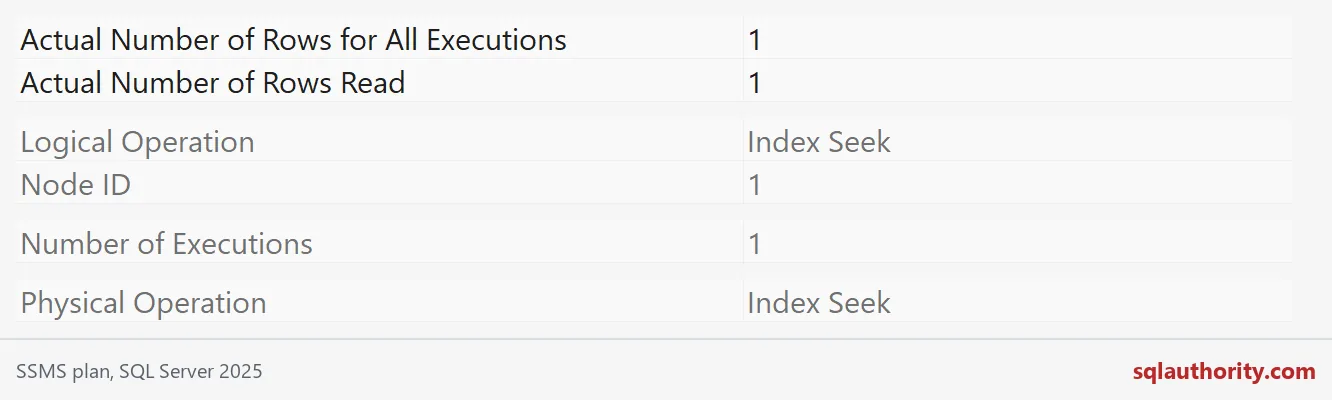
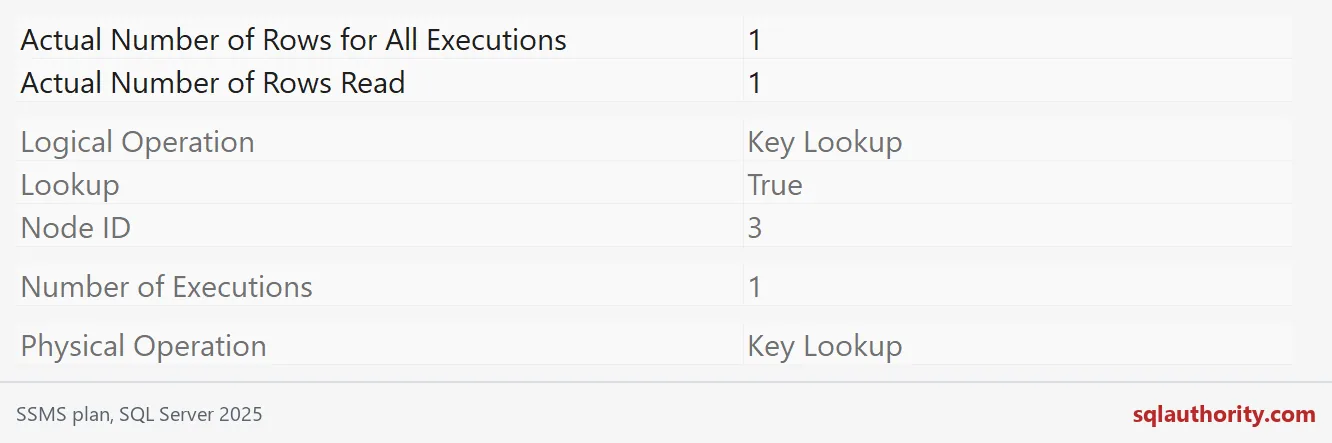
Trouble starts when the lookup runs once per seek row, thousands of times. You see that in Number of Executions, not in the icon.
Nested Loops, Hash Match and Merge Join: how rows are joined
Nested Loops takes each row from one input and looks for matches in the other. It shines when the outer input is small and the inner side has an index. Hash Match builds a hash table from one input and probes it with the other. It suits big, unsorted inputs. Merge Join walks two sorted inputs side by side.
Each hint below asks for one algorithm. Remove hints when you tune a real query.
-- Nested Loops
SELECT p.ParentName, c.ChildId FROM #OperatorParent AS p
JOIN #OperatorChild AS c ON c.ParentId = p.ParentId
ORDER BY p.ParentId, c.ChildId OPTION (LOOP JOIN);

-- Hash Match
SELECT p.ParentName, c.ChildId FROM #OperatorParent AS p
JOIN #OperatorChild AS c ON c.ParentId = p.ParentId
ORDER BY p.ParentId, c.ChildId OPTION (HASH JOIN);

-- Merge Join
SELECT p.ParentName, c.ChildId FROM #OperatorParent AS p
JOIN #OperatorChild AS c ON c.ParentId = p.ParentId
ORDER BY p.ParentId, c.ChildId OPTION (MERGE JOIN);
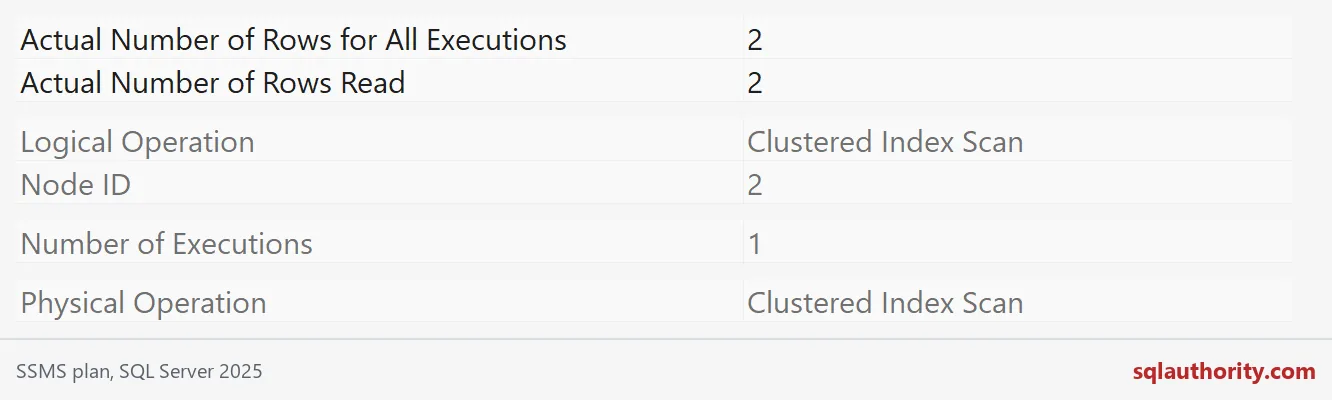
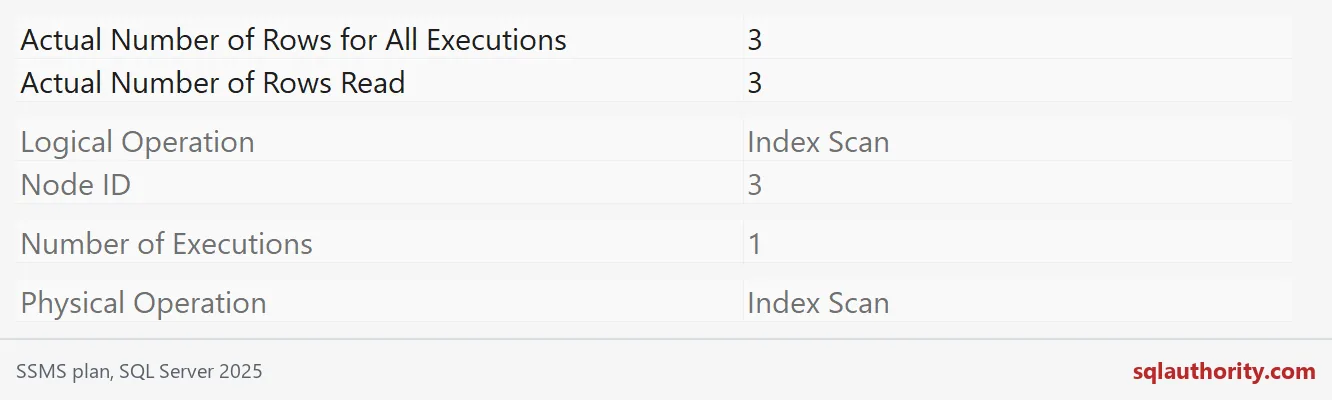
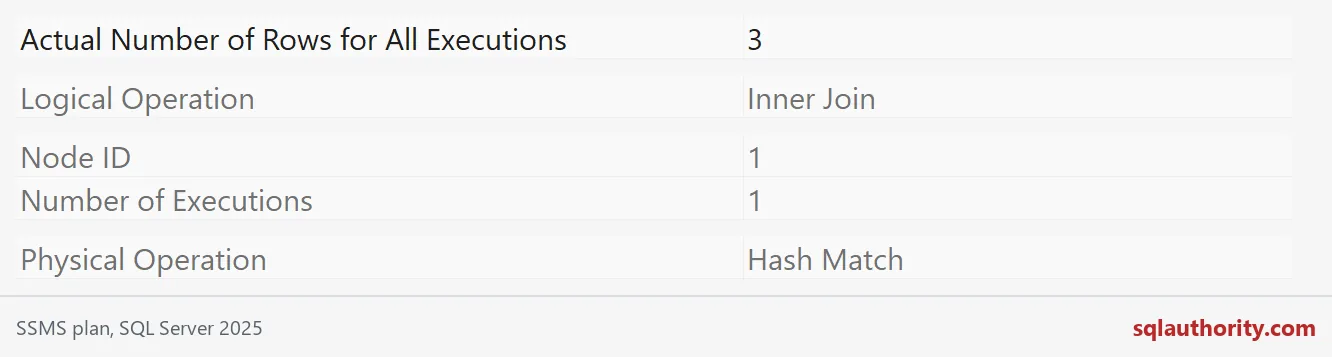
All three return the same three rows. Only the work differs. These properties come from the hash plan.
Sort and Stream Aggregate: shaping the rows
Sort puts rows in the order you asked for. It needs memory and can spill to tempdb. Stream Aggregate groups rows that already arrive in order, so it is cheap when an index delivers that order.
-- Sort
SELECT ChildId, Payload FROM #OperatorChild ORDER BY Payload, ChildId;

-- Stream Aggregate
SELECT ParentId, COUNT_BIG(*) AS ChildCount
FROM #OperatorChild GROUP BY ParentId ORDER BY ParentId OPTION (ORDER GROUP);
Spool and Parallelism need more data
With three rows, you will not see a spool or a parallel plan. So here is a temp table of 200,000 rows. GENERATE_SERIES needs SQL Server 2022 or later.
DROP TABLE IF EXISTS #Big;
GO
CREATE TABLE #Big
(Id int PRIMARY KEY CLUSTERED, GroupId int NOT NULL, Amount int NOT NULL, Pad char(100) NOT NULL DEFAULT 'x');

INSERT #Big (Id, GroupId, Amount)
SELECT value, value % 100, value % 1000
FROM GENERATE_SERIES(1, 200000);
A spool stores rows in tempdb for reuse or for protection. The first statement inserts into the table it also reads, so SQL Server parks the rows first. That way the insert cannot read rows it just wrote. The second statement asks for a parallel plan, and I wrap it in COUNT so only one number prints.
INSERT #Big (Id, GroupId, Amount)
SELECT Id + 1000000, GroupId, Amount FROM #Big WHERE Id <= 5000;

SELECT COUNT(*) AS GroupsFound
FROM (SELECT GroupId, SUM(CONVERT(bigint, Amount)) AS Total FROM #Big GROUP BY GroupId) AS g
OPTION (USE HINT('ENABLE_PARALLEL_PLAN_PREFERENCE'));
There is also an Index Spool, but it did not appear reliably in this demo, so I leave it out. Parallelism operators move rows between worker threads. They cost something themselves, so a parallel plan is not automatically a faster plan.
Check which operators your own query used
You do not have to squint at icons. This query reads the plan cache and prints each statement with its operators in plan order. It relabels a lookup as Key Lookup, because the plan stores it as a flagged clustered index seek.
WITH XMLNAMESPACES (DEFAULT 'http://schemas.microsoft.com/sqlserver/2004/07/showplan'),
Ops AS
(SELECT cp.plan_handle,
        LEFT(TRIM(N' ;' FROM REPLACE(REPLACE(s.stmt.value('@StatementText', 'nvarchar(400)'), CHAR(13), N' '), CHAR(10), N' ')), 62) AS Statement,
        r.op.value('@NodeId', 'int') AS NodeId,
        CASE WHEN r.op.exist('IndexScan[@Lookup = "1"]') = 1 THEN N'Key Lookup'
             ELSE r.op.value('@PhysicalOp', 'nvarchar(60)') END AS Operator
 FROM sys.dm_exec_cached_plans AS cp
 CROSS APPLY sys.dm_exec_sql_text(cp.plan_handle) AS st
 CROSS APPLY sys.dm_exec_query_plan(cp.plan_handle) AS qp
 CROSS APPLY qp.query_plan.nodes('//StmtSimple') AS s(stmt)
 CROSS APPLY s.stmt.nodes('.//RelOp') AS r(op)
 WHERE (st.text LIKE N'%#OperatorChild%' OR st.text LIKE N'%#Big%')
   AND st.text NOT LIKE N'%dm_exec_cached_plans%')
SELECT DISTINCT Statement, Operators
FROM (SELECT plan_handle, Statement,
             STRING_AGG(Operator, N' > ') WITHIN GROUP (ORDER BY NodeId) AS Operators
      FROM Ops GROUP BY plan_handle, Statement) AS x
WHERE Operators NOT LIKE N'%Constant Scan%' AND Operators NOT LIKE N'%Table-valued function%'
ORDER BY Statement;
Read each Operators cell from the top down. The Nested Loops row has no Sort. The Hash Match and Merge Join rows each have a Sort on top, because those joins do not return rows in the order I asked for. The key lookup sits under Nested Loops, which is why it can repeat. The big insert holds a Table Spool. The grouped query holds a Parallelism operator.
Cleanup is one line. Closing the window does the same.
DROP TABLE IF EXISTS #Big, #OperatorChild, #OperatorParent;
Next time a plan looks scary, read the rows and executions first.
An operator name is not a verdict, it is a description of work.
Published by Pinal Dave on SQLAuthority. More of my work at pinaldave.com.
Discover more from SQL Authority with Pinal Dave
Subscribe to get the latest posts sent to your email.