A canceled query plan is easy to lose, because the plan of a running statement disappears when you cancel it. Three methods keep it. Live Query Statistics shows the plan while the query runs. A dynamic management view returns the same live plan. Query Store stores the plan of the aborted run.

The Question Behind a Canceled Query Plan
A DBA tuned a query that ran for more than 20 minutes. After every change, the DBA wanted the plan. Letting the query finish each time cost too much time and energy. The idea was to run the query, collect the plan and cancel it.
An actual execution plan appears only when a query completes, so a canceled run gives none. The goal then changes. To keep a canceled query plan, read the plan while the query runs. Or use a tool that stored it before the cancel. The demo below builds a long query and tests each route on SQL Server 2025.
Build a Query That Needs Canceling
The demo database CancelPlanDemo holds a table of 1,500 numbers. Query Store is on and captures every query, which the third method needs. The long query joins the table to itself three times. The filter on a product of three columns leaves SQL Server no shortcut. The query stays on one processor and is built to run for a long time.
IF DB_ID(N'CancelPlanDemo') IS NULL CREATE DATABASE CancelPlanDemo;
GO
ALTER DATABASE CancelPlanDemo SET QUERY_STORE = ON (OPERATION_MODE = READ_WRITE, QUERY_CAPTURE_MODE = ALL);
GO
USE CancelPlanDemo;
GO
DROP TABLE IF EXISTS dbo.Numbers;
CREATE TABLE dbo.Numbers (n int NOT NULL PRIMARY KEY);
INSERT INTO dbo.Numbers (n)
SELECT TOP (1500) ROW_NUMBER() OVER (ORDER BY (SELECT NULL))
FROM sys.all_objects AS a CROSS JOIN sys.all_objects AS b;
Run the long query in one query window, and leave it running. Use a test server, because the query keeps one processor busy until you cancel it.
SELECT COUNT_BIG(*) AS Matches
FROM dbo.Numbers AS a
CROSS JOIN dbo.Numbers AS b
CROSS JOIN dbo.Numbers AS c
WHERE CAST(a.n AS bigint) * b.n * c.n = 7
OPTION (MAXDOP 1);
Method One: Live Query Statistics in SSMS
Live Query Statistics is the method that the original question needs. Turn it on from the Query menu with Include Live Query Statistics, or from the toolbar. It needs SSMS 16 or later and SQL Server 2014 or later. Run the query. A Live Query Statistics tab opens next to the results and draws the plan while the query works. Counts and arrows show which operator holds the rows.
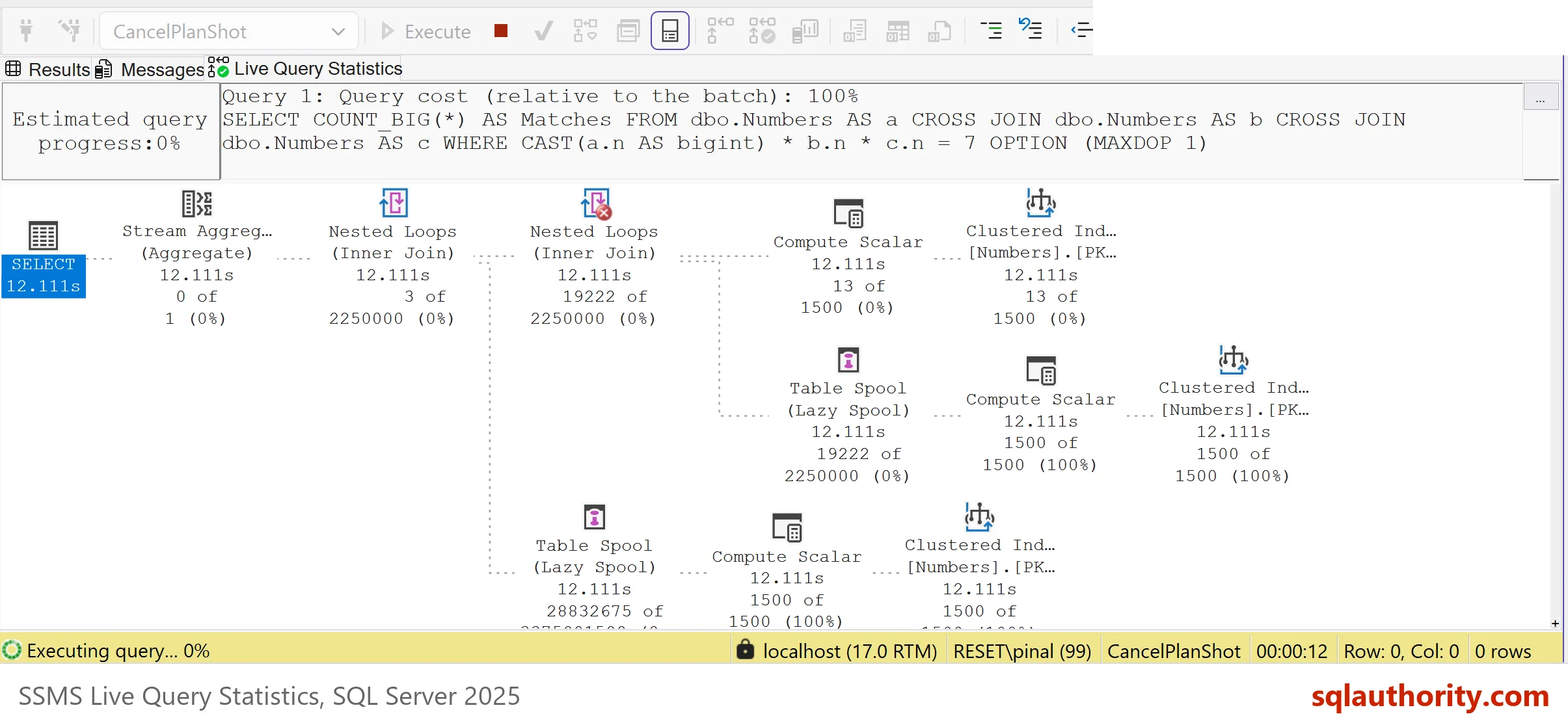
Take a screenshot, or note what you need. Then cancel the query with the red Cancel Executing Query button. Live Query Statistics adds overhead, so use it on a test or off-peak system. The menu path comes from SSMS and was not run here. The result is a plan that shows where the time goes, which is all a tuning change needs. It is not an estimate. It shows the real rows that flowed so far.
Method Two: Read the Live Plan From Another Window
The same plan is available to any query window through sys.dm_exec_query_statistics_xml. Lightweight profiling is on by default in SQL Server 2019 and later, so the plan is there without extra settings. Start the long query again, then run this query in a second window. It needs VIEW SERVER STATE, or VIEW SERVER PERFORMANCE STATE on SQL Server 2022 and later.
SELECT r.session_id, r.status, r.command, qp.query_plan
FROM sys.dm_exec_requests AS r
OUTER APPLY sys.dm_exec_query_statistics_xml(r.session_id) AS qp
WHERE r.database_id = DB_ID(N'CancelPlanDemo') AND r.session_id <> @@SPID AND r.status <> N'background';
| session_id | status | command | query_plan |
|---|---|---|---|
| the session of the long query | running | SELECT | XML, click it to open the plan |
The row exists while the statement runs, and the query_plan column holds a plan with actual row counts. Click the XML to open the graphical plan, and save it with the Save Execution Plan As command. After you cancel the query, the view returns no row for that session, so the live plan is gone. Save it before the cancel.
Method Three: Read the Aborted Run in Query Store
After the cancel, Query Store still knows the statement. It records the run with the execution type Aborted and keeps the plan. The next query flushes Query Store to disk and reads the run. The filter on the statement text finds the demo query and skips the Query Store queries themselves.
EXEC sys.sp_query_store_flush_db;
SELECT rs.execution_type_desc, rs.count_executions,
       CASE WHEN p.query_plan IS NULL THEN N'no plan' ELSE N'plan stored' END AS PlanStored
FROM sys.query_store_query_text AS qt
INNER JOIN sys.query_store_query AS q ON q.query_text_id = qt.query_text_id
INNER JOIN sys.query_store_plan AS p ON p.query_id = q.query_id
INNER JOIN sys.query_store_runtime_stats AS rs ON rs.plan_id = p.plan_id
WHERE qt.query_sql_text LIKE N'%CAST(a.n AS bigint)%' AND qt.query_sql_text NOT LIKE N'%query_store%';| execution_type_desc | count_executions | PlanStored |
|---|---|---|
| Aborted | 1 | plan stored |
The statement ran until it was canceled, and Query Store still holds the canceled query plan. That plan was stored when the statement compiled. It is an estimated plan, so it has no actual row counts. It is still enough to read the join order and the operators. Some advice says that no plan exists for a canceled query. On a database with Query Store on, one does.
Which Method Fits Which Case
You could argue that the estimated plan from Ctrl+L is simpler, since it needs no running query. It is simpler, and it is the right first look. It shows what the optimizer expects, not what happens. Live Query Statistics shows the difference as the rows flow. Query Store is the choice when nobody watched the query, such as a job that someone canceled during the night.
What to Remember
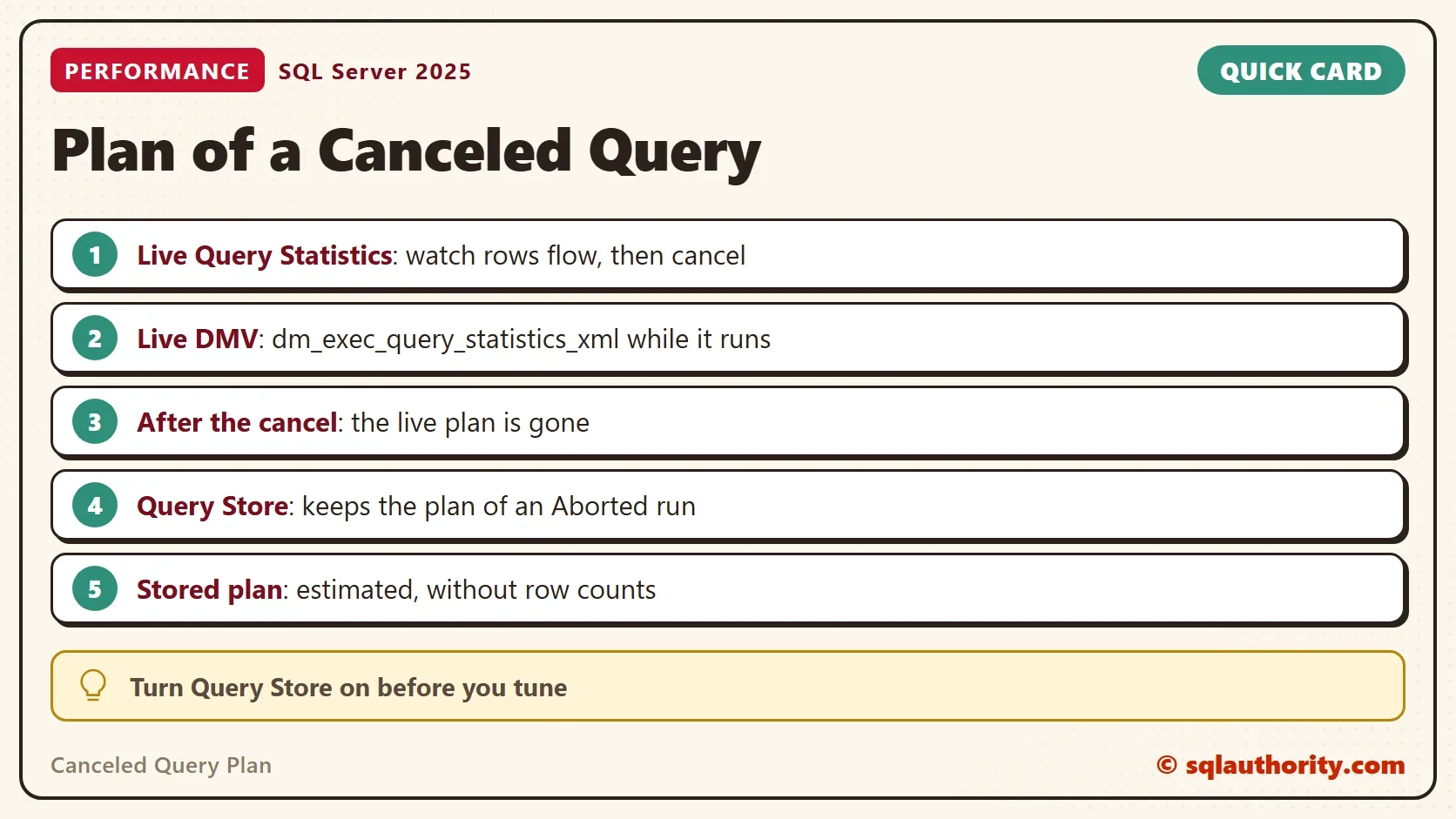
A canceled query plan isn’t gone if you capture it in time. Use Live Query Statistics while you tune. Use the live plan view when another window must read it. Use Query Store when the cancel already happened. Turn Query Store on before a tuning session, so every aborted run leaves a plan. When you finish with the demo, drop the example database.
USE master;
GO
DROP DATABASE IF EXISTS CancelPlanDemo;
A canceled query is not a lost plan, it is a plan nobody saved yet.
Published by Pinal Dave on SQLAuthority. More of my work at pinaldave.com.
Discover more from SQL Authority with Pinal Dave
Subscribe to get the latest posts sent to your email.