
Question: Where is the default setting for backup compression?
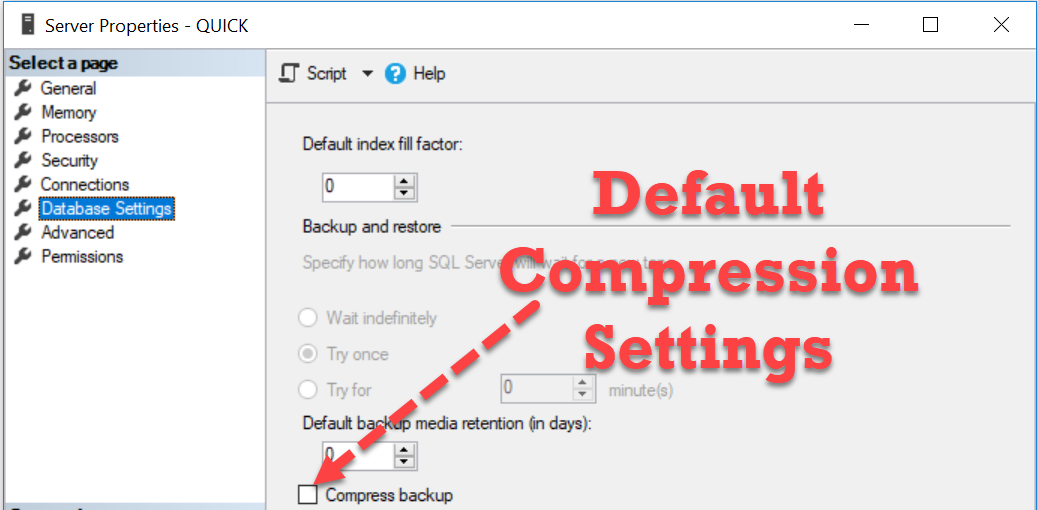
Answer: It is an instance setting. In SSMS, right-click the server, choose Properties, Database Settings, then find Compress backup under Backup and restore.

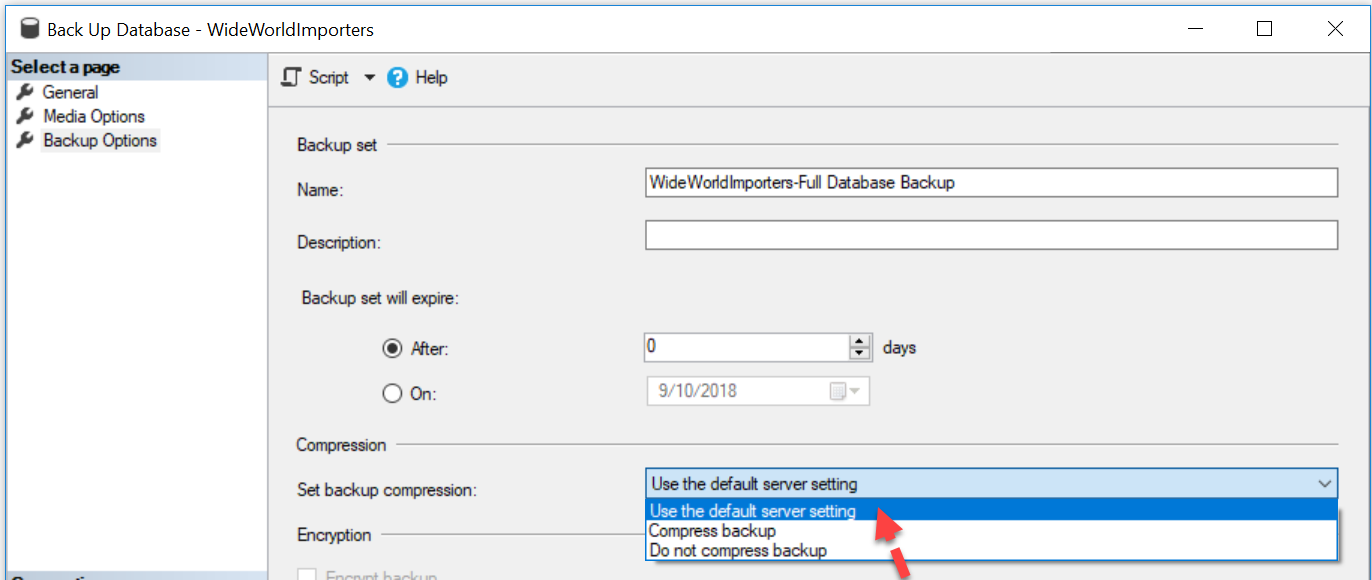
The question starts with the Back Up Database dialog. Its compression dropdown offers “Use the default server setting,” but does not show where that default comes from. The following two original screenshots connect those screens.
SELECT name, value AS configured_value, value_in_use,
       CASE CONVERT(int, value_in_use)
         WHEN 1 THEN 'Backup Compression On'
         ELSE 'Backup Compression Off'
       END AS [Backup Compression Default]
FROM sys.configurations
WHERE name = N'backup compression default';

-- Configuration examples only. Uncomment one after reviewing the change.
-- EXEC sys.sp_configure N'backup compression default', 1;
-- RECONFIGURE;
-- EXEC sys.sp_configure N'backup compression default', 0;
-- RECONFIGURE;
value_in_use is the active setting. A value of 1 enables compression by default; 0 disables it. The original query’s OFF label was incomplete, so the result now names both states clearly.
To change it with T-SQL, run one of the commented sp_configure examples and RECONFIGURE after reviewing the instance-wide effect. WITH OVERRIDE is unnecessary for this ordinary change. The statement remains commented in the diagnostic script to avoid changing a server merely by inspecting its setting.
An individual backup can override the default with WITH COMPRESSION or WITH NO_COMPRESSION. Compression support depends on the SQL Server version and edition, and compressed backups use CPU. Check the setting you intend to use rather than assuming every job inherits the default. This is useful information for a DBA, even outside an interview.
Published by Pinal Dave on SQLAuthority. More of my work at pinaldave.com.
Discover more from SQL Authority with Pinal Dave
Subscribe to get the latest posts sent to your email.




2 Comments. Leave new
Wouldn’t you want to add the word “Off”?
ELSE ‘Backup Compression Off’
How much % enabling this setting would compress the SQL server db backups ? How about using open source 3rd party tool of HYPER-V backup compression ? What is the difference in output ?