
The IIF function is a shorthand way to write a CASE statement, and developers know it from many languages. In SQL Server Denali, there are two new logical functions being introduced, namely:
Today, we will have a look at the IIF() function. This function does not need any introduction as developers have used this function in various languages from ages. This function is shorthand way for writing CASE statement. These functions take three arguments. If the first argument is true, it will return the second argument as result or it will return the third argument as result.
IIF can be nested as well, which makes its usage very interesting. The limit of nesting of IIF is same as CASE statement, which is capped at 10.
Now, let us look at these examples that show how IIF() works:
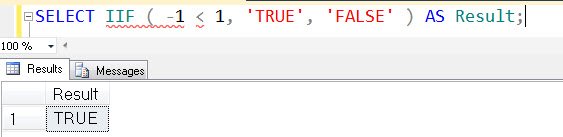
Example 1: IIF Usage
SELECT IIF ( -1 < 1, 'TRUE', 'FALSE' ) AS Result;
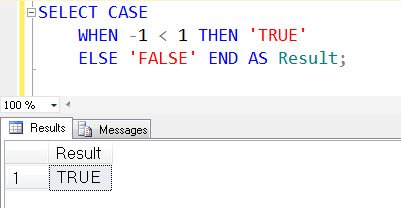
Example 2: IIF simulated by CASE statement
SELECT CASE
WHEN -1 < 1 THEN 'TRUE'
ELSE 'FALSE' END AS Result;
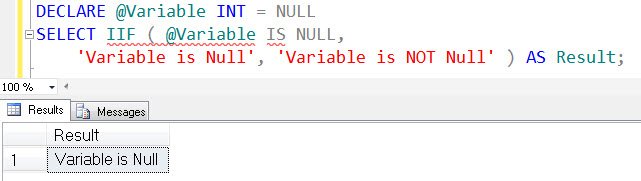
Example 3: IIF with NULL
DECLARE @Variable INT = NULL
SELECT IIF ( @Variable IS NULL,
'Variable is Null', 'Variable is NOT Null' ) AS Result;
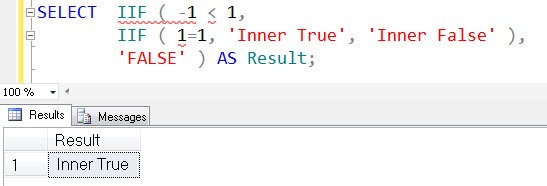
Example 4: Nested IIF
SELECT IIF ( -1 < 1, IIF ( 1=1, 'Inner True', 'Inner False' ), 'FALSE' ) AS Result;
Example 5: IIF used along with TRY_PARSE and Table
USE AdventureWorks2008R2;

SELECT SP.[StateProvinceCode],

A.[PostalCode],

IIF(TRY_PARSE(A.[PostalCode] AS INT) IS NULL,

'Canada','United States') Country

FROM [Person].[Address] A

INNER JOIN [Person].[StateProvince] SP

ON SP.StateProvinceID = A.StateProvinceID

GO
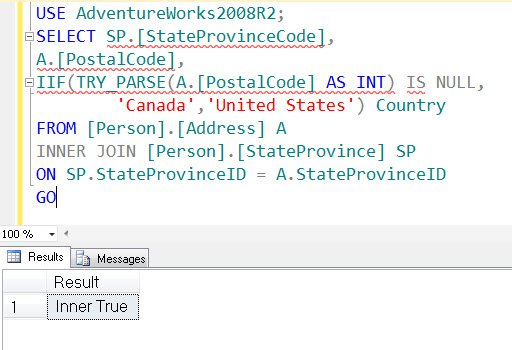
In above example, we can see how IIF is used instead of CASE statement and the decision is made during run time using TRY_PARSE() function. You can read more about the function TRY_PARSE() here. IIF can be used the same way as CASE statement in SELECT statement.
In the next blog post, we will discuss the difference between CONVERT and PARSE as well as TRY_CONVERT and TRY_PARSE. We will also look at a couple of interesting trivia questions.
Things to Know Before You Use IIF in Production Code
Since this function is turned into a CASE expression behind the scenes, you do not gain or lose speed by choosing it. The choice is about readability. For a simple two-way decision it is shorter and easier to read. Once you nest more than two levels, a plain CASE is usually clearer for the next person who reads your code.
Two details can surprise you. First, when the condition is unknown because of a NULL, you get the third argument, the same as for a false condition. So IIF(NULL = 1, 'Yes', 'No') returns ‘No’. Second, the return type follows data type precedence between the second and third arguments, so mixing an INT and a VARCHAR can end in a conversion error at run time.
Published by Pinal Dave on SQLAuthority. More of my work at pinaldave.com.
Discover more from SQL Authority with Pinal Dave
Subscribe to get the latest posts sent to your email.




12 Comments. Leave new
Hi Sir,
Your Denali articles series looking very interesting to me.
My Denali toolbox has now filled with functions PARSE(),TRY_PARSE(),TRY_CONVERT() ,IIF() and waiting for CHOOSE().
CHOOSE() function will returns the value based on the specified index from the list of values.
SELECT CHOOSE (1, ‘SQL 2000′,’SQL 2005’, ‘SQL 2008’, ‘SQL 2012’)
Result
_________
SQL 2000
SELECT CHOOSE (2, ‘SQL 2000′,’SQL 2005’, ‘SQL 2008’, ‘SQL 2012’)
Result
_________
SQL 2005
SELECT CHOOSE (3, ‘SQL 2000′,’SQL 2005’, ‘SQL 2008’, ‘SQL 2012’)
Result
_________
SQL 2008
Agree with shatrughna kumar …
All the Denali articles are really interesting.
When is Denali expected to be released? Seems like it has lot of useful features…
Pinal, I do appreciate the look at the new Denali – I just struggle with “What is Microsoft Thinking”? I mean, not one of the new features seems to anything really new that I couldn’t do in SQL 2000. It appears they are just telling their engineers to ‘write new functions with CLR that replace existing functionality with new names and syntax’.
I’m not saying I won’t use these functions. It is just that I won’t be rushing to get Denali with my money because there doesn’t appear to be any really new functionality.
Hi Rob,
there are so many new functions and features. Just wait and watch this blog space for 90 days. I decided to start with something simple first and then will take it to next level – trust me it is worth every single penny.
Again, thanks for your comment, atleast I know what is the perception and how I can help in whole matter.
Pinal,
I like teh founf tion IIF. “IT is very simple and can be used in lot of queryies.
Is the function IIF in SQL server 2008 or only in SQL server 2012?
Pinal there seems problem with 32bit version of denali whereas 64 bit version have this function. Thanks –Jeetenra
Wow !
That is a good one. Thanks for sharing sir.
Can we call a function or statement instead of values?
HI Pinal,
There is seems to be typing mistake in example 3. Please correct it.
IIF only evaluates the third argument when the statement is false:
SELECT iif(1> 9
SELECT iif(1>2, 3*3, 3/0) — >> Error