Six backup cards and a target of 10:42. Which restore route gets you there?
There are few moments in database work when the order of a set of files matters more. A restore can look like a simple list until the day you need to stop at a particular point in time. Then the relationships between the files matter as much as their names.
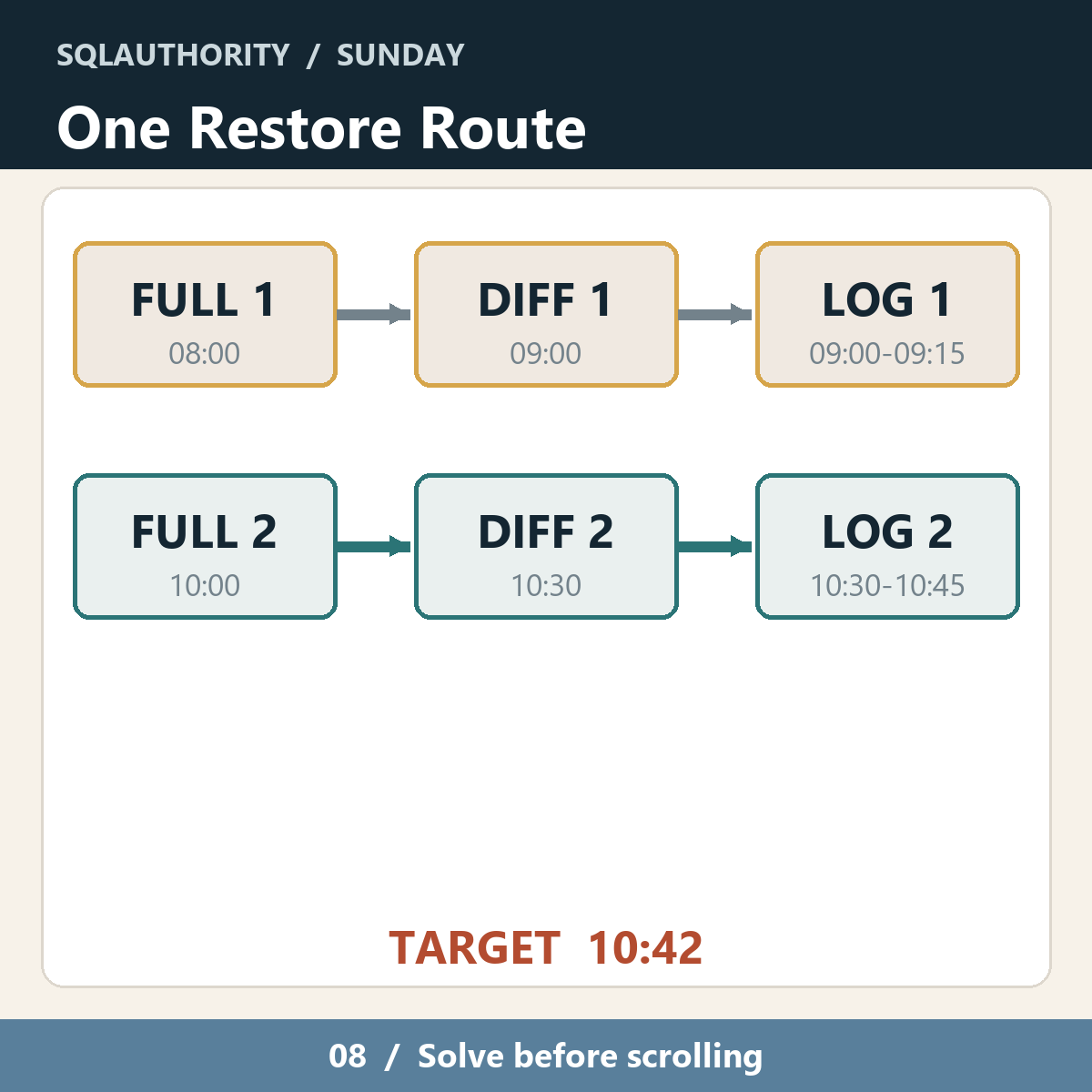
Today's diagram is deliberately small. The upper row starts with FULL 1 at 08:00, continues to DIFF 1 at 09:00, and ends with LOG 1 covering 09:00 to 09:15. The lower row starts with FULL 2 at 10:00, continues to its matching DIFF 2 at 10:30, and ends with LOG 2 covering 10:30 to 10:45. The target is 10:42. Follow the arrows and pick the row that can reach it.
The arrows are part of the puzzle, not decoration. In a real recovery plan I would inspect backup metadata and the log sequence numbers. For this Sunday card, all dependencies are given; you only need to choose the uninterrupted route.
The Restore Route Answer
The lower row is the intended route: FULL 2, then DIFF 2, then LOG 2, stopping at 10:42 within that last log backup. The upper row ends at 09:15. It cannot reach a point more than an hour later, however neatly the three cards line up.
This is a simplified diagram, not a restore command to copy into production. A differential backup must match its base full backup, and the required log backups must form an unbroken sequence. The timestamps alone are not sufficient proof. Microsoft documents the restore order and the need to keep the log chain intact.
I like to write the required restore chain down before touching a server. It is easier to spot a missing piece on paper than halfway through a restore. If a real incident is underway, the exact backup headers and recovery goal take priority over a pretty timeline.
The small Sunday answer is the lower route. The larger habit is to test the route you expect to use. A shelf full of files can still leave a gap when it matters most.
For the technical detail, see Microsoft Learn.
Published by Pinal Dave on SQLAuthority. More of my work at pinaldave.com.
Discover more from SQL Authority with Pinal Dave
Subscribe to get the latest posts sent to your email.