
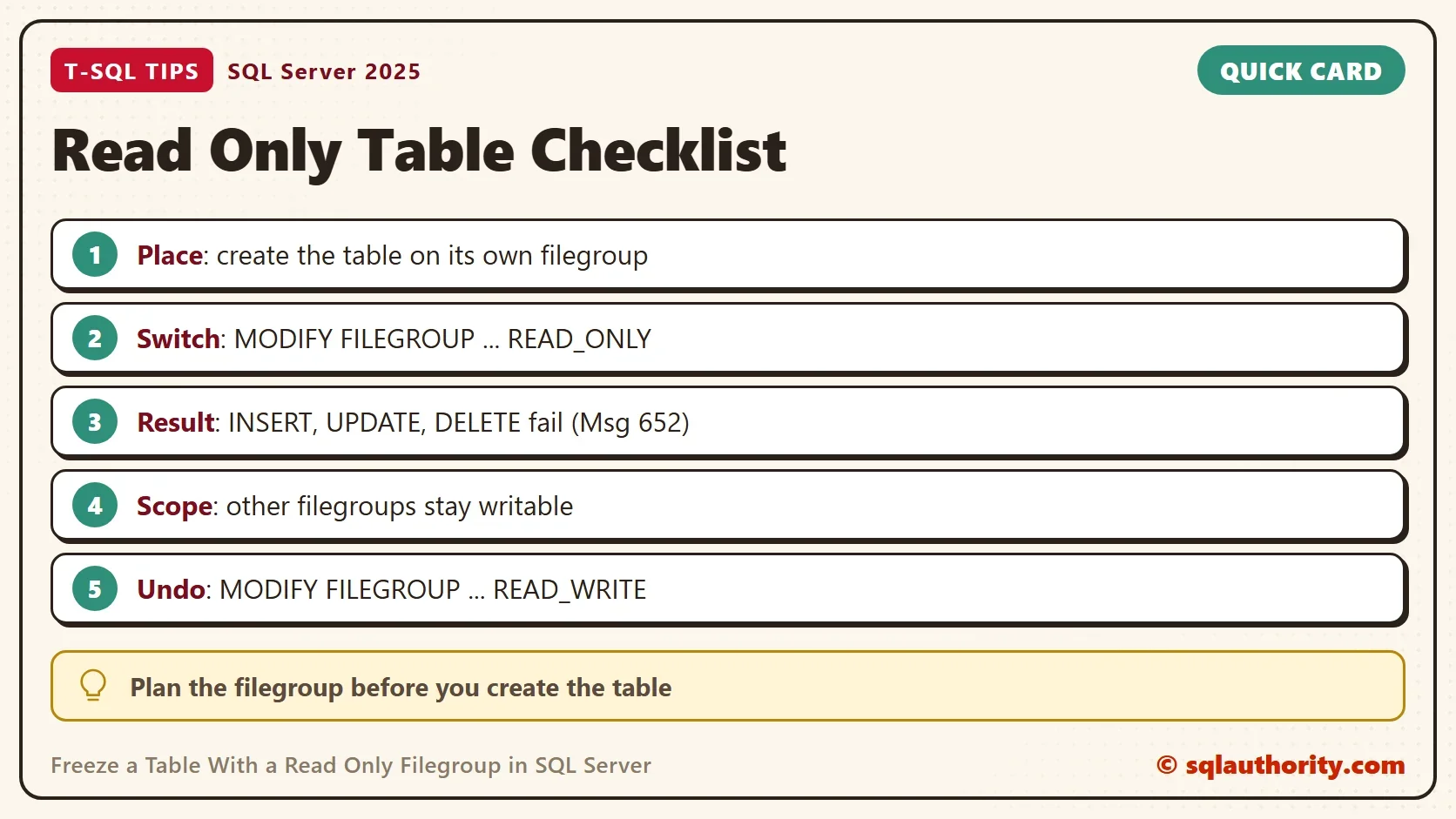
To freeze a table, put it on its own filegroup and set that filegroup to READ_ONLY. Every table on the filegroup then refuses INSERT, UPDATE and DELETE, even for a sysadmin.

Why a Filegroup Does the Job
A table lives in a filegroup, which is a named group of database files. The read-only setting belongs to the filegroup, not to the table. That gives you a strong lock. A permission can be changed by anyone who owns the table. A read-only filegroup stops everybody, until someone changes the filegroup back. To freeze a table for everyone, the filegroup is the stronger tool.
The setting covers every table on the filegroup. To freeze a table, you freeze its filegroup. To freeze 30 of 50 tables, put those 30 on one filegroup. Leave the other 20 on another. The database itself stays writable.
The demo builds a database named ReadOnlyTableDemo. It adds a filegroup named ArchiveFG with one file. The script reads the default data folder of the instance, so you do not need to edit a path. Run it on a test server.
IF DB_ID(N'ReadOnlyTableDemo') IS NULL CREATE DATABASE ReadOnlyTableDemo;
GO
USE ReadOnlyTableDemo;
GO
IF NOT EXISTS (SELECT 1 FROM sys.filegroups WHERE name = N'ArchiveFG')
BEGIN
    DECLARE @path nvarchar(260) = CONVERT(nvarchar(260), SERVERPROPERTY('InstanceDefaultDataPath')) + N'ReadOnlyTableDemo_archive.ndf';
    DECLARE @sql nvarchar(max) = N'ALTER DATABASE ReadOnlyTableDemo ADD FILEGROUP ArchiveFG;
ALTER DATABASE ReadOnlyTableDemo ADD FILE (NAME = N''ReadOnlyTableDemo_archive'', FILENAME = N''' + @path + N''') TO FILEGROUP ArchiveFG;';
    EXEC (@sql);
END;
Two tables follow. ClosedOrders goes on ArchiveFG, and OpenOrders stays on the PRIMARY filegroup. A query then confirms where each table lives. A table lives where its clustered index lives.
DROP TABLE IF EXISTS dbo.ClosedOrders, dbo.OpenOrders;
CREATE TABLE dbo.ClosedOrders (
    OrderID int          NOT NULL,
    Tea     nvarchar(30) NOT NULL,
    CONSTRAINT PK_ClosedOrders PRIMARY KEY CLUSTERED (OrderID)
) ON ArchiveFG;
CREATE TABLE dbo.OpenOrders (
    OrderID int          NOT NULL,
    Tea     nvarchar(30) NOT NULL,
    CONSTRAINT PK_OpenOrders PRIMARY KEY CLUSTERED (OrderID)
) ON [PRIMARY];
INSERT INTO dbo.ClosedOrders (OrderID, Tea) VALUES (1, N'Green'), (2, N'Herbal'), (3, N'Oolong');
INSERT INTO dbo.OpenOrders (OrderID, Tea) VALUES (101, N'Mint'), (102, N'Green');
SELECT t.name AS TableName, fg.name AS FileGroupName, fg.is_read_only AS IsReadOnly
FROM sys.tables AS t
JOIN sys.indexes AS i ON i.object_id = t.object_id AND i.index_id IN (0, 1)
JOIN sys.filegroups AS fg ON fg.data_space_id = i.data_space_id
WHERE t.name IN (N'ClosedOrders', N'OpenOrders')
ORDER BY t.name;
| TableName | FileGroupName | IsReadOnly |
|---|---|---|
| ClosedOrders | ArchiveFG | 0 |
| OpenOrders | PRIMARY | 0 |
Switch the Filegroup to READ_ONLY
One statement does the work. Run it from another database, such as master. It changes the filegroup, and no table needs to change. SQL Server needs the database to itself for this change. While another session is connected to it, the statement waits. Run it in a quiet window.
USE master;
GO
ALTER DATABASE ReadOnlyTableDemo MODIFY FILEGROUP ArchiveFG READ_ONLY;
The next query lists every table that sits on a read-only filegroup. Use it before you plan a change, so you know which tables are frozen.
USE ReadOnlyTableDemo;
GO
SELECT fg.name AS FileGroupName, t.name AS FrozenTable
FROM sys.filegroups AS fg
JOIN sys.indexes AS i ON i.data_space_id = fg.data_space_id AND i.index_id IN (0, 1)
JOIN sys.tables AS t ON t.object_id = i.object_id
WHERE fg.is_read_only = 1
ORDER BY t.name;
| FileGroupName | FrozenTable |
|---|---|
| ArchiveFG | ClosedOrders |
Only ClosedOrders is frozen, because OpenOrders sits on PRIMARY. Reading works as before. Writing does not.
A table with a nonclustered index or LOB data on a read-only filegroup is frozen too. The query only checks where the table itself lives.
What Fails and What Still Works
The script below reads ClosedOrders, then tries an INSERT, an UPDATE and a DELETE.
USE ReadOnlyTableDemo;
GO
SELECT COUNT(*) AS ClosedRows FROM dbo.ClosedOrders;
GO
INSERT INTO dbo.ClosedOrders (OrderID, Tea) VALUES (4, N'Mint');
GO
UPDATE dbo.ClosedOrders SET Tea = N'Black' WHERE OrderID = 1;
GO
DELETE FROM dbo.ClosedOrders WHERE OrderID = 1;
The count returns 3. Each of the three writes fails with the same message. The RowsetId number differs on every server.
Msg 652, Level 16, State 1, Line 1
The index "PK_ClosedOrders" for table "dbo.ClosedOrders" (RowsetId 72057594047234048) resides on a read-only filegroup ("ArchiveFG"), which cannot be modified.
The write to OpenOrders works, because that table is on a writable filegroup. The script adds a row and counts three.
INSERT INTO dbo.OpenOrders (OrderID, Tea) VALUES (103, N'Oolong');
SELECT COUNT(*) AS OpenRows FROM dbo.OpenOrders;
| OpenRows |
|---|
| 3 |
Changes that rewrite data are blocked too. A TRUNCATE fails with Msg 1924, and a DROP TABLE fails with Msg 3740.
TRUNCATE TABLE dbo.ClosedOrders;
GO
DROP TABLE dbo.ClosedOrders;
Msg 1924, Level 16, State 2, Line 1
Filegroup 'ArchiveFG' is read-only.
Msg 3740, Level 16, State 2, Line 1
Cannot drop the table 'dbo.ClosedOrders' because at least part of the table resides on a read-only filegroup.
Not every structure change needs to write into the filegroup. Adding a nullable column only edits metadata, so it succeeds. An index rebuild writes pages, so it fails with Msg 1924 again. UPDATE STATISTICS runs without an error too.
ALTER TABLE dbo.ClosedOrders ADD Region varchar(10) NULL;
UPDATE STATISTICS dbo.ClosedOrders;
GO
ALTER INDEX PK_ClosedOrders ON dbo.ClosedOrders REBUILD;
Msg 1924, Level 16, State 2, Line 1
Filegroup 'ArchiveFG' is read-only.
Move a Table Into the Filegroup
You can move an existing table later. Set the filegroup back to READ_WRITE, rebuild the clustered index on the filegroup, and switch it to READ_ONLY again. The script moves OpenOrders into ArchiveFG and locks it. The two ALTER DATABASE statements wait for sole use of the database too.
USE master;
GO
ALTER DATABASE ReadOnlyTableDemo MODIFY FILEGROUP ArchiveFG READ_WRITE;
GO
USE ReadOnlyTableDemo;
GO
CREATE UNIQUE CLUSTERED INDEX PK_OpenOrders ON dbo.OpenOrders (OrderID) WITH (DROP_EXISTING = ON) ON ArchiveFG;
GO
USE master;
GO
ALTER DATABASE ReadOnlyTableDemo MODIFY FILEGROUP ArchiveFG READ_ONLY;
Now OpenOrders is frozen like ClosedOrders. A new insert fails with the same Msg 652.
USE ReadOnlyTableDemo;
GO
INSERT INTO dbo.OpenOrders (OrderID, Tea) VALUES (104, N'Mint');
Undo It
Reverse the setting with READ_WRITE, in a quiet window again. The script below does that and inserts a row that the filegroup refused before.
USE master;
GO
ALTER DATABASE ReadOnlyTableDemo MODIFY FILEGROUP ArchiveFG READ_WRITE;
GO
USE ReadOnlyTableDemo;
GO
INSERT INTO dbo.ClosedOrders (OrderID, Tea) VALUES (4, N'Mint');
SELECT COUNT(*) AS ClosedRows FROM dbo.ClosedOrders;
| ClosedRows |
|---|
| 4 |
The count is 4. The earlier failed inserts changed nothing, and the new row went in once the filegroup was writable. Treat the switch as a maintenance step. Before a rebuild or a drop, set the filegroup to READ_WRITE. Do the work, then set it to READ_ONLY again.
Filegroup or Permission
You could argue that a DENY on INSERT, UPDATE and DELETE is simpler, because it needs no filegroup. It is simpler. It also stops only the accounts it names. Members of the sysadmin role and the database owner (dbo) are not bound by it. A read-only filegroup binds them too.
For the whole database, a different setting exists: ALTER DATABASE ... SET READ_ONLY. It freezes every table at once. The filegroup is the tool when only some tables should freeze.
A read-only filegroup has a cost. You cannot drop its tables or rebuild their indexes. A read-only filegroup also needs a backup only once, because it cannot change. Backups of the rest of the database then stay smaller. Plan the filegroup before you create the table, since moving a large table takes a rebuild.
What to Remember
You can freeze a table without a trigger or a permission list. Give it a filegroup, and set the filegroup to READ_ONLY. Every table on that filegroup is frozen. Tables on other filegroups keep working. When you finish with the demo, remove the database.
USE master;
GO
DROP DATABASE ReadOnlyTableDemo;
A read-only table is not a permission, it is a filegroup that refuses to change.
Published by Pinal Dave on SQLAuthority. More of my work at pinaldave.com.
Discover more from SQL Authority with Pinal Dave
Subscribe to get the latest posts sent to your email.




1 Comment. Leave new
Hi Pinal, Thanks for sharing a handy tip however, I believe this “read-only” provision will apply to all tables on that particular Database at once, right? However, incase I have 50 tables in a DB and I want to apply it on few selective tables (say 30 tables) then I have to create different FILEGROUPS for different tables separately OR Have I will achieve it if FILEGROUP is at Database-Level and not at Tables-Level?