
SELECT ~ 1 returns -2 because the tilde flips every bit of the number 1. I ran the puzzle on SQL Server 2025 with five data types and checked what readers answered. The tests follow the original question.

The Puzzle
Before running the following select statement in SSMS, guess the answer.
SELECT ~ 1
Please note that right before 1 sign there is Tilde sign and not a minus sign.
Guess the Answer
Now, run the same select statement in any version of SQL Server Management Studio.
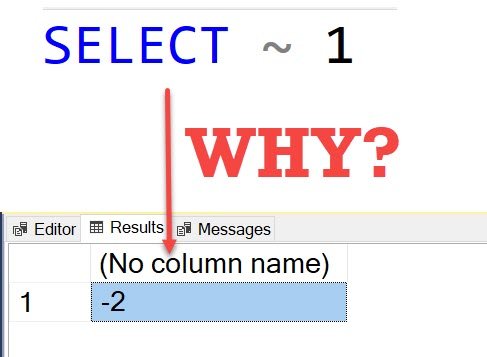
The answer is -2, now my question is that why the query above gives us an answer as -2 and not any other values. Please leave your answer in the comments section. I am very curious to know if you can find the answer to the same.
The Answer, Tested
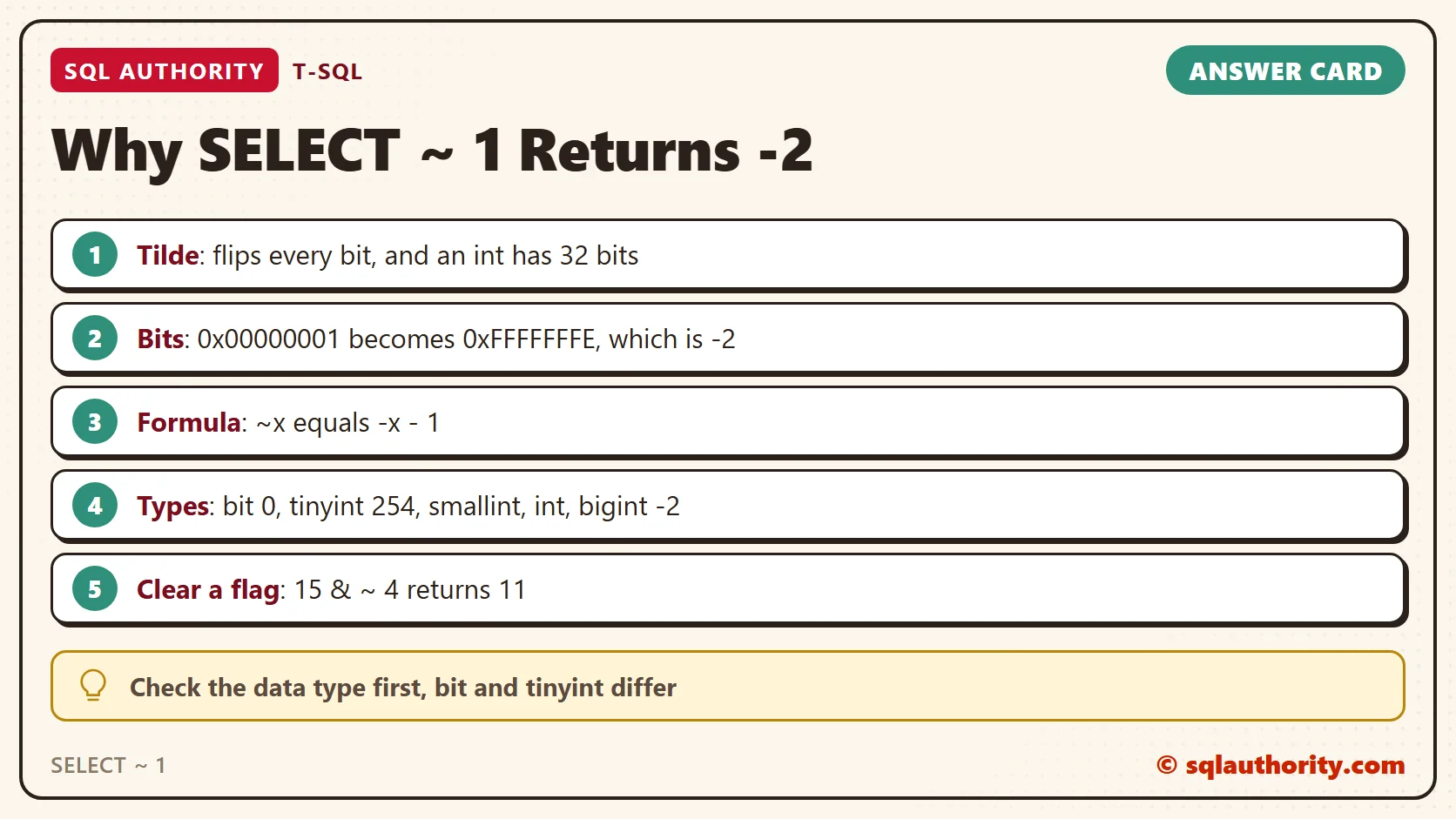
The tilde is the bitwise NOT operator. It flips every bit of its operand: each 0 becomes 1 and each 1 becomes 0. A bare 1 in T-SQL is an int, which has 32 bits. I asked SQL Server to show the bits in hex.
SELECT 1 AS Value, ~ 1 AS Tilde, CAST(1 AS varbinary(4)) AS ValueHex, CAST(~ 1 AS varbinary(4)) AS TildeHex, SQL_VARIANT_PROPERTY(~ 1, 'BaseType') AS ResultType;
| Value | Tilde | ValueHex | TildeHex | ResultType |
|---|---|---|---|---|
| 1 | -2 | 0x00000001 | 0xFFFFFFFE | int |
The number 1 has thirty-one 0 bits and one 1 bit. After the flip it has thirty-one 1 bits and one 0 bit. That is 0xFFFFFFFE. SQL Server stores integers in two’s complement form, and in that form 0xFFFFFFFE is -2.
Many readers gave this answer, and several wrote out the bits. Michael D Ballard explained it well. The tilde flips the bits and does not add one, so the result is -2.
One reader guessed 2 by flipping the digits 01 into 10. That flips only the two lowest bits. The 30 leading zeros flip too, and they are the reason the answer is negative.
To read a negative int, flip its bits and add one. For 0xFFFFFFFE, the flip gives 1 and one more gives 2, so the value is -2. The first step is easy to check, because ~ -2 returns 1. The two ends of the range show the same pattern: ~ 2147483647 returns -2147483648, the smallest int.
Why the Data Type Matters
Some readers answered with 8 or 16 bits. The width changes the result, so I ran the same flip on five types.
SELECT ~ CAST(1 AS bit) AS BitResult, ~ CAST(1 AS tinyint) AS TinyIntResult, ~ CAST(1 AS smallint) AS SmallIntResult, ~ CAST(1 AS int) AS IntResult, ~ CAST(1 AS bigint) AS BigIntResult;
| BitResult | TinyIntResult | SmallIntResult | IntResult | BigIntResult |
|---|---|---|---|---|
| 0 | 254 | -2 | -2 | -2 |
Dennis showed the same results in the comments. A bit has one bit, so the flip gives 0. A tinyint has no sign, so its bits 11111110 mean 254. The signed types smallint, int and bigint all give -2. Here are their bits.
SELECT CAST(~ CAST(1 AS tinyint) AS varbinary(1)) AS TinyHex, CAST(~ CAST(1 AS smallint) AS varbinary(2)) AS SmallHex, CAST(~ CAST(1 AS bigint) AS varbinary(8)) AS BigHex;
| TinyHex | SmallHex | BigHex |
|---|---|---|
| 0xFE | 0xFFFE | 0xFFFFFFFFFFFFFFFE |
The type decides how many 1 bits appear, and a wider signed type keeps the value at -2. The int in your query is the reason the answer is -2 and not 254.
The Pattern Behind It
Curtis Browne noticed that a number plus its flipped version is always -1. That makes ~x equal to -x – 1. I tested it on four values.
SELECT v.x, ~ v.x AS Tilde, v.x + ~ v.x AS SumBoth, -v.x - 1 AS MinusXMinusOne FROM (VALUES (1), (7), (255), (-5)) AS v(x);
| x | Tilde | SumBoth | MinusXMinusOne |
|---|---|---|---|
| 1 | -2 | -1 | -2 |
| 7 | -8 | -1 | -8 |
| 255 | -256 | -1 | -256 |
| -5 | 4 | -1 | 4 |
The rule holds for every row. Ramu Kammara reported that ~10 gives -11 and ~100 gives -101, and both are right. Flipping twice returns the start: ~ ~ 2 gives 2.
What the Tilde Rejects
The tilde works on integer types and bit only. A decimal fails.
SELECT ~ 1.0
So does text, even when it looks like a number.
SELECT ~ '1'
Msg 8117, Level 16, State 1, Line 1
Operand data type numeric is invalid for '~' operator.
Msg 8117, Level 16, State 1, Line 1
Operand data type varchar is invalid for '~' operator.
A NULL stays NULL: ~ CAST(NULL AS int) returns NULL.
Does Anyone Use It?
You could say nobody uses the tilde in T-SQL. Fair point. In daily work it is rare. It does appear in flag columns, where one integer stores several yes and no settings as bits.
To clear one flag and keep the others, combine AND with a flipped mask. The number 15 is 1111 in binary. The mask for the bit worth 4 is 4, and ~ 4 flips it.
SELECT 15 & ~ 4 AS ClearBit4;
| ClearBit4 |
|---|
| 11 |
The result is 11, which is 1011. Only the bit worth 4 was cleared.
A Simple Rule
Read ~x as -x – 1 for signed integers. Check the data type first, because bit and tinyint behave differently. On a bit column the tilde is a clean flip. On a flag column, use AND with ~ to clear one flag.
These queries create nothing, so there is nothing to clean up.
SELECT ~ 1 is not a trick question, it is two’s complement doing its job.
Published by Pinal Dave on SQLAuthority. More of my work at pinaldave.com.
Discover more from SQL Authority with Pinal Dave
Subscribe to get the latest posts sent to your email.




124 Comments. Leave new
it be very interesting, ~ ibitwise logical NOT for the expression, taking each bit in turn, then,
in 2 bytes and in binary is
1(decimal) = 01 (binary in 2 bytes)
then logical NOT we have
01 (binary) => – 10(binary not)
in decimal is -2
:D
0000 0001 = Binary for 1, not 1 = ~ 1 = in binary 1111 1110 , this converted to decimal = -2
Perhaps not covernted but interpreted.
You are right. to NOT each bit turns 0000 0001 into 1111 1110
Then 1111 1110 is interpreted as -2 in signed integer or 254 in unsigned integer.
This is also ASCII 254 or the black square.
https://en.wikipedia.org/wiki/Two%27s_complement
~x = -(x+1) # This is the formula of bitwise negation(~) operator