The parameters of sp_who2 come down to one optional value, and only two of its forms filter the list. The value can be a session ID, the word active or a login name. The login form is accepted and filters nothing.

One Value With Three Meanings
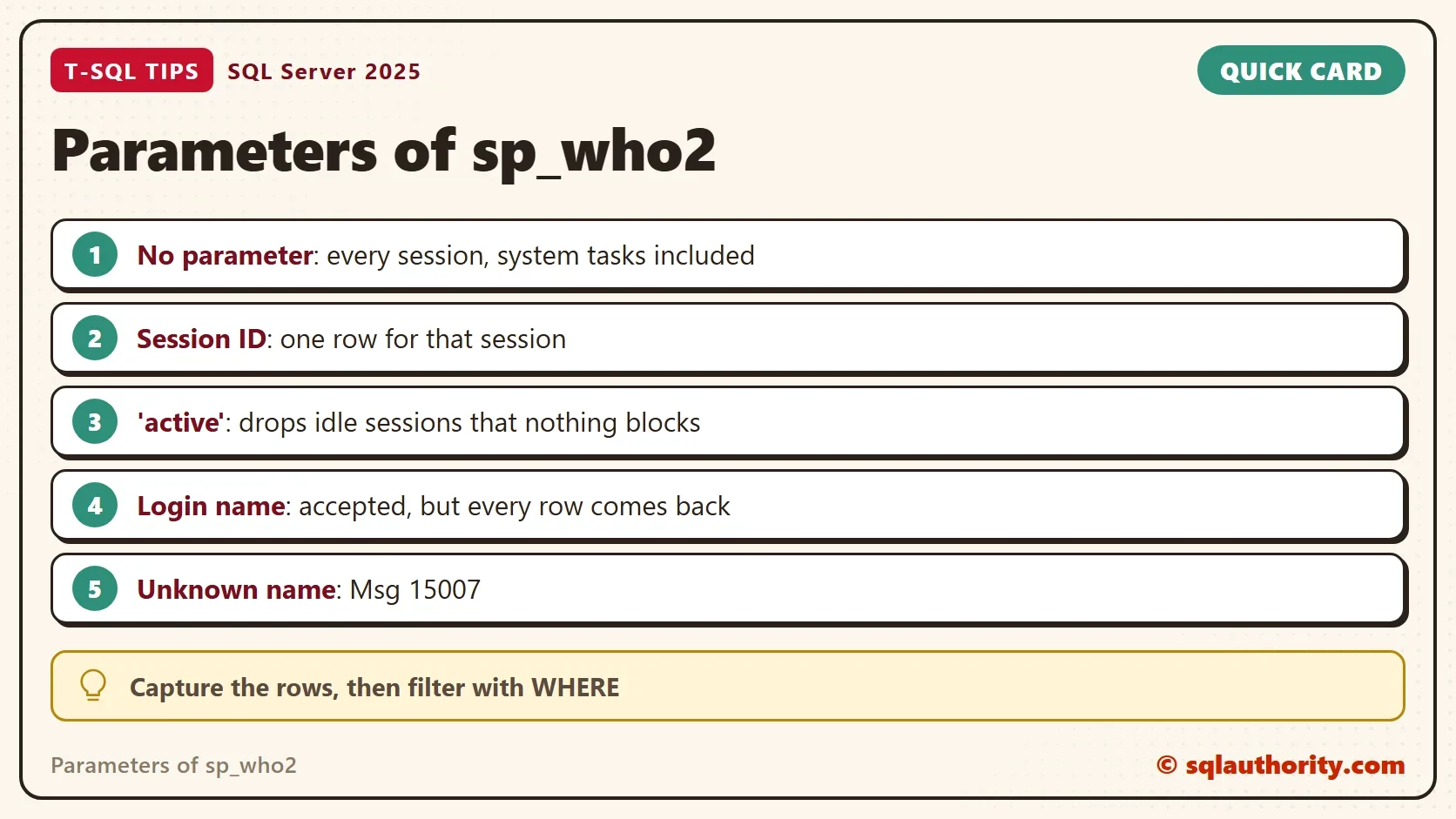
The procedure sp_who2 has a single parameter, @loginame. Its name suggests a login, but the procedure reads the value in a fixed order. A known login name comes first. The word active comes next, in any case. A string of digits comes last, and it is read as a session ID. Anything else raises an error.
The parameters of sp_who2 are undocumented, so Microsoft does not promise any of this. The order above is what its definition and the demo below show on SQL Server 2025. Read the definition with OBJECT_DEFINITION when you need to check your own version.
Count the Rows Each Form Returns
The best test is to count rows. The next script stores the result of each call in a temporary table and counts it. It records how many rows came back and how many belong to your own login. It also counts sleeping sessions. Idle sessions are the ones that sleep with the command AWAITING COMMAND.
Open a second window first, run SELECT 1 in it, and leave it open. That window is an idle session. Then run the script in the first window.
CREATE TABLE #Who (SPID int, Status varchar(30), LoginName varchar(128), HostName varchar(128), BlkBy varchar(10), DBName varchar(128),
    Command varchar(64), CPUTime int, DiskIO int, LastBatch varchar(30), ProgramName varchar(256), SPID2 int, RequestID int);
DECLARE @me varchar(10) = CAST(@@SPID AS varchar(10)), @login varchar(128) = SUSER_SNAME();
DECLARE @r TABLE (Call varchar(30), RowsReturned int, RowsOfYourLogin int, SleepingRows int, IdleRows int);
INSERT #Who EXEC sys.sp_who2;
INSERT @r SELECT 'no parameter', COUNT(*), SUM(CASE WHEN LoginName = @login THEN 1 ELSE 0 END), SUM(CASE WHEN RTRIM(Status) = 'sleeping' THEN 1 ELSE 0 END), SUM(CASE WHEN RTRIM(Status) = 'sleeping' AND RTRIM(Command) = 'AWAITING COMMAND' THEN 1 ELSE 0 END) FROM #Who;
TRUNCATE TABLE #Who;
INSERT #Who EXEC sys.sp_who2 @me;
INSERT @r SELECT 'session id', COUNT(*), SUM(CASE WHEN LoginName = @login THEN 1 ELSE 0 END), SUM(CASE WHEN RTRIM(Status) = 'sleeping' THEN 1 ELSE 0 END), SUM(CASE WHEN RTRIM(Status) = 'sleeping' AND RTRIM(Command) = 'AWAITING COMMAND' THEN 1 ELSE 0 END) FROM #Who;
TRUNCATE TABLE #Who;
INSERT #Who EXEC sys.sp_who2 'active';
INSERT @r SELECT 'active', COUNT(*), SUM(CASE WHEN LoginName = @login THEN 1 ELSE 0 END), SUM(CASE WHEN RTRIM(Status) = 'sleeping' THEN 1 ELSE 0 END), SUM(CASE WHEN RTRIM(Status) = 'sleeping' AND RTRIM(Command) = 'AWAITING COMMAND' THEN 1 ELSE 0 END) FROM #Who;
TRUNCATE TABLE #Who;
INSERT #Who EXEC sys.sp_who2 @login;
INSERT @r SELECT 'login name', COUNT(*), SUM(CASE WHEN LoginName = @login THEN 1 ELSE 0 END), SUM(CASE WHEN RTRIM(Status) = 'sleeping' THEN 1 ELSE 0 END), SUM(CASE WHEN RTRIM(Status) = 'sleeping' AND RTRIM(Command) = 'AWAITING COMMAND' THEN 1 ELSE 0 END) FROM #Who;
SELECT * FROM @r;
DROP TABLE #Who;| Call | RowsReturned | RowsOfYourLogin | SleepingRows | IdleRows |
|---|---|---|---|---|
| no parameter | 141 | 2 | 36 | 1 |
| session id | 1 | 1 | 0 | 0 |
| active | 140 | 1 | 35 | 0 |
| login name | 141 | 2 | 36 | 1 |
Each form behaves differently. The session ID returns one row. The word active returns one row fewer than the full list, and the missing row is the idle session. The login name returns every row, including the 139 rows that belong to other logins. The active result has one login row fewer because the idle window uses your login.
What Active Really Removes
The definition of the procedure shows the rule. With active, it deletes a row only when three things hold. The session sleeps. Its command is AWAITING COMMAND, LAZY WRITER or CHECKPOINT SLEEP. Nothing blocks it. It does not touch anything else.
System tasks sleep too, with other commands such as TASK MANAGER. Those rows stay. In this run, 35 sleeping rows were left in the active result. The list is shorter than the full list but far from empty. The word active means not idle. It does not mean user sessions only.
The Login Trap
The login form is the trap. The procedure looks up the security ID of the name, which proves that the name was recognized. Then it never uses that ID in the final query. The only filter that survives is the session ID range. The result is the full list, with no error and no warning.
The older procedure sp_who behaves as its documentation says. Run it with the same login name and it returns only that login. The next script counts the rows and checks how many belong to the login.
CREATE TABLE #Old (spid smallint, ecid smallint, status nchar(30), loginame nchar(128), hostname nchar(128),
    blk char(5), dbname nchar(128), cmd nchar(32), request_id int);
DECLARE @login varchar(128) = SUSER_SNAME();
INSERT #Old EXEC sys.sp_who @login;
SELECT COUNT(*) AS SpWhoRows, SUM(CASE WHEN RTRIM(loginame) = @login THEN 1 ELSE 0 END) AS RowsOfYourLogin FROM #Old;
DROP TABLE #Old;| SpWhoRows | RowsOfYourLogin |
|---|---|
| 2 | 2 |
Every row of the sp_who result belongs to the login, so the filter works there. Do not move the same habit to sp_who2 and trust it. Count the rows first, as the table above did.
The Two Errors
An unknown name is refused. The procedure raises error 15007 and returns nothing.
EXEC sys.sp_who2 'nobody';
Msg 15007, Level 16, State 1, Procedure sys.sp_who2, Line 77
'nobody' is not a valid login or you do not have permission.
A name that holds a backslash needs quotes, like any other text value. Without them the statement fails before it runs. The names below are placeholders for a Windows login in the form domain\user.
EXEC sys.sp_who2 CORP\maya;
Msg 102, Level 15, State 1, Line 1
Incorrect syntax near '\'.
Filter After the Fact
Because the login form does not filter, filter after you capture the rows. Put the result in a table with INSERT … EXEC and use a WHERE clause on the LoginName column. The method, the 13 columns and the errors are in Capture sp_who2 Output Into a Table With INSERT EXEC. A query on the session views avoids the problem. DMV Version of sp_who2: A Cleaner Session List shows one.
You could argue that the login behavior is a bug and will be fixed. It could be. The procedure is undocumented, so nobody has to fix it, and nobody has to keep it as it is. A job that depends on either behavior is a risk.
What to Remember
Of the parameters of sp_who2, pass a session ID when you want one session. Pass active when you want to hide idle sessions, and expect system tasks to stay. Do not pass a login name and expect a filter. Quote any name with a backslash. Count the rows of a new form before you trust it.
A parameter is not a filter, it is a promise until you count the rows.
Published by Pinal Dave on SQLAuthority. More of my work at pinaldave.com.
Discover more from SQL Authority with Pinal Dave
Subscribe to get the latest posts sent to your email.