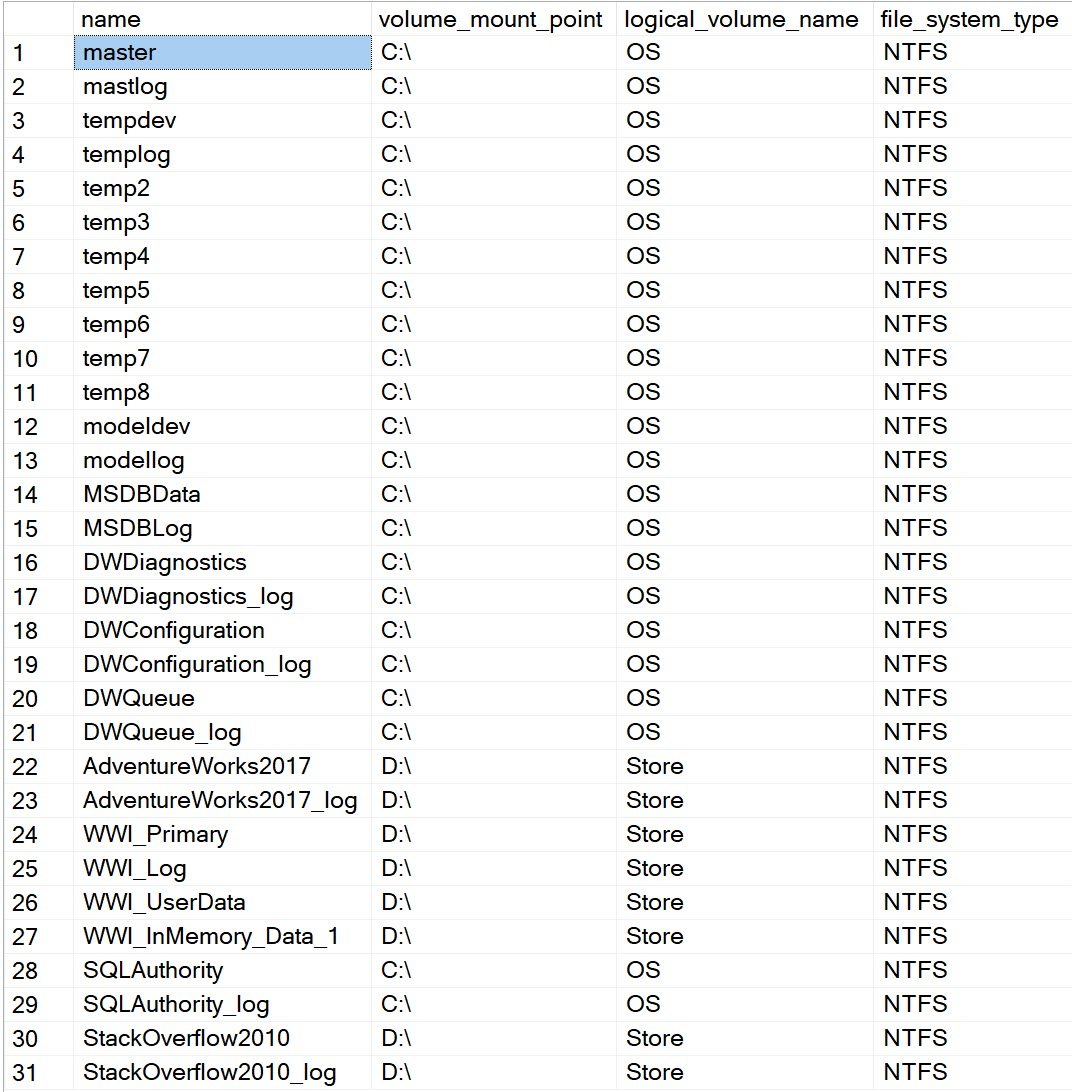
Question: How do I find the Windows volume mount point for SQL Server files? Apply sys.dm_os_volume_stats to each file in sys.master_files. The physical filename tells you where the file is; the volume information tells you which mounted volume contains it.

A client asked this during a Comprehensive Database Performance Health Check. Looking only at drive letters can miss a volume mounted in a folder. The query is a useful first inventory before discussing where data and log files actually sit.
SELECT DB_NAME(f.database_id) AS database_name,
       f.name, v.volume_mount_point, v.logical_volume_name,
       v.file_system_type, f.physical_name, f.type_desc, f.state_desc
FROM sys.master_files AS f
CROSS APPLY sys.dm_os_volume_stats(f.database_id, f.file_id) AS v
ORDER BY f.database_id, f.file_id;
The database name has been added so that repeated logical filenames are easier to interpret. A Windows mount point can look like D:\ or a mounted folder. The logical volume label is optional and can be empty.
One file row is not one disk
Several files can share a volume. Do not add that volume’s capacity once per file. If you add total_bytes and available_bytes to this query, treat those as volume-level figures. A volume identity also does not prove the underlying disks, SAN allocation or cloud storage devices are independent.
This function does not measure SQL Server file latency or decide the best placement on its own. Use it to locate the files, then evaluate workload and storage evidence. SQL Server 2022 and later require VIEW SERVER PERFORMANCE STATE; earlier SQL Server versions require VIEW SERVER STATE.
My related TempDB placement and offline, detach and drop articles discuss separate operational steps; this inventory changes nothing.
Published by Pinal Dave on SQLAuthority. More of my work at pinaldave.com.
Discover more from SQL Authority with Pinal Dave
Subscribe to get the latest posts sent to your email.