
Page and row compression shrink a table or an index, and one ALTER statement turns each level on or off. The statement is short. The decision around it takes more care.

What the Two Levels Do
Row compression stores fixed-length types, such as int and datetime2, in a variable-length form. A number that needs one byte takes one byte. Page compression adds two tricks on top. It stores a shared prefix once per page, and it replaces repeated values with a short entry from a dictionary.
Both save space and disk reads. Both cost CPU to compress on writes and to decompress on reads. Compressed pages stay compressed in memory too, so more data fits in the buffer pool. Page and row compression work in every edition from SQL Server 2016 SP1. Earlier versions needed Enterprise edition.
Build the Demo Table
The first script creates a database named CompressionDemo and a table of 60,000 log rows with two indexes. The text columns repeat a lot, which is why page compression saves so much here. A real table saves less. The script also adds a small view that reports each index with its compression setting and its page count. Run it on a test server.
IF DB_ID(N'CompressionDemo') IS NULL CREATE DATABASE CompressionDemo;
GO
USE CompressionDemo;
GO
DROP TABLE IF EXISTS dbo.ShopLog;
CREATE TABLE dbo.ShopLog (
    LogID    int IDENTITY(1,1) NOT NULL CONSTRAINT PK_ShopLog PRIMARY KEY,
    LoggedOn datetime2(0) NOT NULL,
    Store    varchar(20)  NOT NULL,
    Status   varchar(20)  NOT NULL,
    Detail   varchar(200) NOT NULL
);
CREATE INDEX IX_ShopLog_Store ON dbo.ShopLog (Store, LoggedOn);
INSERT INTO dbo.ShopLog (LoggedOn, Store, Status, Detail)
SELECT DATEADD(SECOND, n, '2026-01-01'),
       CHOOSE(n % 3 + 1, 'Portland', 'Austin', 'Denver'),
       CHOOSE(n % 4 + 1, 'Open', 'Packed', 'Shipped', 'Closed'),
       'Order moved to the next step at the garden center counter'
FROM (SELECT TOP (60000) ROW_NUMBER() OVER (ORDER BY (SELECT NULL)) AS n FROM sys.all_objects AS a CROSS JOIN sys.all_objects AS b) AS t;
GO
CREATE OR ALTER VIEW dbo.CompressionStatus
AS
SELECT i.name AS IndexName, p.data_compression_desc AS Compression, ps.used_page_count AS Pages
FROM sys.indexes AS i
JOIN sys.partitions AS p ON p.object_id = i.object_id AND p.index_id = i.index_id
JOIN sys.dm_db_partition_stats AS ps ON ps.object_id = p.object_id AND ps.index_id = p.index_id AND ps.partition_number = p.partition_number
WHERE i.object_id = OBJECT_ID(N'dbo.ShopLog');
SELECT IndexName, Compression, Pages FROM dbo.CompressionStatus ORDER BY IndexName;
| IndexName | Compression | Pages |
|---|---|---|
| IX_ShopLog_Store | NONE | 200 |
| PK_ShopLog | NONE | 727 |
Estimate Before You Enable
Do not guess the saving. The procedure sp_estimate_data_compression_savings copies a sample of the table into tempdb, compresses it and reports the result. Pass NULL for the index and partition to cover all of them. The last argument names the level.
EXEC sys.sp_estimate_data_compression_savings N'dbo', N'ShopLog', NULL, NULL, N'ROW';

EXEC sys.sp_estimate_data_compression_savings N'dbo', N'ShopLog', NULL, NULL, N'PAGE';
| Level | index_id | KB now | KB with the level |
|---|---|---|---|
| ROW | 1 | 5816 | 5400 |
| ROW | 2 | 1600 | 1344 |
| PAGE | 1 | 5816 | 1064 |
| PAGE | 2 | 1600 | 1040 |
The procedure also returns two sample columns, which the table leaves out. Row compression saves about 7 percent of the table and 16 percent of the index. Page compression saves about 82 percent and 35 percent. On this table, page compression is the one to try.
Enable Page Compression
The rebuild statement names the level. REBUILD PARTITION = ALL covers every partition of the table.
ALTER TABLE dbo.ShopLog REBUILD PARTITION = ALL WITH (DATA_COMPRESSION = PAGE);

SELECT IndexName, Compression, Pages FROM dbo.CompressionStatus ORDER BY IndexName;
| IndexName | Compression | Pages |
|---|---|---|
| IX_ShopLog_Store | NONE | 200 |
| PK_ShopLog | PAGE | 128 |
The clustered index fell from 727 pages to 128. That is a saving of 82 percent, as estimated. The nonclustered index did not change. ALTER TABLE rebuilds the heap or the clustered index only. Every nonclustered index needs its own setting.
ALTER INDEX ALL ON dbo.ShopLog REBUILD WITH (DATA_COMPRESSION = PAGE);

SELECT IndexName, Compression, Pages FROM dbo.CompressionStatus ORDER BY IndexName;
| IndexName | Compression | Pages |
|---|---|---|
| IX_ShopLog_Store | PAGE | 109 |
| PK_ShopLog | PAGE | 128 |
Both indexes are compressed now. The estimate for the index said about 130 pages, and the real result is 109. Estimates are close, not exact.
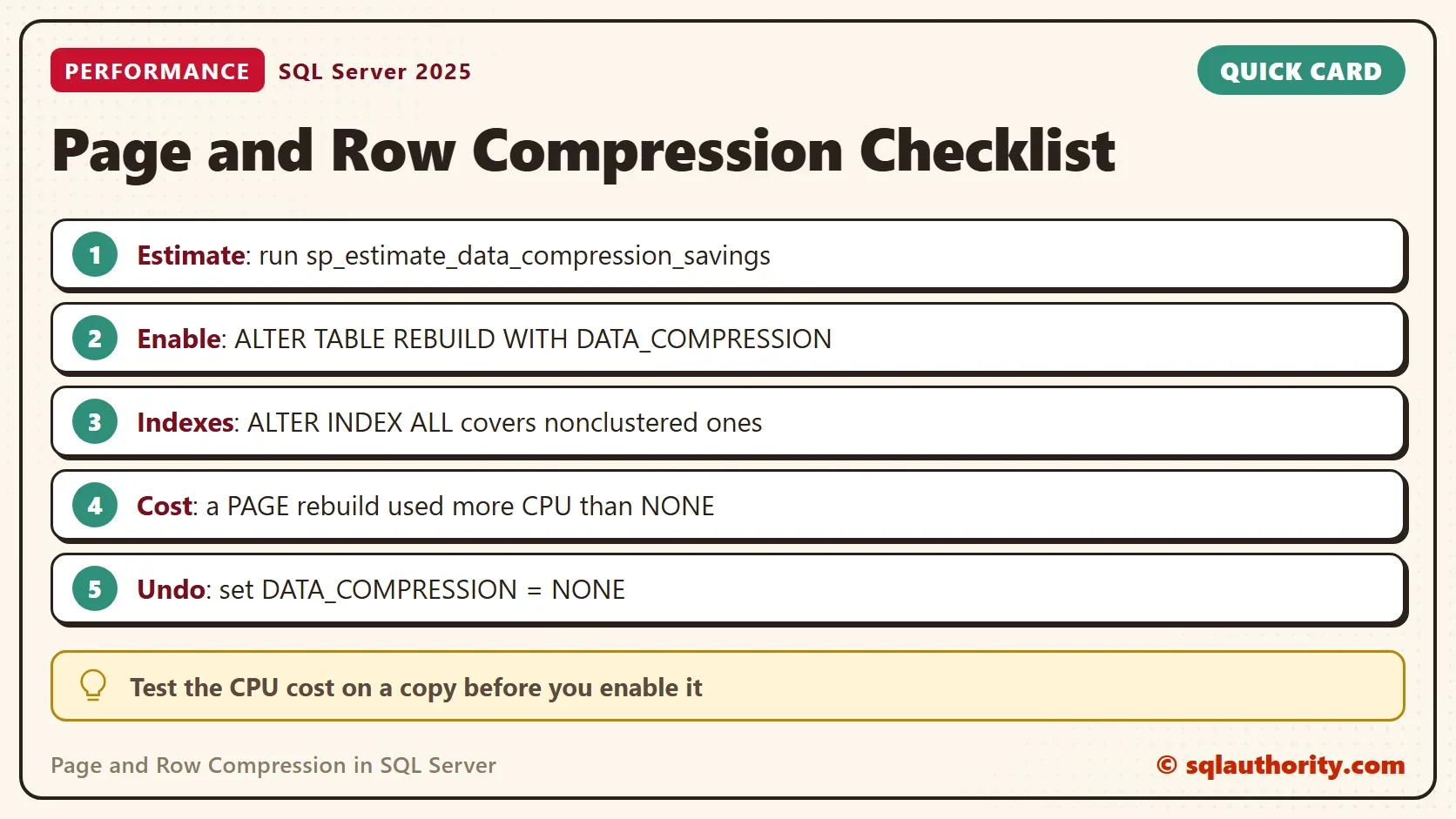
Row Compression and Turning It Off
Row compression uses the same statement with a different level. On this table it saves little, because the large column holds text, and row compression leaves text alone. The last line removes compression. NONE restores the original sizes.
ALTER INDEX ALL ON dbo.ShopLog REBUILD WITH (DATA_COMPRESSION = ROW);

SELECT IndexName, Compression, Pages FROM dbo.CompressionStatus ORDER BY IndexName;

ALTER INDEX ALL ON dbo.ShopLog REBUILD WITH (DATA_COMPRESSION = NONE);

SELECT IndexName, Compression, Pages FROM dbo.CompressionStatus ORDER BY IndexName;
| Step | IndexName | Compression | Pages |
|---|---|---|---|
| ROW | IX_ShopLog_Store | ROW | 159 |
| ROW | PK_ShopLog | ROW | 675 |
| NONE | IX_ShopLog_Store | NONE | 200 |
| NONE | PK_ShopLog | NONE | 727 |
How Much CPU Does It Need?
No formula turns a table size into a CPU count. The estimate tells you the space. Only a test tells you the CPU. Start with the rebuild itself, because that is when the cost shows up first. The script reads the CPU time of the session before and after each rebuild.
DECLARE @t0 int, @t1 int, @t2 int;
ALTER INDEX ALL ON dbo.ShopLog REBUILD WITH (DATA_COMPRESSION = NONE);
SET @t0 = (SELECT cpu_time FROM sys.dm_exec_requests WHERE session_id = @@SPID);
ALTER INDEX ALL ON dbo.ShopLog REBUILD WITH (DATA_COMPRESSION = NONE);
SET @t1 = (SELECT cpu_time FROM sys.dm_exec_requests WHERE session_id = @@SPID);
ALTER INDEX ALL ON dbo.ShopLog REBUILD WITH (DATA_COMPRESSION = PAGE);
SET @t2 = (SELECT cpu_time FROM sys.dm_exec_requests WHERE session_id = @@SPID);
SELECT @t1 - @t0 AS RebuildToNoneCpuMs, @t2 - @t1 AS RebuildToPageCpuMs;
| RebuildToNoneCpuMs | RebuildToPageCpuMs |
|---|---|
| 94 | 282 |
The first rebuild puts the table in a known state. The script then times a plain rebuild and a page rebuild. In this run, the page rebuild took about three times the CPU. Your milliseconds will differ, but the ratio matters.
A busy table on a server with no spare CPU feels that cost. A large rebuild also writes a lot of log and needs free space. Schedule it for a quiet hour. Use ONLINE = ON on editions that support it.
A common mistake is to enable page compression on the biggest, busiest table during business hours. CPU climbs, and the rebuild competes with the workload. If that happens, set the table back to NONE. Add CPU or pick a quiet hour, and try again.
Writes pay the compression cost on every change. Reads decompress pages too. A scan of one column on this table used the same CPU at NONE and PAGE. It took 1,344 and 1,345 ms for 100 scans. Measure your own workload. As a rule of thumb, page compression suits read-heavy and cold data, and row compression suits tables with many writes.
You could argue that disk is cheap, so compression is not worth any CPU. Disk is cheap. Memory is not, and compressed pages stay compressed in the buffer pool. The same RAM holds more rows, and that can pay back the CPU.
What to Remember
Estimate first. Enable page and row compression one table at a time, and remember the nonclustered indexes. Measure the rebuild CPU on a copy, and run the real rebuild when the server has room. If the result disappoints, set DATA_COMPRESSION = NONE and rebuild again.
When you finish with the demo, run the cleanup script.
USE master;
GO
IF DB_ID(N'CompressionDemo') IS NOT NULL
BEGIN
    ALTER DATABASE CompressionDemo SET SINGLE_USER WITH ROLLBACK IMMEDIATE;
    DROP DATABASE CompressionDemo;
END;
Compression is not free space, it is space you buy with CPU.
Published by Pinal Dave on SQLAuthority. More of my work at pinaldave.com.
Discover more from SQL Authority with Pinal Dave
Subscribe to get the latest posts sent to your email.




1 Comment. Leave new
what is the guidelines to enabled the PAGE level Compression , How many CPU required. How we can calculate that.