
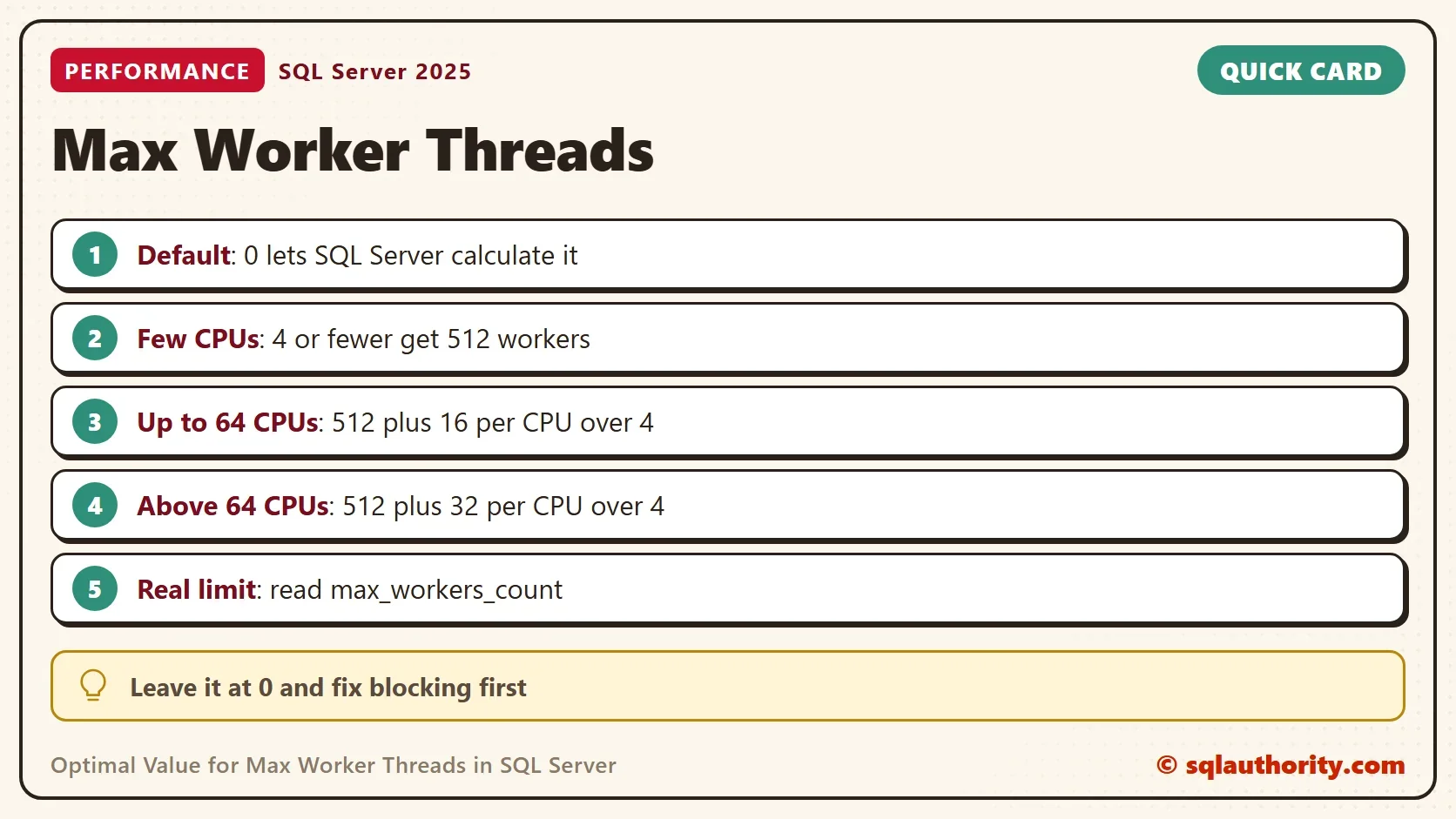
The optimal value for Max Worker Threads is 0, the default. That number looks wrong in the server properties, so DBAs want to replace it. Don’t. With Max Worker Threads at zero, SQL Server calculates the limit itself.

What Zero Means
A worker thread is the unit that runs a task for SQL Server. Each running query gets one or more of them. The setting caps how many workers the instance can create. At zero, SQL Server picks the cap at startup from the number of logical processors. It doesn’t mean the server runs on zero threads.
The setting sits in the advanced options. Two queries show both sides of it. The first reads the configured value, and the second reads the limit the server uses.
SELECT name, value, value_in_use, minimum, maximum
FROM sys.configurations
WHERE name = N'max worker threads';

SELECT cpu_count, scheduler_count, max_workers_count
FROM sys.dm_os_sys_info;
| name | value | value_in_use | minimum | maximum |
|---|---|---|---|---|
| max worker threads | 0 | 0 | 128 | 65535 |
| cpu_count | scheduler_count | max_workers_count |
|---|---|---|
| 16 | 16 | 704 |
The setting shows 0, and the real limit is 704 workers on this 16 processor server. The column max_workers_count is the number to quote. The zero on the properties page is only an instruction to calculate.
What Uses a Worker
A connection and a worker are different things. A worker is attached to a request while it runs. An idle connection holds none, so thousands of connections can share a few hundred workers. Background tasks such as the log writer and the checkpoint also take workers.
A parallel query is the big spender. It needs a worker for every parallel branch. A plan with several branches can hold many times its degree of parallelism. That is why one runaway parallel query can drain the pool, while a hundred small ones barely register.
How SQL Server Calculates the Limit
On 64-bit SQL Server, an instance with 4 or fewer logical processors gets 512 workers. With 64 or fewer processors, it adds 16 for every processor above 4. With more than 64, it adds 32 for every processor above 4. This query applies that rule to a list of processor counts.
SELECT v.cpus,
       CASE WHEN v.cpus <= 4  THEN 512
            WHEN v.cpus <= 64 THEN 512 + (v.cpus - 4) * 16
            ELSE 512 + (v.cpus - 4) * 32 END AS DefaultMaxWorkers
FROM (VALUES (4), (8), (16), (32), (64), (128), (256)) AS v(cpus);| cpus | DefaultMaxWorkers |
|---|---|
| 4 | 512 |
| 8 | 576 |
| 16 | 704 |
| 32 | 960 |
| 64 | 1472 |
| 128 | 4480 |
| 256 | 8576 |
The 16 processor row matches the live server above, so the rule is right for that case. The other rows follow the documented defaults.
Why a Bigger Number Rarely Helps
Each worker needs its own memory. A higher cap doesn’t create faster queries. It lets more tasks start, and they all wait on the same disks, locks and processors. If workers run out because of long blocking chains, more workers means a longer line behind the same lock.
You could argue that a higher cap is cheap insurance. It isn’t free, and it hides the real cause. Workers run out when queries wait too long or when parallel plans claim many threads each. Fix those first, with better indexes, shorter transactions and a sensible MAXDOP.
How to Tell if Threads Are Short
Three counters answer the question. THREADPOOL is the wait a task records while it waits for a worker. The scheduler queue counts tasks that are waiting right now. The worker total shows how close you are to the limit.
SELECT i.max_workers_count,
       s.CurrentWorkers,
       s.QueuedTasks,
       w.waiting_tasks_count AS ThreadpoolWaits,
       w.wait_time_ms AS ThreadpoolWaitMs
FROM sys.dm_os_sys_info AS i
CROSS JOIN (SELECT SUM(current_workers_count) AS CurrentWorkers,
                   SUM(work_queue_count) AS QueuedTasks
            FROM sys.dm_os_schedulers
            WHERE status = N'VISIBLE ONLINE') AS s
CROSS JOIN sys.dm_os_wait_stats AS w
WHERE w.wait_type = N'THREADPOOL';| max_workers_count | CurrentWorkers | QueuedTasks | ThreadpoolWaits | ThreadpoolWaitMs |
|---|---|---|---|---|
| 704 | 218 | 0 | 270121 | 351732 |
Your values will differ on every run. Here 218 workers exist against a limit of 704, and no task is queued. The wait counters hold a long history: 270,121 waits that add up to about 352 seconds, or 1.3 milliseconds each. Many short waits don’t mean a shortage. Read the first three columns at the moment of trouble. A queue above zero means tasks are waiting for a worker now. The wait counters add up from startup, so a rising number between two readings matters more than the total.
When Changing It Is Right
Few cases justify a change. Availability groups and database mirroring use extra workers, and a server with many protected databases can need more. A large number of long-running parallel queries also drains the pool. Even then, check the waits and the queue first, and change one thing at a time.
Before any change, write down max_workers_count, the THREADPOOL counters and the sessions that block others. After the change, take the same readings. If nothing improved, put the setting back.
If someone already changed the value, set it back to 0. SQL Server then calculates the limit again. The setting is an advanced option, so the statements switch on the advanced options first. They change the server, so the demo doesn’t run them.
EXEC sp_configure 'show advanced options', 1;
RECONFIGURE;
EXEC sp_configure 'max worker threads', 0;
RECONFIGURE;
What to Remember
Leave Max Worker Threads at 0 and quote max_workers_count. A fixed Max Worker Threads value only caps what the server can do. Treat THREADPOOL waits as a symptom of blocking or parallelism, and fix those causes before touching the cap. When someone proposes a new number, ask to see the waits and the queue first. A proposal without them is a guess, and guesses at this setting cost memory.
A thread limit is not a speed setting, it is a safety net.
Published by Pinal Dave on SQLAuthority. More of my work at pinaldave.com.
Discover more from SQL Authority with Pinal Dave
Subscribe to get the latest posts sent to your email.




1 Comment. Leave new
thanks