
The FORMAT function turns a date or a number into text with one pattern you write yourself. It needs SQL Server 2012 or later. Before it existed, every date layout meant a different CONVERT style number that you had to look up.

Format Dates With the FORMAT Function
FORMAT takes three arguments: the value, a format string and, optionally, a culture such as en-US. The format string is made of letters, and each letter group stands for a part of the date. yyyy is the year, MM the month number and dd the day. HH is the hour on a 24 hour clock. hh is the hour on a 12 hour clock, used with tt for AM or PM. mm is the minutes. MMMM gives the month name and dddd the day name.
DECLARE @d datetime2(0) = '2026-10-06 14:05:09';
SELECT FORMAT(@d, 'dd/MM/yyyy') AS DayFirst, FORMAT(@d, 'MM/dd/yyyy') AS MonthFirst, FORMAT(@d, 'MMMM') AS MonthName,
FORMAT(@d, 'dddd') AS DayName, FORMAT(@d, 'yyyy-MM-dd HH:mm') AS Sortable, FORMAT(@d, 'hh:mm tt') AS WithAmPm;| DayFirst | MonthFirst | MonthName | DayName | Sortable | WithAmPm |
|---|---|---|---|---|---|
| 06/10/2026 | 10/06/2026 | October | Tuesday | 2026-10-06 14:05 | 02:05 PM |
The same value gives six layouts, and none needs a style number. Put plain text inside double quotes, and FORMAT copies it unchanged. That builds a sentence in one call.
DECLARE @d datetime2(0) = '2026-10-06 14:05:09';
SELECT FORMAT(@d, N'"Report date:" MMMM d, yyyy') AS WithText;
The result is Report date: October 6, 2026.
The mm and MM Trap
Upper case MM is the month. Lower case mm is the minutes. Swap them and FORMAT doesn’t complain. It returns a date that looks fine and is wrong.
DECLARE @d datetime2(0) = '2026-10-06 14:05:09';
SELECT FORMAT(@d, 'mm/dd/yyyy') AS MinutesNotMonth, FORMAT(@d, 'MM/dd/yyyy') AS Correct;
| MinutesNotMonth | Correct |
|---|---|
| 05/06/2026 | 10/06/2026 |
The first column shows the minute, 05, where the month should be. Nothing fails, and the report goes out with wrong dates. Check every new pattern against a date whose month and minute differ, as this one does.
Format Numbers and Pick a Culture
The FORMAT function works on numbers too. A string of zeros pads a number to a fixed width. The letters N, C and P give a number with separators, a currency amount and a percentage. The digit after the letter sets the decimal places.
SELECT FORMAT(935, '000000') AS Padded, FORMAT(1234567.891, 'N2', 'en-US') AS US_Number, FORMAT(1234567.891, 'N2', 'de-DE') AS German_Number,
FORMAT(1234.5, 'C', 'en-US') AS US_Currency, FORMAT(0.256, 'P1', 'en-US') AS Pct;| Padded | US_Number | German_Number | US_Currency | Pct |
|---|---|---|---|---|
| 000935 | 1,234,567.89 | 1.234.567,89 | $1,234.50 | 25.6% |
The culture argument decides the separators. Germany writes the thousands separator as a dot and the decimal separator as a comma. Without a culture, FORMAT uses the language of the session. A report can change its look when a different login runs it. Name the culture whenever the layout matters.
DECLARE @d datetime2(0) = '2026-10-06 14:05:09';
SELECT FORMAT(@d, 'D', 'en-US') AS US_Long, FORMAT(@d, 'D', 'fr-FR') AS French_Long, FORMAT(@d, 'd', 'de-DE') AS German_Short;
| US_Long | French_Long | German_Short |
|---|---|---|
| Tuesday, October 6, 2026 | mardi 6 octobre 2026 | 06.10.2026 |
A slash and a colon in a pattern are not literal. FORMAT replaces a slash with the date separator of the culture, and a colon with its time separator. Under de-DE, the pattern dd/MM/yyyy returns dots. Name the culture, or put the slash in double quotes, when you need a literal one. A hyphen stays a hyphen.
DECLARE @d datetime2(0) = '2026-10-06 14:05:09';
SELECT FORMAT(@d, 'dd/MM/yyyy', 'en-US') AS UsSlash, FORMAT(@d, 'dd/MM/yyyy', 'de-DE') AS GermanSlash,
FORMAT(@d, 'dd"/"MM"/"yyyy', 'de-DE') AS GermanQuotedSlash, FORMAT(@d, 'dd-MM-yyyy', 'de-DE') AS GermanHyphen;| UsSlash | GermanSlash | GermanQuotedSlash | GermanHyphen |
|---|---|---|---|
| 06/10/2026 | 06.10.2026 | 06/10/2026 | 06-10-2026 |
A single letter is a standard pattern that each culture defines for itself. D is the long date and d the short date. A culture name SQL Server doesn’t know stops the query.
Msg 9818, Level 16, State 1, Line 1
The culture parameter 'not a culture' provided in the function call is not supported.
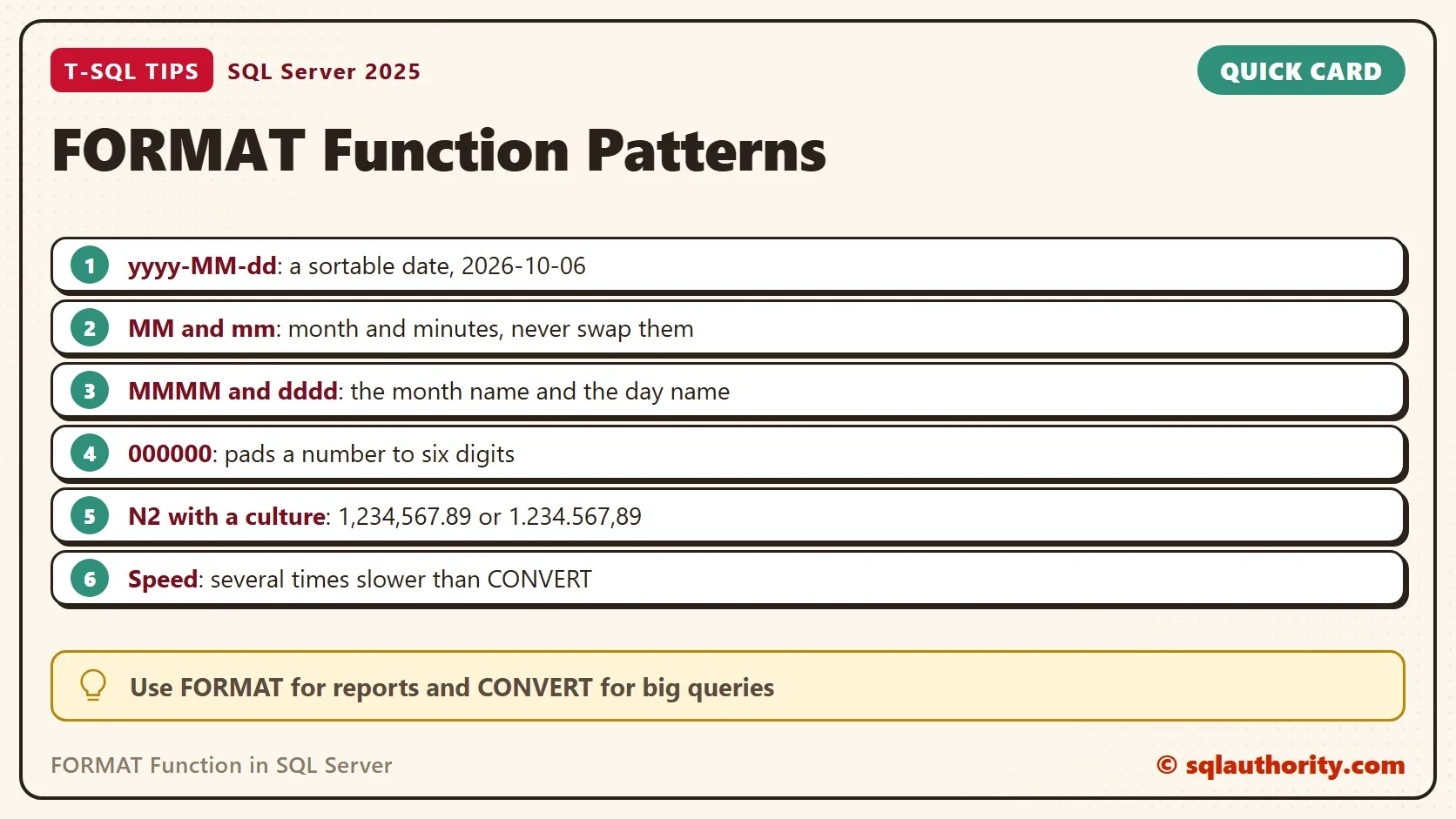
What FORMAT Won’t Accept
FORMAT wants a real date or number. A date written as text fails with Msg 8116, so cast it to date first. A NULL goes in and a NULL comes out. The result is always nvarchar, so a formatted date is text and sorts as text.
Which CONVERT Style Does It Replace?
The older way is CONVERT with a style number, and it still works. Each style is one fixed layout. FORMAT can build each of these layouts, so you don’t need to memorize the numbers. The query below returns four styles and the month and day names from DATENAME.
DECLARE @d datetime2(0) = '2026-10-06 14:05:09';
SELECT CONVERT(char(10), @d, 101) AS Style101, CONVERT(char(10), @d, 103) AS Style103, CONVERT(char(10), @d, 23) AS Style23, CONVERT(char(8), @d, 108) AS Style108,
DATENAME(month, @d) AS MonthName, DATENAME(weekday, @d) AS DayName;| Style101 | Style103 | Style23 | Style108 | MonthName | DayName |
|---|---|---|---|---|---|
| 10/06/2026 | 06/10/2026 | 2026-10-06 | 14:05:09 | October | Tuesday |
Style 101 matches the pattern MM/dd/yyyy and style 103 matches dd/MM/yyyy. Style 23 matches yyyy-MM-dd and style 108 matches HH:mm:ss. The results match the FORMAT results above for the same layouts. Each CONVERT is one fixed layout, and FORMAT builds any layout you can write.
How Slow Is FORMAT?
FORMAT relies on the .NET runtime, and every value goes through it. That is flexible, and it costs time. The next script builds 200,000 dates in a temporary table. It formats each one with CONVERT and then with FORMAT. Both write into a variable, so no result grid is involved.
SET NOCOUNT ON;
CREATE TABLE #Dates (d datetime2(0) NOT NULL);
INSERT INTO #Dates (d)
SELECT TOP (200000) DATEADD(SECOND, ROW_NUMBER() OVER (ORDER BY (SELECT NULL)) * 997, '2020-01-01')
FROM sys.all_columns a CROSS JOIN sys.all_columns b;
DECLARE @t0 datetime2, @x nvarchar(40);
DECLARE @r TABLE (Method varchar(30), Ms int);
SET @t0 = SYSDATETIME();
SELECT @x = CONVERT(char(10), d, 103) FROM #Dates;
INSERT INTO @r VALUES ('CONVERT style 103', DATEDIFF(MILLISECOND, @t0, SYSDATETIME()));
SET @t0 = SYSDATETIME();
SELECT @x = FORMAT(d, 'dd/MM/yyyy') FROM #Dates;
INSERT INTO @r VALUES ('FORMAT dd/MM/yyyy', DATEDIFF(MILLISECOND, @t0, SYSDATETIME()));
SELECT Method, Ms FROM @r;
DROP TABLE #Dates;| Method | Ms |
|---|---|
| CONVERT style 103 | 76 |
| FORMAT dd/MM/yyyy | 1049 |
In this run FORMAT took 1,049 ms against 76 ms for CONVERT. Other runs on the same machine gave seven to fourteen times as long. Your milliseconds will differ, and the gap stays wide. A report with 3,000 rows won’t notice it. A query over millions of rows will. If a procedure that returns 3,000 rows is slow, look elsewhere first. FORMAT adds only a few milliseconds at that size, unless the query calls it many times per row.
You could argue that formatting belongs in the application and not in the database. For a large result set that is the best answer. Return real dates and numbers, and let the client show them in the user’s own culture. FORMAT earns its place in a quick report, a message or a one-off export.
What to Remember
Write the pattern once with the FORMAT function and name the culture. Use upper case MM for the month and lower case mm for the minutes. Cast text to a date before you format it.
When the query returns a lot of rows, switch to CONVERT or format on the client. The speed gap is the one thing FORMAT can’t hide.
A format string is not a conversion, it is a promise about how the date will read.
Published by Pinal Dave on SQLAuthority. More of my work at pinaldave.com.
Discover more from SQL Authority with Pinal Dave
Subscribe to get the latest posts sent to your email.




3 Comments. Leave new
you should mention, that FORMAT() is much slower than CONVERT() or simalar “real internal” functions, so it should not be used for big datasets when performance matters.
I used the format function. But it is slowing down the sp I am using it in.
It returns about 3000 rows with format() date funstion.
Is it becoz of this format() date func. ?
Heh… 5 years and no answer to the performance question that Archana posted.
Yes. You’re performance issue is because you used FORMAT. Behind the scenes (not including output to the screen or disk), it’s at least 23 times slower than even some of the more complicated CONVERT code you might come up with. I don’t use the word very often but I NEVER use FORMAT no matter how complicated an output I may require. Saving a couple of minutes in programming time just isn’t worth the horrible performance that your code will suffer every day.