
This example originally used dbForge Data Generator with a public API to generate live currency exchange rates. That legacy API was retired. The workflow needs an updated data source before you can use it today.
Before diving into the topic in more detail, let’s drop a line about the meaning of the term currency exchange rate and why it is so important in various aspects of our life.
Currency exchange rate is a reference value used for converting money from one currency to another. In other words, the exchange rate is the price for which one national currency can be exchanged for another national currency.
Whether you are a businessman or the owner of a multi-national corporation, currency exchange rates either directly or indirectly affect your business activities for sure. Currency rates can vary quite dramatically even within one day, so having an up-to-minute information on currency values can save you a good deal of money and help you mitigate risks.
Suppose you need to test a corporate database and you need to populate one of the tables with today’s currency exchange rates. This would seem a challenging task if you were to retrieve data from some source and enter them into the table by hand.
Data generation tool
Luckily, there exists a tool that can provide real-life test data in a few seconds – dbForge Data Generator for SQL Server. This useful sql generator tool includes a great number of built-in data generators that will help you generate meaningful test data of diverse types and for various purposes.
Let’s use the AdventureWorks database to show how real currency exchange rates can be generated by dbForge Data Generator for SQL Server.
There is the Sales.CurrencyRate table in the AdventureWorks database that has the following columns:
- Average Rate — an average exchange rate on a specific day.
- EndOfDayRate — a final exchange rate on a specific day.
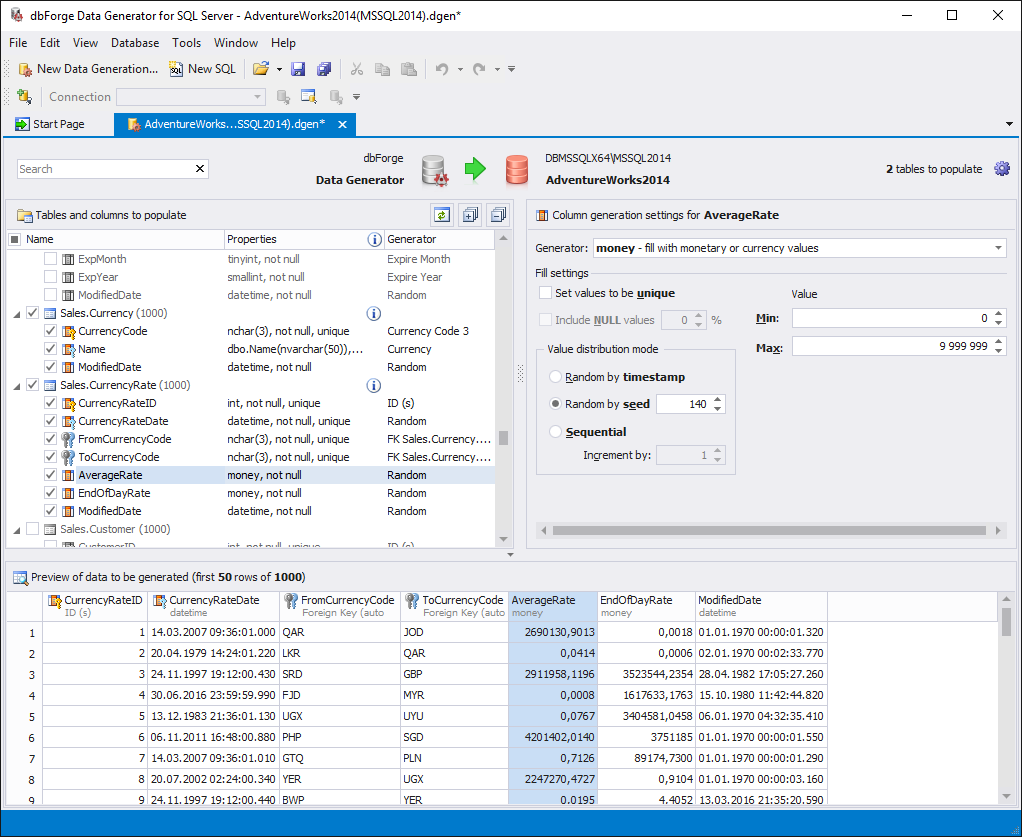
After you launch dbForge Data Generator for SQL Server and connect to the AdventureWorks database, select the Sales.CurrencyRate table in the left-hand pane and you will see a preview of the data to be generated by default.
Of course, you can adjust generation settings to obtain data that meet your specific needs, but the resulting data in the AverageRate column still do not resemble the real currency rates, and more importantly they are not live and real.
Choose a Current Rate Source
The original Python samples used a retired Fixer endpoint without an access key. They have been removed because changing the address alone would not make them current. Fixer’s current API requires authentication, and the integration needs fresh testing.
Fetch the required rates through an approved provider and save a dated copy for your test data. Record the source currency, target currency, rate date and rate definition. Validate the response before loading values into the database.
AverageRate and EndOfDayRate describe different measures. Do not fill both from one value unless that simplification is intentional for your test. Confirm the provider’s definitions before mapping its fields.
Use the saved values with a generator supported by your installed dbForge version. This article does not provide a tested replacement for the retired integration.
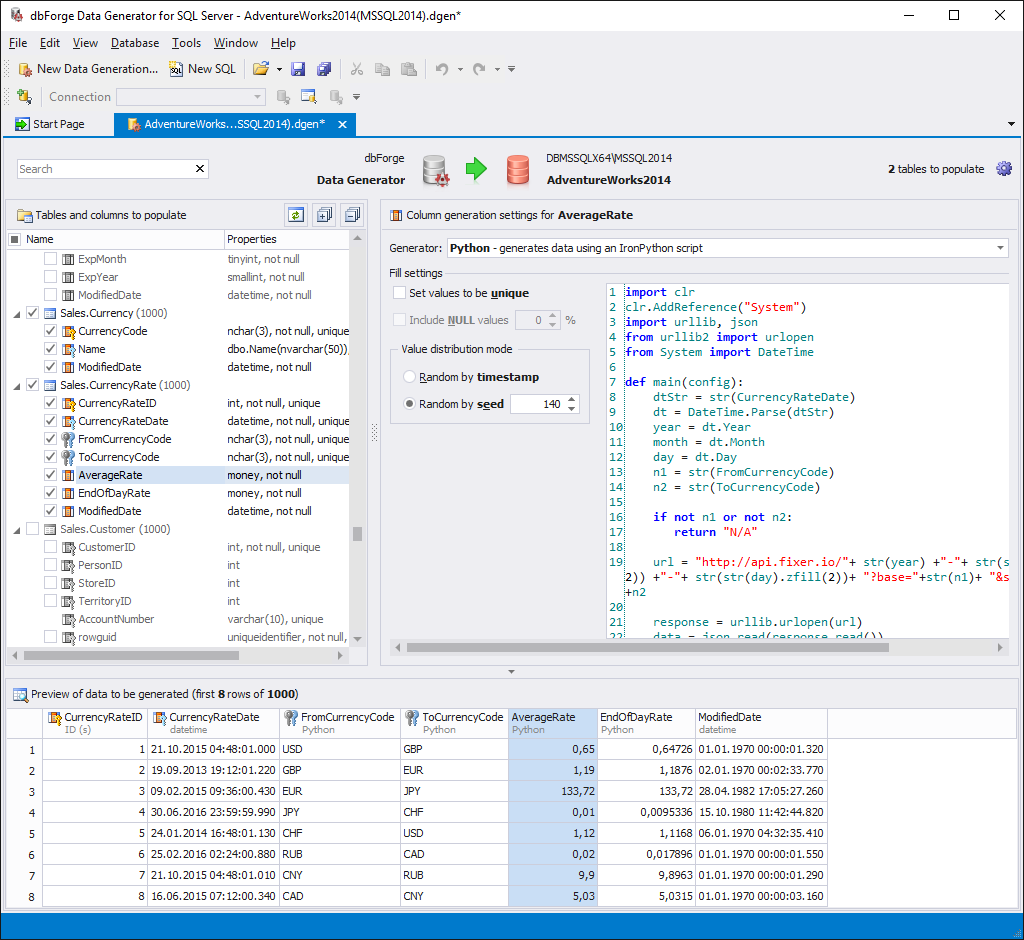
Historical illustration: This screenshot shows the original 2017 example, not a verified current integration.
Summary
Useful currency test data needs a known source, date and meaning. Keep a fixed input set when repeatable tests matter. Verify the current provider and generator before using live rates.
Published by Pinal Dave on SQLAuthority. More of my work at pinaldave.com.


