
A duplicate entry for key PRIMARY on INSERT INTO wp_options slowed my WordPress blog and stopped scheduled posts. This blog runs on WordPress, and a MySQL database sits under it. MySQL handles the traffic this blog gets every day, but like any database it needs tuning and proper management.

The Error
This is the line I found in the error log:
[Fri Sep 09 04:58:03 2016] [error] [client] WordPress database error Duplicate entry '3354142' for key 'PRIMARY' for query INSERT INTO wp_options (option_name, option_value,autoload) VALUES (...)What Happened
Last week, a friend called to tell me that our blog was loading slowly. A short slowdown is normal when a new post goes out or a newsletter is sent. This time the site was slow all the time.
After a while, we found a couple of new problems. The WordPress scheduler was not publishing new posts, and it was not taking the routine backup of the system. After careful diagnosis, I figured out that the issue was with the MySQL database. That is when I checked the error log.

The error was clearly a primary key violation in the options table. But I hadn’t done any transactions on this table myself, and there was no recent update or plugin change. My first attempt was to restore the table from an older database backup. I take frequent backups of the site and its database. Even that didn’t get rid of the error.
Then I searched the internet, and found no real help. So I tried one thing after another. I spent over four hours on different tricks, because I felt it was a logical integrity error in the database. Finally I found a simple solution. I wish I had known it earlier.
Why It Happens
My wp_options table was corrupted. The corruption was the reason I was getting the duplicate key error.
How to Check
Look for the duplicate entry line in your error log. A slow site, scheduled posts that don’t publish and missing routine backups were the signs around it for me.
The Fix
I ran this command, and my issue was resolved:
REPAIR TABLE wp_optionsIn my case, the corrupted table was wp_options. Replace it with the name of your own table. REPAIR TABLE works on MyISAM, ARCHIVE and CSV tables. It doesn’t work on InnoDB, so check your table’s storage engine first.
To repair every table in your database, use this query. It generates a repair statement for each table. Run the statements it returns.
SELECT CONCAT('repair table ', table_name, ';')
FROM information_schema.tables
WHERE table_schema='YourDatabaseName';
Confirm It Worked
Once I fixed the corruption of the table, everything worked fine again.
How to Prevent It
When a site slows down for no clear reason, read the database error log early. It can save you hours of trial and error. If you have a problem with a WordPress MySQL database, tell me about it in the comments.
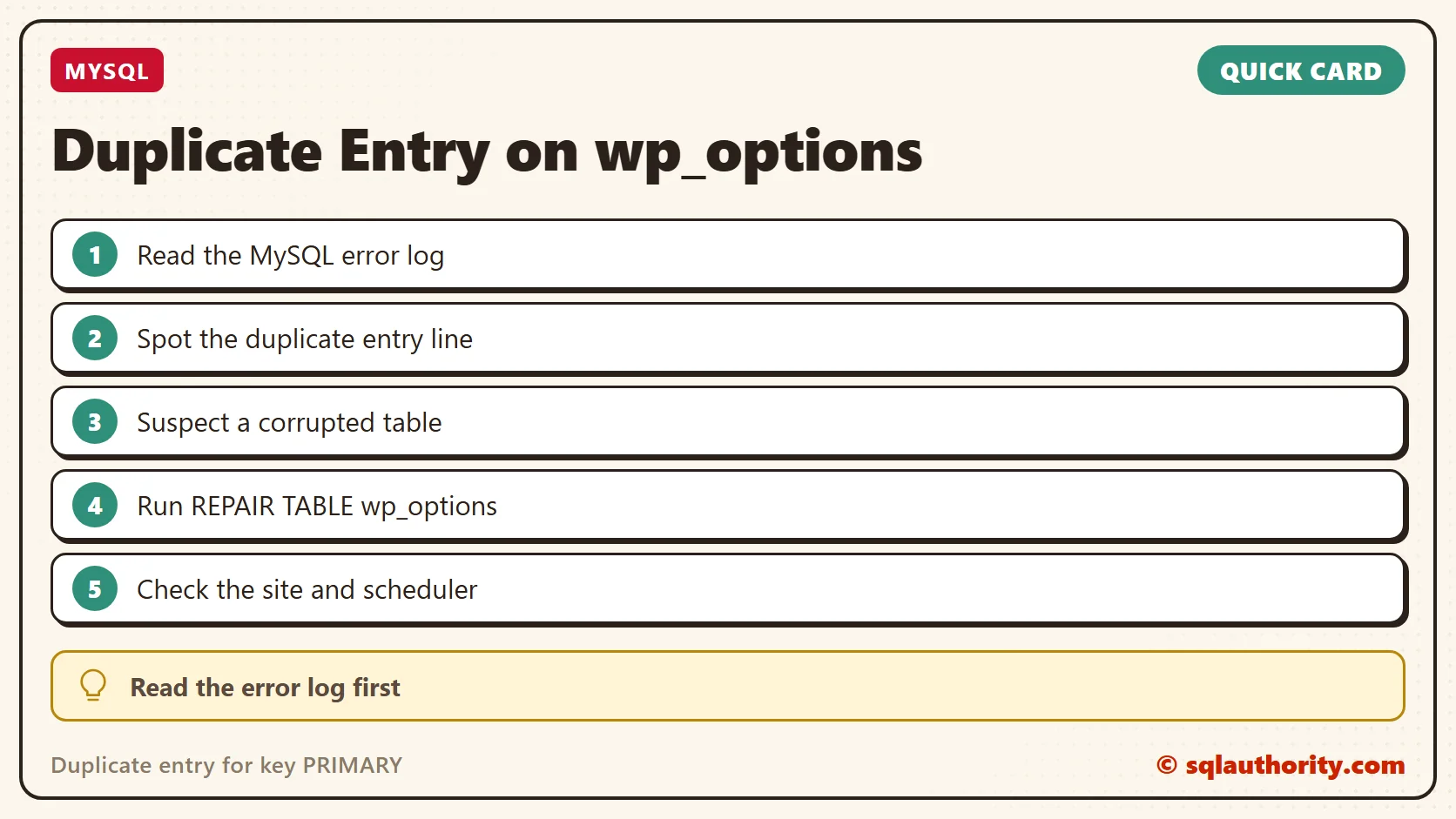
A duplicate key error is not always bad data, it is sometimes a damaged table.
Published by Pinal Dave on SQLAuthority. More of my work at pinaldave.com.
Discover more from SQL Authority with Pinal Dave
Subscribe to get the latest posts sent to your email.



22 Comments. Leave new
why the restore from the backup didnt work?
Hi Pinal Dave
it is maybe possible, that you have a small issue in your script for repairing the tables for the database “xxxx”
In my opinion it should be “CONCAT” instead of the wrong value -CONCAT–>E<– ??
SELECT CONCAT('repair table ', table_name, ';') FROM information_schema.tables WHERE table_schema='database' ;
Agreed I think it s a typo.
Thanks. I’ll fix it.
Hi Antho,
thanks for your response. Could you fix this in the post above? (Mostly for other users. I know the right way for now :-) )
kind regards,
Axel
Hi thank you very much for pointing me in the right direction
Today, I faced similar problem – my woocommerce orders didn’t worked
My error_log was full of records like this :
[22-Oct-2017 18:04:47 UTC] Error in WordPress database Duplicate entry ‘31488’ for key ‘PRIMARY’ za upit INSERT INTO `wp_postmeta` (`post_id`, `meta_key`, `meta_value`) VALUES (30693, ‘_order_stock_reduced’, ‘1’) (‘wp-blog-header.php’), require_once(‘wp-includes/template-loader.php’), do_action(‘template_redirect’), WP_Hook->do_action, WP_Hook->apply_filters, call_user_func_array, WC_AJAX::do_wc_ajax, do_action(‘wc_ajax_checkout’), WP_Hook->do_action, WP_Hook->apply_filters, call_user_func_array, WC_AJAX::checkout, WC_Checkout->process_checkout, WC_Gateway_BACS->process_payment, WC_Abstract_Order->reduce_order_stock, add_post_meta, add_metadata
I have logged into phpmyadmin, selected all tables, and selected in dropdown to repair all tables :)
After that, my woocomerce orders worked like a charm
Thanks again,
Nikola
“The storage engine for the table doesn’t support repair” -> Azure DB for MySQL. Are there alternatives to REPAIR?
Hi we have a problem. The problem is that when we migrated we never changed home1(shared host) to home (dedicated host) and now we have problems in the cache plugin and other plugins because they want the home1 path but now is home. Any ideas of what we must do? By the way the site works ok but we cant use CDN and others
I was able to fix this problem otherwise; I ran myphpmysql and clicked wp_options table then on the search tab I searched “active_plugins” under field ‘option_name’ then i renamed “active_plugins” to “active_plugins.old”; instantly fixed the error.
I took time to write this and hopefully someone will find it useful.
1 – REPAIR TABLE wp_options
Where did you place this command ? wp-config file or mysql database ?
In MySQL query execution Window.
Thanks for responfing @Pinal Dave. Ran the MySQL query and received this error:
repair
Error
Table ‘xxx_xxx.wp_options’ doesn’t exist
xxx_xxx.wp_options
repair
status
Operation failed
OOOPS !
Used wrong db prefix. (mine is not wp_)
Ran command again.
Let’s see if it fixed my problem !
Got no love. Never had a problem importing sql backups before.
All kinds of wordpress issues after sql backup import threw this error:
— Indexes for table `xxx_options`
—
ALTER TABLE `xxx_options`
ADD PRIMARY KEY (`option_id`),
ADD UNIQUE KEY `option_name` (`option_name`)
MySQL said: Documentation
#1062 – Duplicate entry ‘0’ for key ‘PRIMARY’
WordPress database error: [Duplicate entry ‘0’ for key ‘PRIMARY’]
ALTER TABLE xxx_options ADD PRIMARY KEY (`option_id`)
Never had a problem importing sql backups before.
Thank you! This is what I needed. A quick, simple fix.
Dear all wordpress users,
Im new supporting wordpress. Recently we have launch our company official website and since then this error trigger:
>> insert into wpum_options failed.>> we have grant all required privilege and only this table will give error for insert. Update/Select/Delete works fine.
Can anyone advise if you may have encounter any similar issue like this?
Thank you, this error has been driving me crazy.
dear Pinal, Thank you. it was useful for me.
Thank you! Repair table worked for me.
Thank you so much, I imported into sequel pro which did not have an error on importing, then repaired the table and re-exported.
What can be done if I receive the error after trying `REPAIR TABLE wp_userdata;`
“The storage engine for the table doesn’t support repair”
Ask your webhost about that.