
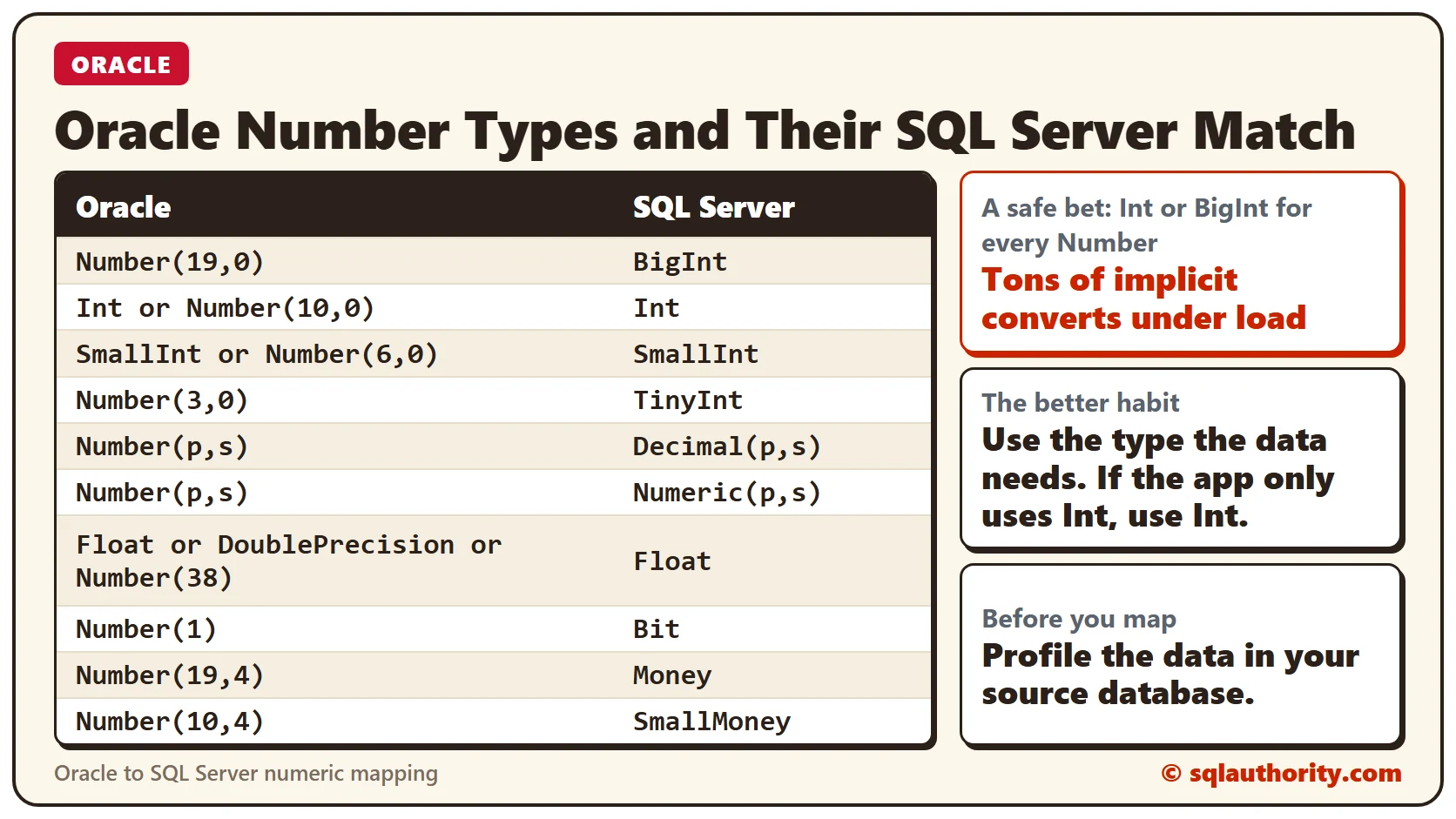
Oracle number data types need the right SQL Server match, or the application pays in implicit converts. A product team asked me to look at an application they were moving from Oracle to SQL Server. It ran fine in Oracle but slowed down under load. The table below is a pseudo mapping of the types to use in such a migration.
The Mapping Table
Here is the same mapping as a table you can copy.
| Oracle | SQL Server |
|---|---|
| Number(19,0) | BigInt |
| Int or Number(10,0) | Int |
| SmallInt or Number(6,0) | SmallInt |
| Number(3,0) | TinyInt |
| Number(p,s) | Decimal(p,s) |
| Number(p,s) | Numeric(p,s) |
| Float or DoublePrecision or Number(38) | Float |
| Number(1) | Bit |
| Number(19,4) | Money |
| Number(10,4) | SmallMoney |
What the Team Saw
The team had some of the best people in the market, so I was surprised they needed my services. I had an open mind, though. Their application ran fine in Oracle, and its logic used the same ETL code to push data from Oracle to SQL Server.
Everything was fine until the load went up. Then they saw performance problems. I wasn’t sure why SQL Server behaved so differently from Oracle.
Why It Happens
I started Profiler to see which plans were generated, and I saw tons of implicit converts. The application team told me they used options in Oracle such as Number(x) data types. In SQL Server they used Int or BigInt as a safe bet.
Worse, the application that sent the generic code had no clue about this. So I set out to educate the migration team. Sending the appropriate data to SQL Server matters.
How to Check
Run Profiler, as I did, and look at the plans for implicit converts. Then profile the data in your source database, so you know what you are moving over.
How to Prevent It
Many applications use data types bigger than they need. Avoid that. If the application only uses Int, use Int. A migration is also a chance to improve the architecture and implementation.
Note that Blobs can be difficult to move over. SSIS is the best tool in this case.
I’d love to hear how you mapped data types between Oracle and SQL Server. Share your tips and tricks in the comments, so we can learn together.
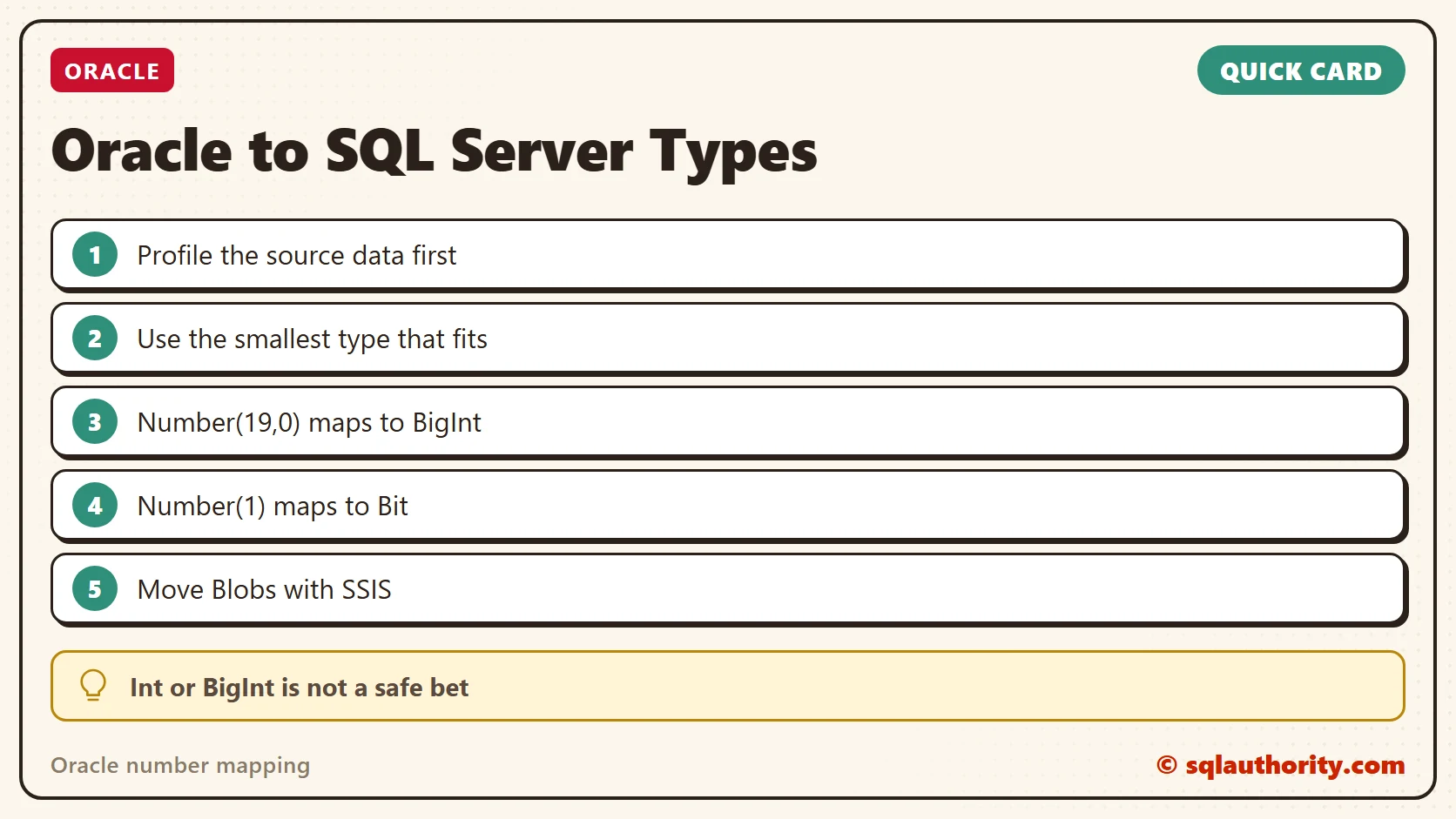
Oracle’s Number is not one type in SQL Server, it is a choice you make for every column.
Published by Pinal Dave on SQLAuthority. More of my work at pinaldave.com.
Discover more from SQL Authority with Pinal Dave
Subscribe to get the latest posts sent to your email.




4 Comments. Leave new
I don’t know if things changed, but I remember way back in 2008 when I was looking for IDENTITY column in Oracle. I found out that I had to use Sequence instead…..
Oracle was leading the field back then. MSSQL caught-up in 2012:
For Date Format oracle to SQLserver
Hi Pinal,
The datatype mapping between Oracle & SQL Server for Oracle Number(1) should map to SQL Server’s Numeric(1) as datatype BIT will always be 0 /1 . Correct me if I am wrong.
Oracle Number(1) –> SQL Numeric(1)