In-Memory OLTP in Azure SQL Database works, but only in some service tiers and only inside a memory cap. Microsoft lists both in its documentation, and this post states them. It also tests the same engine feature on a local SQL Server 2025 server.
What Changed Since 2015
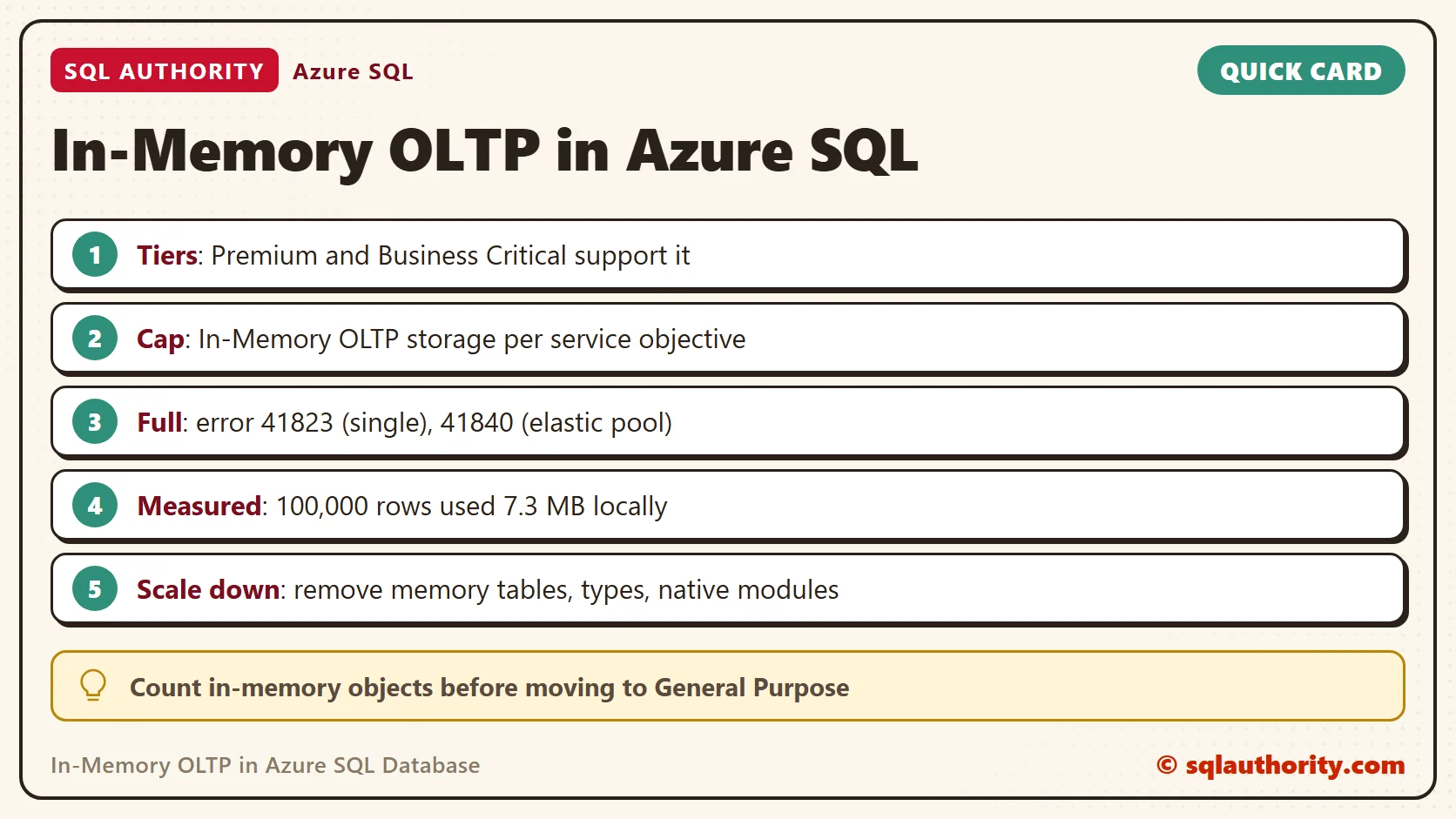
When this feature first reached Azure, it was limited to Premium databases created for it. That has changed. The current documentation names the tiers in the table below. It no longer mentions the 2015 limit on copies of older databases.
| Service tier | Memory-optimized tables |
|---|---|
| Premium (DTU) | Supported |
| Business Critical (vCore) | Supported |
| Hyperscale | A subset of objects, without memory-optimized tables |
| General Purpose, Standard, Basic | Not supported |
I ran no Azure database for this post. The tier facts come from the documentation. The T-SQL runs on SQL Server 2025. Microsoft states that SQL Server and Azure SQL Database share one implementation of in-memory technology.
The Memory Cap
Each service objective carries a quota called In-Memory OLTP storage. Active rows in memory-optimized tables and table variables count against it. So do the indexes and the extra room that an ALTER TABLE needs. Old row versions do not count.
Hit the cap and inserts and updates fail. A single database raises error 41823, and an elastic pool raises 41840. You either delete data or move to a larger service objective. Microsoft also advises a retry on the first error, because some of these errors are transient.
In an elastic pool, every database shares one cap, so a busy neighbor can use your share. Set a minimum for each database to guarantee its room, or a maximum to limit it. To watch usage, read the column xtp_storage_percent in sys.dm_db_resource_stats. That view exists in Azure only, so I did not run it here.
Two numbers decide the design: the memory your tier gives to in-memory data, and how fast your data grows. A table that fits today and doubles each year reaches the cap on a date you can calculate. Write that date in your calendar before launch. Plan the move to a larger objective, or an archive job, ahead of it.
When the Feature Fits
Microsoft names a short list of workloads for In-Memory OLTP. The list covers fast transaction processing, data ingestion from events or devices, caching and data loads. It also covers replacements for temporary tables and table variables. All of them share one trait. The hot data is small enough to live in RAM.
A 10 GB table that people read once a year is a poor fit, even if the tier allows it. The same table split into a small hot part and a large cold part can be a good fit. The cap makes this split a design question and not a tuning detail.
Table variables count against the cap too, and so do memory-optimized table types while they hold rows. Include them when you estimate usage, next to the tables.
Check Support With T-SQL
The first check for In-Memory OLTP in Azure SQL Database works the same on a server. It asks whether the database supports the feature. Create a test database on SQL Server 2025 and ask.
IF DB_ID(N'SqlXtpTierDemo') IS NULL CREATE DATABASE SqlXtpTierDemo;
GO
USE SqlXtpTierDemo;
SELECT SERVERPROPERTY('IsXTPSupported') AS ServerSupport, DATABASEPROPERTYEX(DB_NAME(), 'IsXTPSupported') AS DatabaseSupport;| ServerSupport | DatabaseSupport |
|---|---|
| 1 | 1 |
Both values are 1. Support is not the same as readiness, though. Ask for a memory-optimized table in this fresh database and SQL Server refuses.
CREATE TABLE dbo.Visits (VisitID int NOT NULL PRIMARY KEY NONCLUSTERED, Page nvarchar(100) NOT NULL) WITH (MEMORY_OPTIMIZED = ON);
Msg 41337, Level 16, State 100, Line 1
Cannot create memory optimized tables. To create memory optimized tables, the database must have a MEMORY_OPTIMIZED_FILEGROUP that is online and has at least one container.
On a server, you add a memory-optimized filegroup first. This script puts its folder next to the other data files.
DECLARE @sql nvarchar(max) = N'ALTER DATABASE SqlXtpTierDemo ADD FILEGROUP XtpFG CONTAINS MEMORY_OPTIMIZED_DATA; ALTER DATABASE SqlXtpTierDemo ADD FILE (NAME = N''XtpFiles'', FILENAME = N''' + CAST(SERVERPROPERTY('InstanceDefaultDataPath') AS nvarchar(260)) + N'SqlXtpTierDemo_xtp'') TO FILEGROUP XtpFG;';
IF NOT EXISTS (SELECT 1 FROM sys.filegroups WHERE type = 'FX') EXEC (@sql);
Create Objects and Measure Memory
Now create the four kinds of objects that matter for a move. A durable table keeps its rows after a restart. A non-durable table, marked SCHEMA_ONLY, keeps only its structure. A memory-optimized table type serves table variables. A native procedure compiles to machine code.
CREATE TABLE dbo.Visits (VisitID int NOT NULL PRIMARY KEY NONCLUSTERED, Page nvarchar(100) NOT NULL) WITH (MEMORY_OPTIMIZED = ON);
CREATE TABLE dbo.VisitStaging (VisitID int NOT NULL PRIMARY KEY NONCLUSTERED, Page nvarchar(100) NOT NULL) WITH (MEMORY_OPTIMIZED = ON, DURABILITY = SCHEMA_ONLY);
GO
CREATE TYPE dbo.VisitList AS TABLE (VisitID int NOT NULL PRIMARY KEY NONCLUSTERED, Page nvarchar(100) NOT NULL) WITH (MEMORY_OPTIMIZED = ON);
GO
CREATE PROCEDURE dbo.CountVisits WITH NATIVE_COMPILATION, SCHEMABINDING AS
BEGIN ATOMIC WITH (TRANSACTION ISOLATION LEVEL = SNAPSHOT, LANGUAGE = N'us_english')
    SELECT COUNT(*) AS Visits FROM dbo.Visits;
END;
Load 100,000 rows into the durable table and call the procedure.
INSERT INTO dbo.Visits (VisitID, Page) SELECT value, N'/home' FROM GENERATE_SERIES(1, 100000);
EXEC dbo.CountVisits;
| Visits |
|---|
| 100000 |
The cap in Azure counts memory, so measure memory. The view below adds up the rows and the indexes of the user tables. I add both columns because the cap counts both.
SELECT CAST(SUM(memory_used_by_table_kb + memory_used_by_indexes_kb) / 1024.0 AS decimal(10, 1)) AS UsedMB
FROM sys.dm_db_xtp_table_memory_stats
WHERE object_id > 0;
| UsedMB |
|---|
| 7.3 |
The 100,000 rows cost 7.3 MB in my final run, and 7.5 MB in another. That is about 76 bytes a row for one number, one short text and one index. Run this on a copy of your own table. Compare the result with the cap of your service objective. Leave room for growth and for the row versions that updates create.
Before You Scale Down or Restore
Azure blocks a move to an unsupported tier while any in-memory object exists. Three catalog views list them, and one query counts them all.
SELECT (SELECT COUNT(*) FROM sys.tables WHERE is_memory_optimized = 1) AS MemoryTables,
       (SELECT COUNT(*) FROM sys.table_types WHERE is_memory_optimized = 1) AS MemoryTypes,
(SELECT COUNT(*) FROM sys.sql_modules WHERE uses_native_compilation = 1) AS NativeModules;| MemoryTables | MemoryTypes | NativeModules |
|---|---|---|
| 2 | 1 | 1 |
Two tables, one type and one native module would stop a move to General Purpose. Remove them, or convert them to disk-based objects, and run the count again.
DROP PROCEDURE dbo.CountVisits;
DROP TYPE dbo.VisitList;
DROP TABLE dbo.VisitStaging;
DROP TABLE dbo.Visits;
SELECT (SELECT COUNT(*) FROM sys.tables WHERE is_memory_optimized = 1) AS MemoryTables,
       (SELECT COUNT(*) FROM sys.table_types WHERE is_memory_optimized = 1) AS MemoryTypes,
(SELECT COUNT(*) FROM sys.sql_modules WHERE uses_native_compilation = 1) AS NativeModules;| MemoryTables | MemoryTypes | NativeModules |
|---|---|---|
| 0 | 0 | 0 |
All zeros means the database is clear to move. Restores follow a stricter rule. A database that ever held in-memory objects must be restored to Premium or Business Critical. That holds even if you deleted the objects before the restore point. Scale it to General Purpose and back to reset the rule.
Scaling down inside Premium or Business Critical has its own test. The data in memory-optimized tables must fit in the In-Memory OLTP storage of the destination objective. If it does not, the operation fails. The memory query from the last section gives you the number to compare.
A Fair Objection
You could say a local test proves nothing about In-Memory OLTP in Azure SQL Database. Fair point. It proves the T-SQL and the rules of the engine. It cannot show your cap, your price or the behavior of your tier under load. Look those up in the resource limits pages before you design anything.
A Short Checklist
- Confirm the tier: Premium or Business Critical.
- Look up the In-Memory OLTP storage of your service objective.
- Measure the table on a copy with the memory view, then add room for growth.
- Alert on
xtp_storage_percent, and retry on errors 41823 and 41840. - Keep the count query and the removal script for the day you need to scale down.
When you finish testing, remove the example database.
USE master;
GO
ALTER DATABASE SqlXtpTierDemo SET SINGLE_USER WITH ROLLBACK IMMEDIATE;
DROP DATABASE SqlXtpTierDemo;
In-Memory OLTP in Azure is not a free upgrade, it is a tier choice with a memory budget.
Published by Pinal Dave on SQLAuthority. More of my work at pinaldave.com.
Discover more from SQL Authority with Pinal Dave
Subscribe to get the latest posts sent to your email.