
The new cardinality estimation guesses row counts differently from the old one, and your plans follow the guess. It arrived with SQL Server 2014, and SQL Server 2025 uses it unless you ask for the old one. I tested the difference with one query and three switches.

What Cardinality Means
Cardinality is the number of rows an operator will handle. Before a query runs, the optimizer estimates that number for every step. The estimates choose the join type, the index and the memory grant. A bad estimate gives a bad plan.
What Changed in 2014
Before SQL Server 2014 the estimator was one design, and the plan labels it model 70. The new cardinality estimation shipped with SQL Server 2014 as model 120. The database compatibility level picks the model. Levels 110 and lower use model 70, and levels 120 and higher use the new one.
The model number has followed the level since then: 130, 140, 150, 160 and now 170 on SQL Server 2025. In my test, the estimate for the query below was identical at every level from 120 to 170. The big step happened once, between 110 and 120.
The most visible change is how the model combines two predicates. The old model assumes the columns are unrelated and multiplies their selectivities. The new model assumes some relation. It multiplies the most selective one by the square root of the next, a method called exponential backoff.
The new model also changed how joins are estimated, from simple containment to base containment. That detail matters less in daily work than the predicate rule. A database you restore from an older server keeps its old compatibility level. It stays on the old model until you raise the level on purpose.
Why a Wrong Estimate Costs
An estimate is a forecast, and the plan is built on it. A low estimate invites a nested loop that runs thousands of times. It also leads to a small memory grant. A sort or hash that needs more memory then spills to tempdb. A high estimate wastes memory that other queries could use.
In SSMS you see both numbers on every operator of an actual plan. Estimated Number of Rows is the forecast. Actual Number of Rows is what happened. When the two differ by a large factor, the plan above that point deserves suspicion.
Build the Test
The table holds 100,000 parts. Each brand sells in one category only, so the brand decides the category. That relation is exactly what an estimator can miss.
IF DB_ID(N'CardEstimationDemo') IS NULL CREATE DATABASE CardEstimationDemo;
GO
USE CardEstimationDemo;
GO
CREATE TABLE dbo.Parts (PartID int IDENTITY(1,1) PRIMARY KEY, Brand varchar(20) NOT NULL, Category varchar(20) NOT NULL);
INSERT INTO dbo.Parts (Brand, Category)
SELECT CHOOSE(s.value % 10 + 1, 'Alder', 'Birch', 'Cedar', 'Dune', 'Elm', 'Fir', 'Grove', 'Heath', 'Iris', 'Juniper'),
       CHOOSE(s.value % 10 / 2 + 1, 'Hinges', 'Handles', 'Knobs', 'Latches', 'Brackets')
FROM GENERATE_SERIES(1, 100000) AS s;
GO
SELECT name, compatibility_level FROM sys.databases WHERE name = N'CardEstimationDemo';
The database starts at compatibility level 170, so it uses the new model. Alder parts are 10 percent of the table, and Hinges are 20 percent. Alder parts are all Hinges, so the real answer for both together is 10,000 rows.
Run the Same Query Twice
The second query adds a hint that asks for the old model. SET STATISTICS XML returns the actual plan for each. Open the XML and look for CardinalityEstimationModelVersion, EstimateRows and ActualRows.
SET STATISTICS XML ON;
SELECT COUNT(*) AS Matches FROM dbo.Parts WHERE Brand = 'Alder' AND Category = 'Hinges';
SELECT COUNT(*) AS Matches FROM dbo.Parts WHERE Brand = 'Alder' AND Category = 'Hinges' OPTION (USE HINT('FORCE_LEGACY_CARDINALITY_ESTIMATION'));
SET STATISTICS XML OFF;| Query | Model | Estimated rows | Actual rows |
|---|---|---|---|
| Default at level 170 | 170 | 4,472 | 10,000 |
| With the legacy hint | 70 | 2,000 | 10,000 |
Each column alone is estimated correctly: 10,000 rows for the brand and 20,000 for the category. Only the combination is a guess. Both models guess low, because neither knows that the brand decides the category. The new one is closer, off by a factor of 2.2 instead of 5.
The arithmetic is easy to check. The old model computes 100,000 x 0.1 x 0.2 and gets 2,000. The new model computes 100,000 x 0.1 x the square root of 0.2 and gets 4,472.
Three Ways to Choose the Model
You already saw the first one, the query hint. It affects one query. The second changes the whole database through a scoped option. The third lowers the compatibility level, which also changes other behavior of the database.
USE master;
ALTER DATABASE CardEstimationDemo SET COMPATIBILITY_LEVEL = 110;
GO
USE CardEstimationDemo;
GO
SET STATISTICS XML ON;
SELECT COUNT(*) AS Matches FROM dbo.Parts WHERE Brand = 'Alder' AND Category = 'Hinges';
SET STATISTICS XML OFF;
GO
USE master;
ALTER DATABASE CardEstimationDemo SET COMPATIBILITY_LEVEL = 170;
GO
USE CardEstimationDemo;
GO
ALTER DATABASE SCOPED CONFIGURATION SET LEGACY_CARDINALITY_ESTIMATION = ON;
GO
SET STATISTICS XML ON;
SELECT COUNT(*) AS Matches FROM dbo.Parts WHERE Brand = 'Alder' AND Category = 'Hinges';
SET STATISTICS XML OFF;
GO
ALTER DATABASE SCOPED CONFIGURATION SET LEGACY_CARDINALITY_ESTIMATION = OFF;
| Switch | Reach | Model | Estimated rows |
|---|---|---|---|
| USE HINT (FORCE_LEGACY_CARDINALITY_ESTIMATION) | One query | 70 | 2,000 |
| LEGACY_CARDINALITY_ESTIMATION = ON | The database | 70 | 2,000 |
| COMPATIBILITY_LEVEL = 110 | The database, and more | 70 | 2,000 |
Be careful with the opposite hint. On a level 110 database, FORCE_DEFAULT_CARDINALITY_ESTIMATION still returned model 70. The default of level 110 is the old model, so the hint cannot lift you out of it.
When the New Estimate Is Worse
You could say the new model is smarter. Fair point, and for the first query it was. Now ask for Alder parts in the Knobs category. Alder sells only Hinges, so no row matches.
SET STATISTICS XML ON;
SELECT COUNT(*) AS Matches FROM dbo.Parts WHERE Brand = 'Alder' AND Category = 'Knobs';
SELECT COUNT(*) AS Matches FROM dbo.Parts WHERE Brand = 'Alder' AND Category = 'Knobs' OPTION (USE HINT('FORCE_LEGACY_CARDINALITY_ESTIMATION'));
SET STATISTICS XML OFF;
The actual count is 0. The new model estimated 4,472 rows and the old one 2,000. Both are wrong, and this time the old model is closer. A larger estimate can mean a larger memory grant and a different join choice.
The lesson is not that one model wins. Each model makes a different assumption, and your data decides which assumption fits. Correlated columns are the usual place where you can see them disagree.
A Safe Upgrade Rule
When you move a database to a newer compatibility level, test before you commit. Keep the old estimator as a safety switch while you compare. Collect plans and run times of your top queries under both settings. Query Store is the tool for this.
Compare the right things. For each top query, note the estimated rows, the actual rows and the duration. Record them with the scoped option on and off. The queries whose estimates move by a large factor are the ones where the two models disagree. Start your review there.
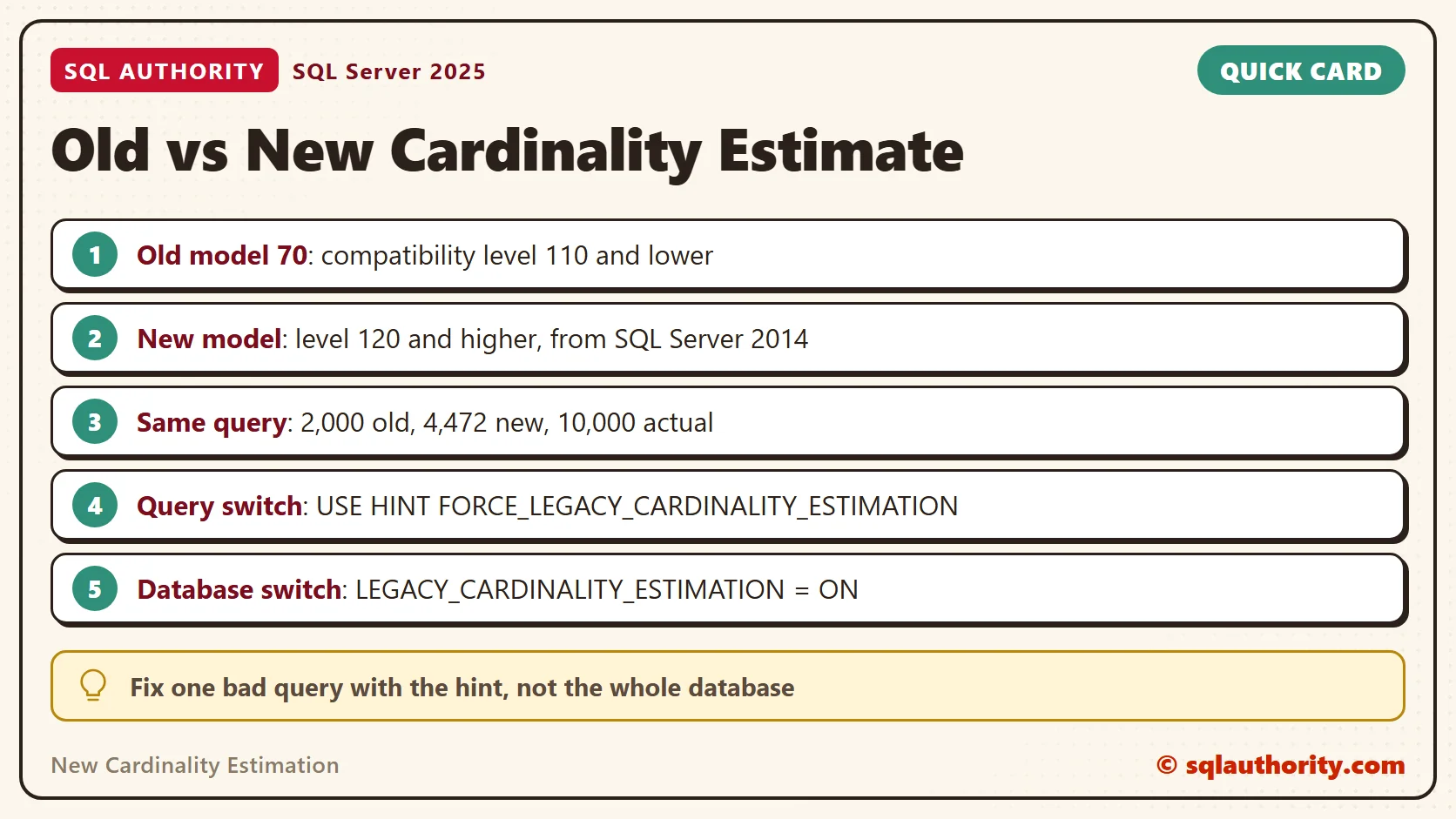
If one query gets worse, fix that query with the hint, not the whole database. When the numbers look good, turn the scoped option off. The new cardinality estimation then does its work everywhere else.
When you finish testing, remove the example database.
USE master;
GO
ALTER DATABASE CardEstimationDemo SET SINGLE_USER WITH ROLLBACK IMMEDIATE;
DROP DATABASE CardEstimationDemo;
The new cardinality estimation is not a smarter guess, it is a different one.
Published by Pinal Dave on SQLAuthority. More of my work at pinaldave.com.
Discover more from SQL Authority with Pinal Dave
Subscribe to get the latest posts sent to your email.




3 Comments. Leave new
Hello Pinal!
Small typo in your fine article: instead of 6 physical reads there are 6 logical reads.
Greetings,
Mišael
Thanks fixed it :-)
i have one user in my database, and I want to grant to him permission to read only those view which he has create else view he can only read. he cannot do drop or update even same in table?
How can I do this?