
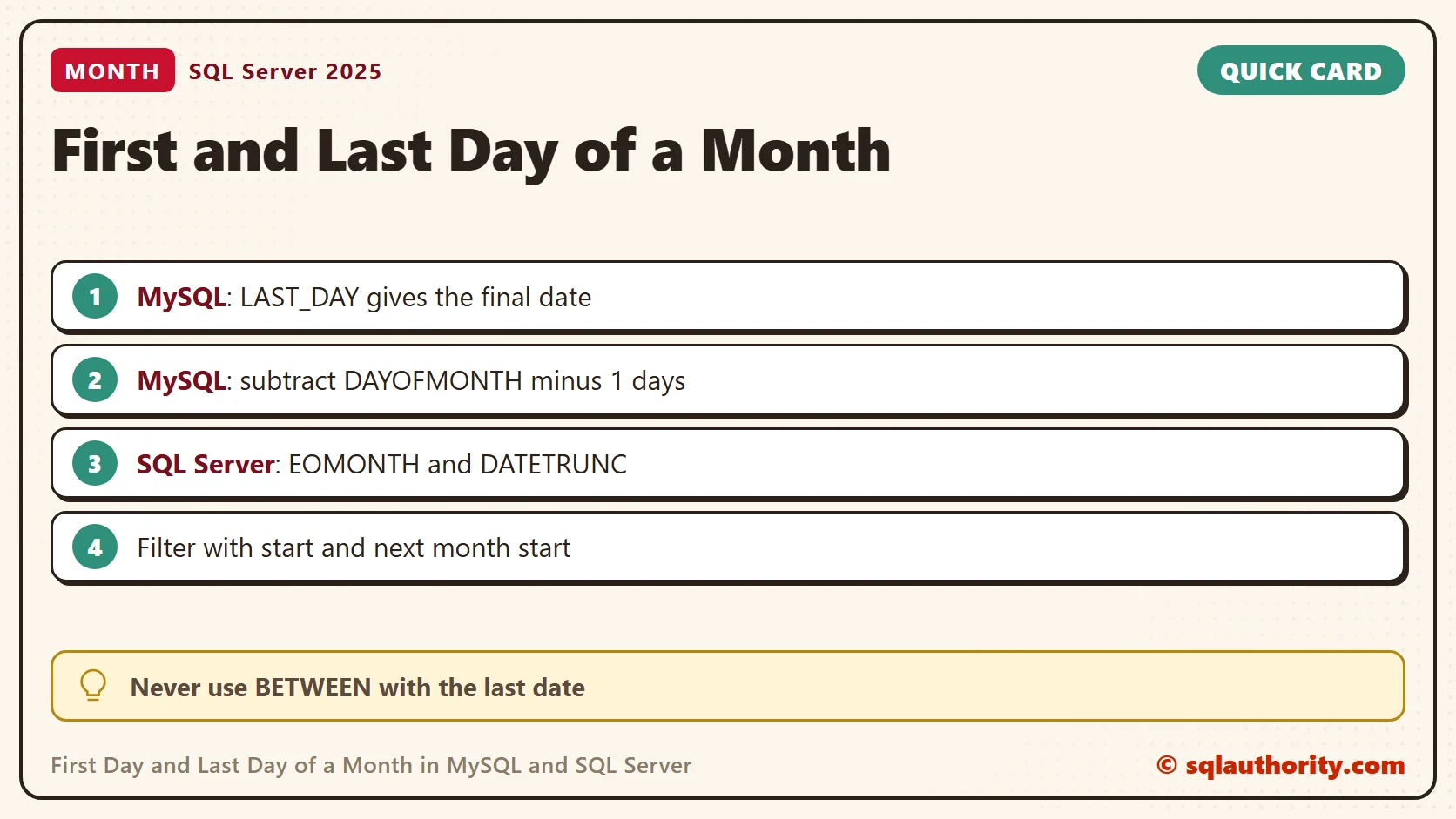
In MySQL, finding the first day and last day of a month takes only a few date functions. LAST_DAY gives the final date. To find the first date, subtract one less than the day number. I use the July 2012 example, then check leap years and timestamps, and then repeat the task in SQL Server.

Find Both Month Boundaries in MySQL
Run this in MySQL. The @input_date variable belongs to your session, and DATE() gives a date without a time.
SET @input_date = DATE('2012-07-11');
SELECT DATE_SUB(@input_date,
                INTERVAL (DAYOFMONTH(@input_date) - 1) DAY) AS first_day,
LAST_DAY(@input_date) AS last_day;| first_day | last_day |
|---|---|
| 2012-07-01 | 2012-07-31 |
July 11 has a day number of 11. Subtracting 10 days reaches July 1. LAST_DAY handles the month length, so you never count the days yourself.
Another Way to Find the First Day
The original approach also works. Move from the final date to the first date of the next month, then subtract one month. The result is 2012-07-01, the same as before. Pick the expression your team reads more easily. I prefer the first one. It needs no month arithmetic.
SET @input_date = DATE('2012-07-11');
SELECT DATE_SUB(DATE_ADD(LAST_DAY(@input_date), INTERVAL 1 DAY),
                INTERVAL 1 MONTH) AS first_day;
Check February and the Year Boundary
SELECT input_date,
       DATE_SUB(input_date,
                INTERVAL (DAYOFMONTH(input_date) - 1) DAY) AS first_day,
       LAST_DAY(input_date) AS last_day
FROM (
    SELECT DATE('2024-02-15') AS input_date
    UNION ALL SELECT DATE('2023-02-15')
    UNION ALL SELECT DATE('2024-04-30')
    UNION ALL SELECT DATE('2024-12-31')
) AS dates_to_check
ORDER BY input_date;| input_date | first_day | last_day |
|---|---|---|
| 2023-02-15 | 2023-02-01 | 2023-02-28 |
| 2024-02-15 | 2024-02-01 | 2024-02-29 |
| 2024-04-30 | 2024-04-01 | 2024-04-30 |
| 2024-12-31 | 2024-12-01 | 2024-12-31 |
For a timestamp input, apply DATE() before you calculate the first day. Subtracting days from a DATETIME keeps its time. Use complete, valid dates. A NULL input gives NULL. An invalid date can give NULL with a warning, depending on the SQL mode.
Filter a Whole Month Without Losing Its Final Day
For a column that holds times, use an inclusive start and an exclusive next-month boundary. Comparing to the last date at midnight misses the rest of that day. This example includes both February rows and excludes the surrounding months.
SET @month_start = DATE('2024-02-01');
SET @next_month = DATE_ADD(@month_start, INTERVAL 1 MONTH);
SELECT event_time
FROM (
    SELECT CAST('2024-01-31 23:59:59.999999' AS DATETIME(6)) AS event_time
    UNION ALL SELECT CAST('2024-02-01 00:00:00' AS DATETIME(6))
    UNION ALL SELECT CAST('2024-02-29 23:59:59.999999' AS DATETIME(6))
    UNION ALL SELECT CAST('2024-03-01 00:00:00' AS DATETIME(6))
) AS sample_events
WHERE event_time >= @month_start
  AND event_time < @next_month
ORDER BY event_time;
Calculate the boundaries once and compare the column directly. Wrapping the column in a function forces the work onto every stored value. For TIMESTAMP data, make sure the session time zone matches the month you report.
The Same Task in SQL Server
SQL Server has its own functions, so the MySQL text doesn’t run there. I tested these on SQL Server 2025, and I couldn’t test the MySQL queries here. EOMONTH returns the last day. For the first day, DATEADD, DATEFROMPARTS and DATETRUNC all returned 2012-07-01.
DECLARE @input_date date = '2012-07-11';
SELECT DATEADD(DAY, 1 - DAY(@input_date), @input_date) AS first_day_dateadd,
       DATEFROMPARTS(YEAR(@input_date), MONTH(@input_date), 1) AS first_day_dateparts,
       DATETRUNC(month, @input_date) AS first_day_datetrunc,
       EOMONTH(@input_date) AS last_day;
The first expression mirrors the MySQL idea: subtract the day number minus one. DATETRUNC needs SQL Server 2022 or later. EOMONTH returns the type date, and DATETRUNC on a datetime2 value returns a datetime2 at midnight.
I choose DATEFROMPARTS when a new reader must understand the code at a glance. I choose DATETRUNC on SQL Server 2022 or later for the shortest form. The old DATEDIFF idiom still returned the right date, but it needs a comment to explain it.
The leap year check gave the same dates as MySQL. February ended on the 28th in 2023 and the 29th in 2024.
SELECT d.input_date,
       DATEFROMPARTS(YEAR(d.input_date), MONTH(d.input_date), 1) AS first_day,
       EOMONTH(d.input_date) AS last_day
FROM (VALUES (CAST('2024-02-15' AS date)), ('2023-02-15'),
             ('2024-04-30'), ('2024-12-31')) AS d(input_date)
ORDER BY d.input_date;
Month Offsets With EOMONTH
EOMONTH takes a second argument, the number of months to add. That gives you the neighboring months without any date arithmetic on the day number. Adding one day to the last day of the previous month lands on the first day of this month.
DECLARE @input_date date = '2012-07-11';
SELECT DATEADD(DAY, 1, EOMONTH(@input_date, -1)) AS first_day_via_previous_month,
       DATEADD(DAY, 1, EOMONTH(@input_date)) AS first_day_of_next_month,
       EOMONTH(@input_date, -1) AS last_day_of_previous_month;
It returned 2012-07-01, 2012-08-01 and 2012-06-30. The second column is the exclusive boundary for a July filter. I use that boundary for every monthly report, because it never depends on the time stored in the column.
Never Use BETWEEN With the Last Date
The month filter trap exists in SQL Server too. I put five datetime2(6) events in a table variable. BETWEEN the first day AND EOMONTH found 1 row. The half-open range found 3, including 2024-02-29 23:59:59.999999.
DECLARE @month_start date = '2024-02-01';
DECLARE @next_month date = DATEADD(MONTH, 1, @month_start);
DECLARE @events TABLE (event_time datetime2(6));
INSERT INTO @events VALUES ('2024-01-31 23:59:59.999999'), ('2024-02-01 00:00:00'),
       ('2024-02-29 09:30:00'), ('2024-02-29 23:59:59.999999'), ('2024-03-01 00:00:00');
SELECT 'BETWEEN first AND EOMONTH' AS method, COUNT(*) AS rows_found
FROM @events WHERE event_time BETWEEN @month_start AND EOMONTH(@month_start)
UNION ALL
SELECT 'half-open range', COUNT(*)
FROM @events WHERE event_time >= @month_start AND event_time < @next_month;
Invalid Dates Behave Differently
EOMONTH(NULL) returns NULL, and so does EOMONTH of TRY_CONVERT(date, '2024-02-30'). Passing the text '2024-02-30' directly stops the query with Msg 241, a conversion error. If your input is text from a file, convert it with TRY_CONVERT first.
SELECT EOMONTH(TRY_CONVERT(date, '2024-02-30')) AS last_day_or_null;
SELECT EOMONTH('2024-02-30') AS last_day;A month filter is not its last date, it is a start boundary and the start of the next month.
Published by Pinal Dave on SQLAuthority. More of my work at pinaldave.com.
Discover more from SQL Authority with Pinal Dave
Subscribe to get the latest posts sent to your email.



7 Comments. Leave new
What about
SELECT DATE_FORMAT(@date,’%Y-%m-01′) AS first_day;
?
+1 Simplest is always the best.
select date_add(LAST_DAY(date_add(now(),interval -2 month)), interval 1 day) FirstDay, LAST_DAY(date_add(now(),interval -1 month)) LastDay;
SET @FirstDayOfMonth = DATE_SUB(DATE(NOW()),INTERVAL (DAY(NOW())-1) DAY);
SET @LastDayOfMonth = LAST_DAY(NOW());
How about using the input date (current date in my example below) and replacing the day value with “01”?
select concat(left(curdate(),7),”-01″) as “Last Date of This Month”
Lane
We compared various methodologies on our blog, seems like it doesn’t really matter what methodology you use they are all super fast.
The fastest solution by far – albeit one that only returns a string and not a date/datetime object – is the one mentioned by Lane O’Connor above:
SELECT CONCAT(LEFT(@date, 7), ‘-01’) AS first_day_of_month;
If you need datetime, the fastest solution to that takes abour 3x as long:
SELECT TIMESTAMP(CONCAT(LEFT(@date, 7), ‘-01’)) AS first_day_of_month;
Getting a DATE takes the longest at about 5x as long (as just VARCHAR):
SELECT CAST(CONCAT(LEFT(@date, 7), ‘-01’) AS DATE) AS first_day_of_month;
SET @START=LAST_DAY(CURDATE()-INTERVAL 2 MONTH)+INTERVAL 1 DAY;
SET @END=LAST_DAY(CURDATE()-INTERVAL 1 MONTH);