
To connect to MySQL from the command prompt, run the mysql client with -h, -P, -u and -p. Each switch has one job, and each mistake gives its own error. This post runs them all and shows the messages.

A Small Server to Test On
I ran every command here on MariaDB 12.3.3 for Windows, with its mysql.exe client. The switches are the same in the MySQL client, as its manual documents. My test server listens on port 3317. A standard server listens on port 3306.
The block below makes a small database and a read-only user. Run it once from any session that is already connected. The password is made up for this test, so never reuse it.
CREATE DATABASE sqla_connect;

USE sqla_connect;

CREATE TABLE fruit (id INT PRIMARY KEY AUTO_INCREMENT, name VARCHAR(30) NOT NULL, price DECIMAL(6,2) NOT NULL);

INSERT INTO fruit (name, price) VALUES ('mango', 2.50), ('banana', 0.30), ('apple', 0.80);

CREATE USER 'sqla_reader'@'localhost' IDENTIFIED BY 'Reader-2026-x';

GRANT SELECT ON sqla_connect.* TO 'sqla_reader'@'localhost';
The Switches
Open the command prompt in the folder that holds mysql.exe. The error “‘mysql’ is not recognized” means Windows cannot find that folder. Run the client from its own folder, or add the folder to PATH. Then these switches do the work.
| Switch | Meaning | Example |
|---|---|---|
| -h | The host: a computer name or address | -h localhost |
| -P | The port, with a capital P | -P 3317 |
| -u | The user name | -u root |
| -p | The password, with a lowercase p | -pSecret or -p alone |
| -D | The database to start in | -D sqla_connect |
| -e | One statement to run, then exit | -e “SHOW TABLES” |
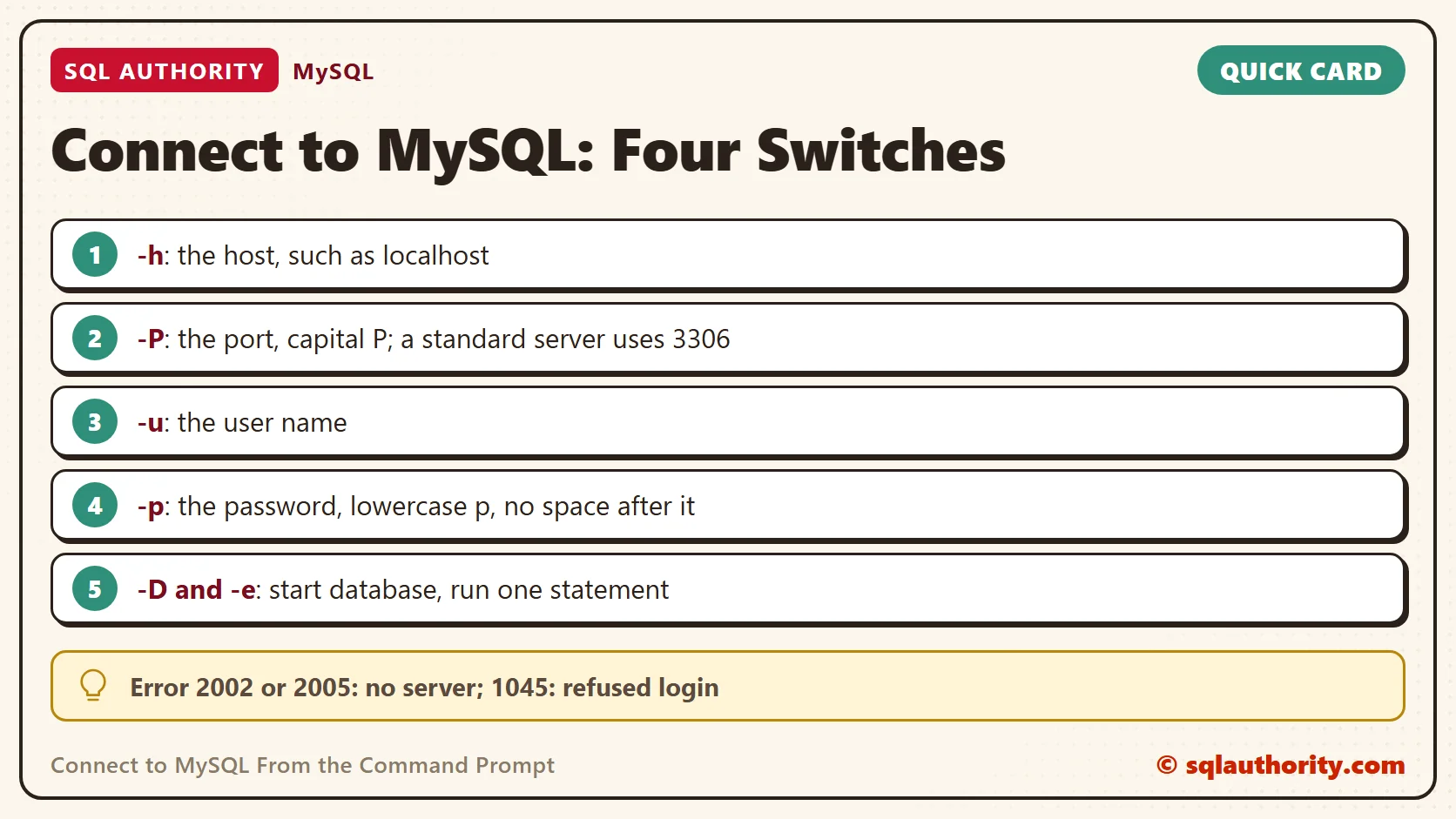
The host is the computer that runs the server. The name localhost means your own computer. The port is the door the server listens on. Two letters cause most mistakes: capital -P is the port, and lowercase -p is the password.
The switches can come in any order. My examples keep one order so you can compare them line by line. A space after -h, -P, -u and -D is optional. The -p switch takes no space before its password.
Your First Connection
The root account on my test server has no password, so this command needs no -p. The -e switch runs one statement and exits. The –table switch draws the result in a box.
mysql -h localhost -P 3317 -u root --table -e "SELECT CURRENT_USER() AS who, @@port AS port"
+----------------+------+
| who            | port |
+----------------+------+
| root@localhost | 3317 |
+----------------+------+
Leave out -e and the client opens a session instead. It waits for statements that end with a semicolon. Type exit to leave. On a real server, root has a password, so you add -p.
Inside a session, SHOW DATABASES lists the databases. The USE command picks one, and SHOW TABLES lists its tables. These are the same statements the -e examples run later.
Host and Account
The error messages below show names such as ‘sqla_reader’@’localhost’. An account is a user name plus the host that the client connects from. The same user name from another computer is a different account. MySQL treats them as two separate logins, each with its own password and rights.
To reach a server on another computer, replace localhost with its name or address. Two things must be true on that side. The server must accept network connections, and an account must exist for your computer. A firewall must also allow the port. Ask the administrator when the connection is refused.
The Password Switch
Type -p alone and the client asks for the password. It shows Enter password: and hides what you type. I could not test the prompt, because my batch test has no console. Typing the password right after -p, with no space, works in a script.
mysql -h localhost -P 3317 -u sqla_reader -pReader-2026-x --table -D sqla_connect -e "SELECT CURRENT_USER() AS who, COUNT(*) AS fruit_rows FROM fruit"
+-----------------------+------------+
| who                   | fruit_rows |
+-----------------------+------------+
| sqla_reader@localhost |          3 |
+-----------------------+------------+
A password typed on the command line stays in your command history. Other programs can read it too. For a real account, type -p alone and enter the password at the prompt. The MySQL client also prints a warning when you put the password on the command line. MariaDB printed none.
Read the Error
Every failure below came from a real run against the test server. The first number is the error code. Read the words in the message before you change anything.
| What I did wrong | What the client printed |
|---|---|
| Wrong port: -P 3318 | ERROR 2002 (HY000): Can’t connect to server on ‘localhost’ (10061) |
| No -P at all | ERROR 2002 (HY000): Can’t connect to server on ‘localhost’ (10061) |
| Unknown host name | ERROR 2005 (HY000): Unknown server host ‘no-such-host.invalid’ (11001) |
| Wrong user: -u nobody_here | ERROR 1045 (28000): Access denied for user ‘nobody_here’@’localhost’ (using password: NO) |
| Wrong password | ERROR 1045 (28000): Access denied for user ‘sqla_reader’@’localhost’ (using password: YES) |
| Right user, no -p | ERROR 1045 (28000): Access denied for user ‘sqla_reader’@’localhost’ (using password: NO) |
| Unknown database | ERROR 1049 (42000): Unknown database ‘nosuchdb’ |
| Database the user cannot open | ERROR 1044 (42000): Access denied for user ‘sqla_reader’@’localhost’ to database ‘mysql’ |
| DELETE without the right | ERROR 1142 (42000): DELETE command denied to user ‘sqla_reader’@’localhost’ for table `sqla_connect`.`fruit` |
Errors 2002 and 2005 mean the client never reached a server. Check the port, the host name and whether the server runs. Code 10061 is the Windows code for a refused connection. The missing -P gave the same error, because the client tried port 3306 and nothing listens there on my machine.
Error 1045 means the server was reached and refused the login. The words in brackets tell you more. Using password: NO means the client sent no password, so add -p. Using password: YES means it sent one and the server said no.
Errors 1044 and 1142 come after a successful login. The user exists but lacks the right to open that database or run that statement. The fix is a GRANT from an account that has the power, as the setup block did. Error 1049 only means the database name has a typo or the database does not exist yet.
Run Statements From the Prompt
The -e switch answers the question that comes next: what is on this server? These two commands list the databases and then the tables of one database. A database name at the end of the line works like -D.
mysql -h localhost -P 3317 -u root --table -e "SHOW DATABASES"

mysql -h localhost -P 3317 -u root --table -e "SHOW TABLES" sqla_connect
+--------------------+
| Database           |
+--------------------+
| information_schema |
| mysql              |
| performance_schema |
| sqla_connect       |
| sys                |
| test               |
+--------------------+
+------------------------+
| Tables_in_sqla_connect |
+------------------------+
| fruit                  |
+------------------------+
Without –table, the client prints tab-separated text when its output goes to a file or another program. The header row stays unless you add -N. The -B switch asks for that batch format.
mysql -h localhost -P 3317 -u root -D sqla_connect -e "SELECT name, price FROM fruit ORDER BY id"

mysql -h localhost -P 3317 -u root -N -B -D sqla_connect -e "SELECT COUNT(*) FROM fruit"
name	price
mango	2.50
banana	0.30
apple	0.80
3
To run a file of statements, point the client at the file with the less-than sign. The file held one line, SELECT COUNT(*) AS n FROM fruit. This is the way to run a long script without typing it. The same switches work in a Linux or BSD terminal.
mysql -h localhost -P 3317 -u root --table -D sqla_connect < query.sql
+---+
| n |
+---+
| 3 |
+---+
Is a Graphical Tool Easier?
You could say a graphical tool beats all these switches. Fair point. A graphical tool suits browsing tables. The command line suits scripts, remote servers and quick checks, and the same line works each time. Learn the four switches once and any server is reachable.
A Short Checklist
Keep these rules in mind when you connect to MySQL from a prompt.
- Start with -h, -P and -u, then add -p.
- Remember that capital -P is the port and lowercase -p is the password.
- Type -p alone for a real account, so the password stays out of your history.
- Read the error code first: 2002 and 2005 mean no server, 1045 means a refused login.
- Run mysql from its own folder, or add that folder to PATH.
When you finish testing, remove the test user and the test database.
DROP USER 'sqla_reader'@'localhost';

DROP DATABASE sqla_connect;
A connection is not a magic word, it is four facts: host, port, user and password.
Published by Pinal Dave on SQLAuthority. More of my work at pinaldave.com.
Discover more from SQL Authority with Pinal Dave
Subscribe to get the latest posts sent to your email.




2 Comments. Leave new
how to do on bsd?
How to view list of database and database tables?