[Note from Pinal]: This Notes from the Field episode looks at the SQL Server performance stack, not only at queries. When SQL Server is slow, we try to speed it up by tuning queries. Sometimes the queries are already good, and tuning them changes nothing. Knowing where the problem sits is crucial. David Klee shows a systematic way to look at overall SQL Server performance.
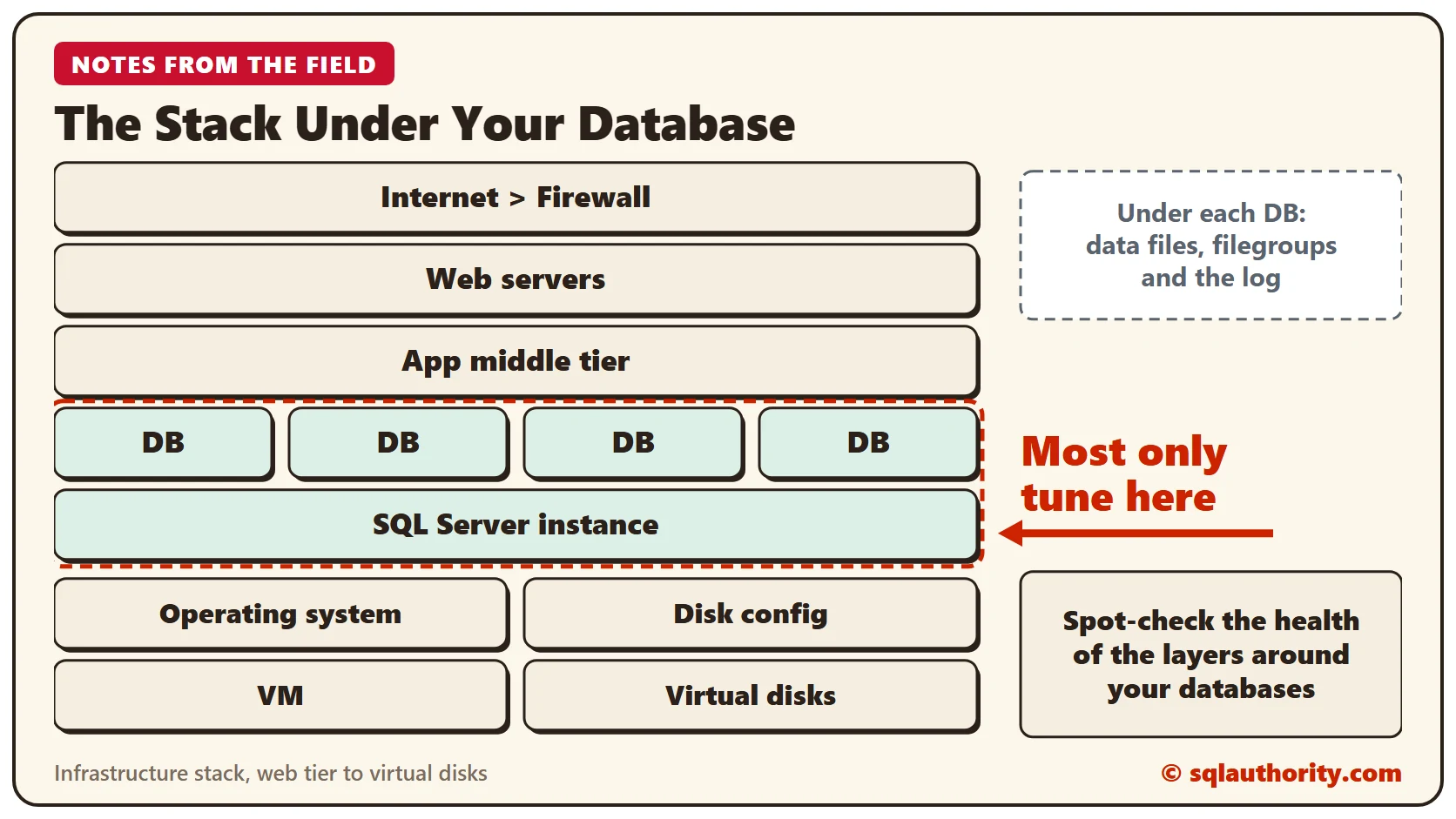

In this episode, database expert David Klee explains a crucial issue DBAs and developers face. How do you improve the performance of the whole server? Linchpin People are database coaches and wellness experts for a data driven world. Here is David’s experience in David’s own words.
Look Beyond the Query
I see DBAs fight to squeeze performance out of a poorly performing SQL Server database. Search for SQL Server performance and most results talk about query tuning, execution plans and index techniques. Problems do exist outside of the database.
I agree that those topics are vitally important for any DBA. They should not be the only layer of focus, though. Step back and approach the problem holistically. At least spot-check the health of the layers around your databases.
The Car Analogy
My analogy is simple. You are driving and your car suddenly slows to a crawl. Starting at the query is like opening the engine bay right away to look at the motor. The holistic approach is to walk around the car first. On the way to the hood you can discover a flat tire.
The Layers Around Your Database
As a DBA, you do not have to master each layer of the infrastructure stack. Understand each layer and its impact on your SQL Servers at a conceptual level. That helps you triage performance concerns faster and more reliably. Look at the individual components in the hypothetical infrastructure drawn above.
I am in no way advocating that you throw more hardware at every performance problem. That always leads to bigger and more expensive problems down the road. I want to help the business get the most out of the infrastructure it already owns and manages.
Storage
Storage is the largest source of issues I routinely meet. Three main issues keep appearing: throughput, operations per second and latency. All three have a tremendous and silent impact on SQL Server performance. The root causes vary widely.
You can identify and measure all three with SQL Server metrics such as sys.dm_io_virtual_file_stats. Tools such as SQLIO and IOMeter also help. They establish your storage performance characteristics at all workload levels. Windows Perfmon or other third-party tools can then track your steady-state storage use.
Virtualization
Virtualization causes silent performance hits when it is designed for consolidation, not for business-critical applications such as SQL Server. Items such as CPU overcommitment and VM specifications are easy to overlook. They cause wildly variable performance, and none of it is good for your databases.
The Network
Even a subtle topic such as networking can drain performance. Have you noticed the wait statistic ASYNC_NETWORK_IO? It means your application cannot consume the data as fast as SQL Server sends it. Or a network problem slows the transmission down.
A utility such as iperf tests your end-to-end network performance and helps you find network issues.
Build a Baseline
Whatever tools you use, the key is a baseline of system performance, taken when everything is known to work well. Update it periodically with the latest repeatable system benchmarks. Then you know whether your systems perform at their peak or something is unhealthy.
Quick metrics that benchmark the entire instance, such as DVDstore, check an instance against its known optimal value. Establish baselines for each part of the stack you depend on. Understand the layers that affect your database indirectly. Scrutinize each piece, and you can squeeze the most performance out of your existing infrastructure.
For help with performance analytics and triage of virtualized SQL Servers, read more at Fix Your SQL Server.
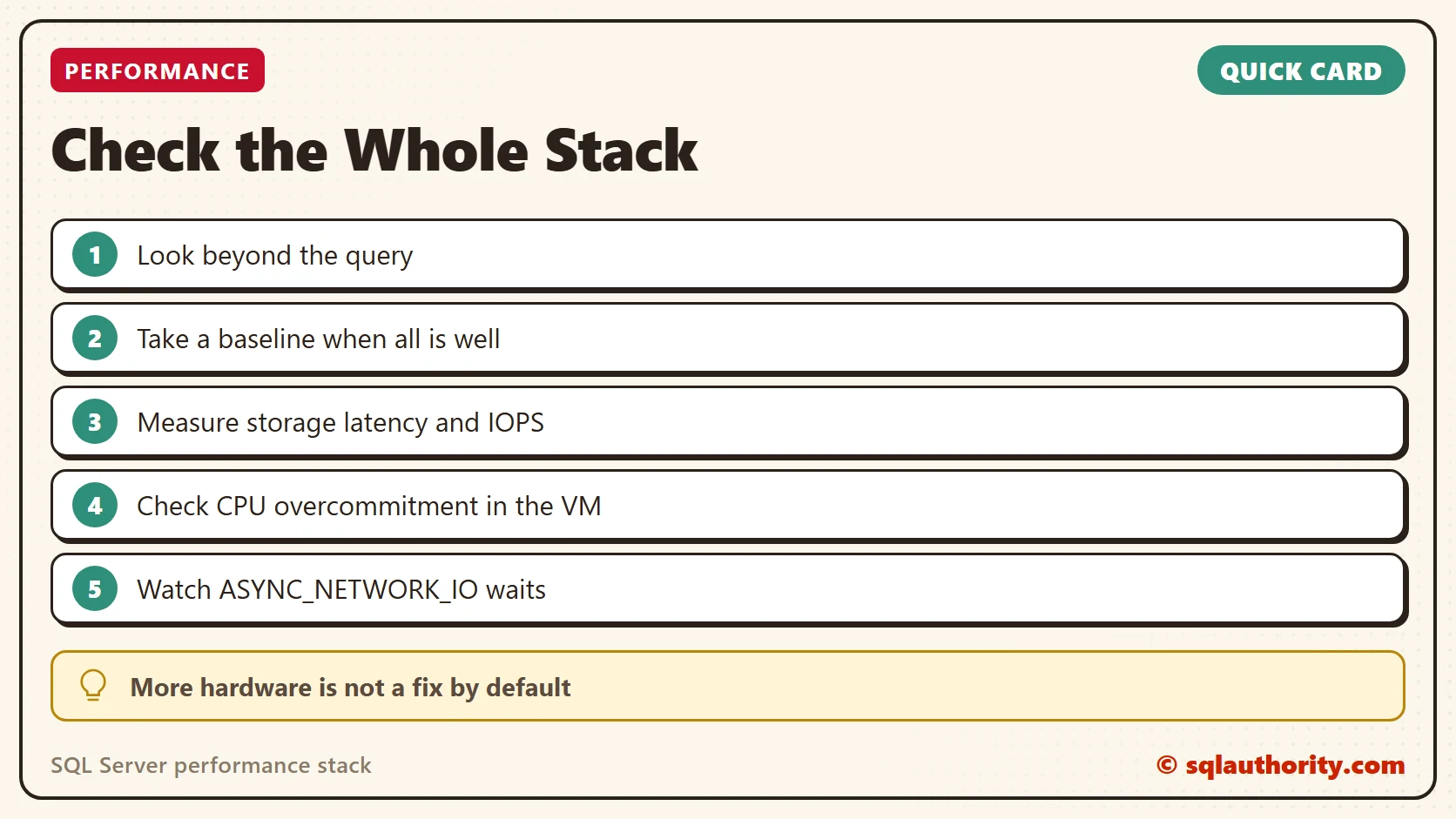
A slow server is not always a slow query, it is sometimes a slow layer.
Published by Pinal Dave on SQLAuthority. More of my work at pinaldave.com.
Discover more from SQL Authority with Pinal Dave
Subscribe to get the latest posts sent to your email.