
Resource Governor workload groups decide how much CPU and memory each kind of work on SQL Server can use. Resource Governor is a feature that manages SQL Server workload and system resource consumption. This post answers the basic questions first and then walks through a simple T-SQL example.
What Is Resource Governor?
Resource Governor can manage the SQL Server workload and the consumption of system resources. You can limit, govern or throttle the CPU and memory that a workload uses on SQL Server.
Why Do You Need It?
Different workloads run on one SQL Server, and each needs different resources. When they compete for resources, they affect the performance of the whole server. In that case Resource Governor becomes important.
Two Real-World Scenarios
Scenario 1: a server runs an OLTP workload and various resource-intensive reports. The ideal setup is two servers kept in sync, one for the OLTP transactions and one for the reports. Not everybody has that luxury. When reports and OLTP run on the same server, you can limit the resources of the reporting workload. Then the critical OLTP transactions are not throttled.
Scenario 2: two DBAs work in one organization. DBA A runs critical queries for the business, and DBA B does database maintenance. The work of DBA A should never be affected, but DBA B must be able to work as well. The ideal setup is that DBA B gets some resources and cannot get more than the defined amount.
The Default Components
SQL Server creates two Resource Governor components by default:
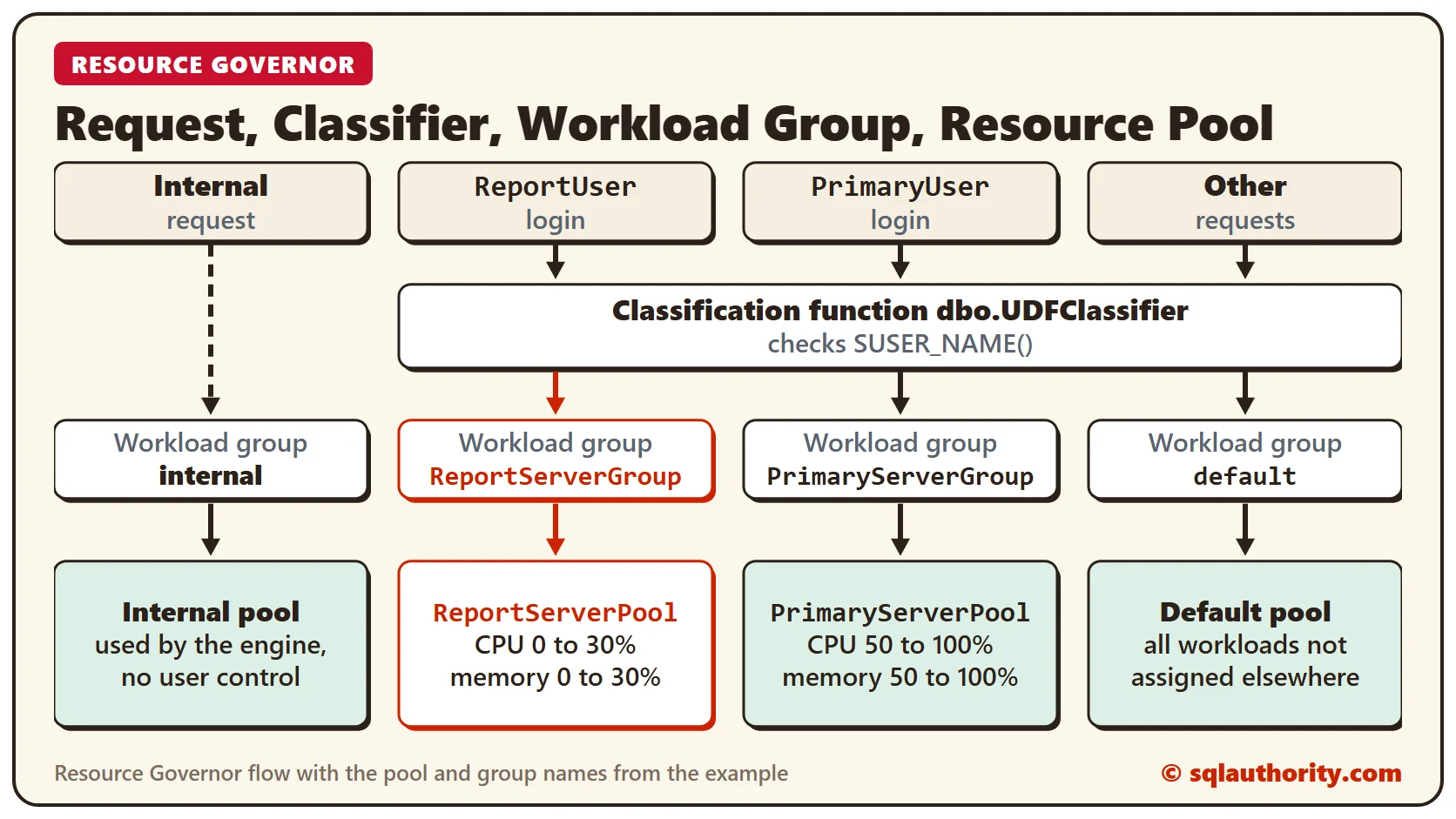
- Internal: used by the database engine exclusively. Users have no control over it.
- Default: used by all the workloads that are not assigned to any other group.
The Major Components and the Process
Resource Governor has three major components:
- Resource pools
- Workload groups
- Classification
In simple words, the process looks like this, and the diagram above shows the same flow:
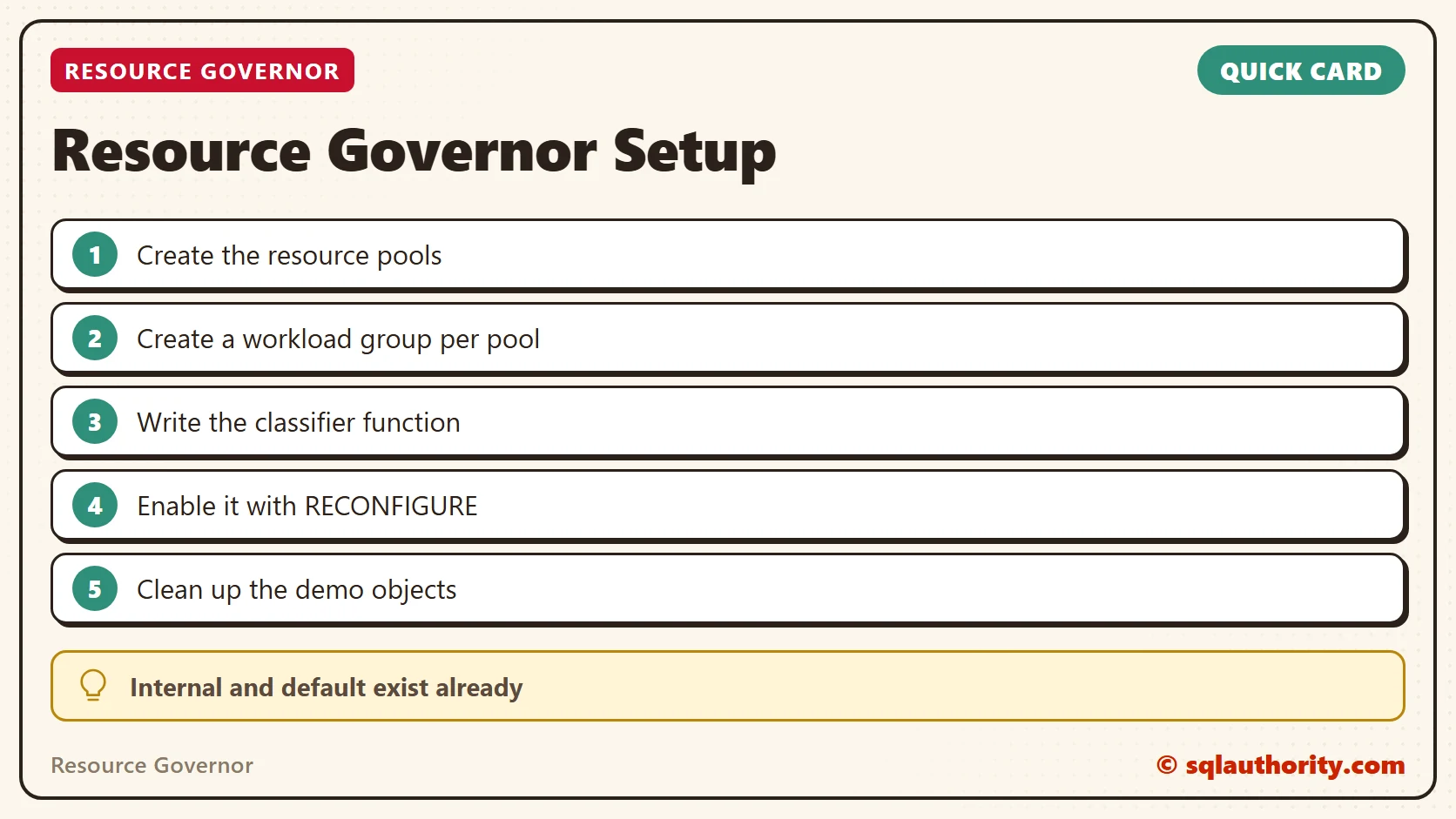
- Create a resource pool
- Create a workload group
- Create a classification function based on the criteria you specify
- Enable Resource Governor with the classification function
Configure Resource Governor With T-SQL
Yes, you can configure Resource Governor with T-SQL. Here is the code, with an explanation between the steps.
Step 0: we assume that there are separate login accounts for the reporting server and the OLTP server.
/*-----------------------------------------------
Step 0: (Optional and for Demo Purpose)
Create Two User Logins
1) ReportUser, 2) PrimaryUser
Use ReportUser login for Reports workload
Use PrimaryUser login for OLTP workload
-----------------------------------------------*/
Step 1: create the resource pools. We create two: one for the report server and one for the primary OLTP server. As scenario 1 describes, the OLTP side is mission critical and the report side is not. So the report pool gets only a few resources.
-----------------------------------------------
-- Step 1: Create Resource Pool
-----------------------------------------------
-- Creating Resource Pool for Report Server
CREATE RESOURCE POOL ReportServerPool
WITH
( MIN_CPU_PERCENT=0,
MAX_CPU_PERCENT=30,
MIN_MEMORY_PERCENT=0,
MAX_MEMORY_PERCENT=30)
GO
-- Creating Resource Pool for OLTP Primary Server
CREATE RESOURCE POOL PrimaryServerPool
WITH
( MIN_CPU_PERCENT=50,
MAX_CPU_PERCENT=100,
MIN_MEMORY_PERCENT=50,
MAX_MEMORY_PERCENT=100)
GO
Step 2: create the workload groups. We create two, and each maps to one of the resource pools we created in step 1.
-----------------------------------------------
-- Step 2: Create Workload Group
-----------------------------------------------
-- Creating Workload Group for Report Server
CREATE WORKLOAD GROUP ReportServerGroup
USING ReportServerPool ;
GO
-- Creating Workload Group for OLTP Primary Server
CREATE WORKLOAD GROUP PrimaryServerGroup
USING PrimaryServerPool ;
GO
Step 3: create a user-defined function that routes each workload to the right workload group. In this example we check SUSER_NAME() to choose the group. You can use other functions too, such as HOST_NAME(), APP_NAME() and IS_MEMBER().
-----------------------------------------------
-- Step 3: Create UDF to Route Workload Group
-----------------------------------------------
CREATE FUNCTION dbo.UDFClassifier()
RETURNS SYSNAME
WITH SCHEMABINDING
AS
BEGIN
DECLARE @WorkloadGroup AS SYSNAME
IF(SUSER_NAME() = 'ReportUser')
SET @WorkloadGroup = 'ReportServerGroup'
ELSE IF (SUSER_NAME() = 'PrimaryUser')
SET @WorkloadGroup = 'PrimaryServerGroup'
ELSE
SET @WorkloadGroup = 'default'
RETURN @WorkloadGroup
END
GO
Step 4: in this final step we enable Resource Governor with the classifier function from step 3.
-----------------------------------------------
-- Step 4: Enable Resource Governer
-- with UDFClassifier
-----------------------------------------------
ALTER RESOURCE GOVERNOR
WITH (CLASSIFIER_FUNCTION=dbo.UDFClassifier);
GO
ALTER RESOURCE GOVERNOR RECONFIGURE
GO
Step 5: if you followed this demo and want to clean up, run the script below. It disables Resource Governor and deletes all the objects created so far.
-----------------------------------------------
-- Step 5: Clean Up
-- Run only if you want to clean up everything
-----------------------------------------------
ALTER RESOURCE GOVERNOR WITH (CLASSIFIER_FUNCTION = NULL)
GO
ALTER RESOURCE GOVERNOR DISABLE
GO
DROP FUNCTION dbo.UDFClassifier
GO
DROP WORKLOAD GROUP ReportServerGroup
GO
DROP WORKLOAD GROUP PrimaryServerGroup
GO
DROP RESOURCE POOL ReportServerPool
GO
DROP RESOURCE POOL PrimaryServerPool
GO
ALTER RESOURCE GOVERNOR RECONFIGURE
GO
I hope this introductory example sheds some light on Resource Governor. In future posts we will take the same example and learn a few more details.
Resource Governor is not a speed boost, it is a limit that protects the work that matters.
Published by Pinal Dave on SQLAuthority. More of my work at pinaldave.com.
Discover more from SQL Authority with Pinal Dave
Subscribe to get the latest posts sent to your email.



40 Comments. Leave new
As ever, Pinal Dave leads us the way in what would otherwise a substantial hurdle in configuring Sql server. Sadly however there is a substantial error in this article: the classification function is NOT triggered by a Request, it is triggered by opening a Session, as is stated here:
This means that have close and open a session every time you reconfigure the Resource Governor.
(I also hope this information might be helpful to Pruthvi Raj and Binny Mathew.)
If you keep this in mind this article is great introduction.
Hello Pinal, our applications have got a lot of adhoc job requests which needs to be run at any given point in time. Also there is a webinterface designed in our system, but whenever the jobs are running in the background, the webinterface slows down (inserts, updates, searches) , which results in poor user experience.
So i need to now define a solution wherein whenever these adhoc jobs are being executed, it doesnt eat up all the resources. Also whenever a user tries using this webinterface during the ongoing loads, his request should be prioritized and be given all the needed resource (because it would hardly last for 5-10 seconds per request).
Can i address this problem using resource governor? If yes then how? Please guide me out here.
First you need to figure out the bottleneck. From the face of the problem its looks like blocking issue. what are the waits you are seeing during problem time?
Thanks for a great introductory example Pinal!
Is there any way to “test” if everything is set up correctly and that my user-login is being assigned to the correct workload group? I tried googling but haven’t found anything… Thanks in advance
Alex,
You can verify that requests are being classified as expected. Look at the example queries under the heading “To verify the resource pools, workload groups, and the classifier user-defined function” here: https://docs.microsoft.com/en-us/sql/relational-databases/resource-governor/create-and-test-a-classifier-user-defined-function?view=sql-server-2014
You can check your classifications are working by looking at SQL Activity Monitor | Processes.
You will see the under the column ‘Workload Group’ the different classifications for your sessions.
Finally. A practical example of something! Very good!
Thanks CM.
very good article
unfortunately I cant get it to work , the workgroup is not being use and I cant find the issue no errors reported- must be a basic reason for this .
. also should suser name be st-network\oliverk-admin or just oliverk-admin for example
You can use SQL Logins to play with it.
why cant i unsubscribe to your emails ? when i click unsubscribe all i get is a blank screen in IE
I unsubscribed you, apologizy for the inconvenience.
Can we Create multiple resourcw pool for single workload server group
Do we need to restart SQL Server to setup Resource Governor?
Hi Pinal,
Can u guide me how I can find queries causing I/O bottlenecks without using SQLSERVER PROFILER or any other third party tools.
Can u help me with the link of such Article.
Profiler Trace and Xevents can be used.
Can we add AD group in Resource governor instead of single user
Thank you for the example. I have an issue in my current server where one of the remote program which runs the DML statements continuously and eating up most of the resources of SQL and slowing down rest of the operations. I see the program is creating multiple sessions and eating up resources and most of the times blocking. So I changed DOP to 1 to limit creating multiple sessions by this program however this limited the resource usage but has lead to under-utilization of server CPU (more than 10 CPU’s) resources. Can I configure DOP as well using the Resource governor? so that I can leave DOP to 0 from Server settings and configure to use limited DoP’s for requests from a particular user.
I am having issue running heavy ad hoc query/job cause users can not access our app.
I tried this but “Only Enterprise edition of SQL Server supports resource governor”. And I am using SQL Server Pro.
It did say “You can manipulate resource governor metadata” so I am thinking just change the default to limit the CPU usage to 90% (instead of the 100%). Not sure how I do that. And even if can, will it work in my situation.
Thanks
John