
Recently I was preparing a demo for my next technical session, I had to do run a SQL code in parallel. I decided to use Batch File to run the code. My trick was to start multiple batch files together from one parent batch file.
I am not the best guy to with command shell so I did it with following setup.
Code of tsql.sql
SELECT 1 ColumnName
Code of command.bat
sqlcmd -S . -i tsql.sql
timeout 100
Code of AllBatch.bat
start cmd.exe /C “command.bat”
start cmd.exe /C “command.bat”
start cmd.exe /C “command.bat”
Now I ran AllBatch.bat and it run all the three files in parallel and simulated my needed scenario.
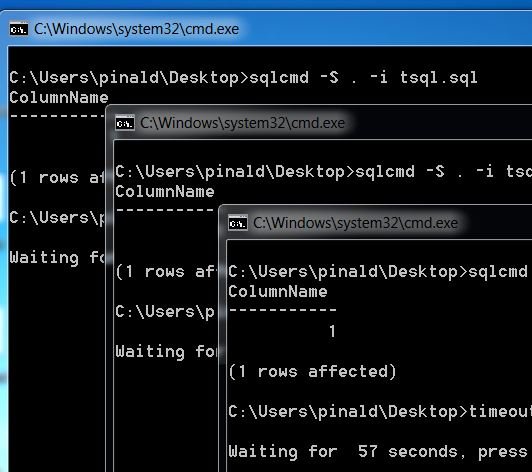
I believe there should be simpler way using power-shell. Anybody want to come up with equivalent code which is improvement to this code?
Published by Pinal Dave on SQLAuthority. More of my work at pinaldave.com.
Discover more from SQL Authority with Pinal Dave
Subscribe to get the latest posts sent to your email.




7 Comments. Leave new
Hi Pinal, you can do the same using Powershell, but in one POSH Session, using Powershell JOBS running asynchronous with the Star-Job cmdlet. :)
Any chance with script or working example? Time for guest post!
Sure my friend, I will do some examples and send you :)
You can use either this:
for %i in (1 2 3 4) do start cmd.exe /C command.bat
or
Abandon batch file all together, and create “temporary” scheduled tasks “on-the-fly”, and invoke sp_start_job against them.
you should use ostress.exe
@kendra_little posted a solution here:
How to run multiple .sql files using a single batch file in parallel using the sqlcmd utility. ?