APPROX_COUNT_DISTINCT gives you a distinct count that is close, not exact, and it does that with almost no memory. Most people expect it to be faster too. In these tests, it wasn’t. That surprise is the most useful thing to know before you use it.

What the Function Does
COUNT(DISTINCT column) must remember every value it has seen, so it can skip the repeats. With millions of different values, that list gets large, and SQL Server asks for a memory grant to hold it. APPROX_COUNT_DISTINCT keeps a small, fixed summary of the values instead. The result is an estimate, much like guessing the marbles in a jar from a careful sample.
The function arrived in SQL Server 2019. Like COUNT(DISTINCT), it ignores NULL values. Microsoft documents an error of up to 2 percent, with 97 percent probability.
Build a Test Table
The demo database is ApproxCountDemo. The table holds 5 million page views. They come from 250,000 visitors on 1,200 pages, with one time stamp per second for 30 days. The load takes under a minute on a laptop.
CREATE DATABASE ApproxCountDemo;
GO
USE ApproxCountDemo;
CREATE TABLE dbo.PageViews (ViewID bigint IDENTITY PRIMARY KEY, VisitorID int NOT NULL, PageID int NOT NULL, ViewedAt datetime2(0) NOT NULL);
INSERT INTO dbo.PageViews (VisitorID, PageID, ViewedAt)
SELECT (n * 7919) % 250000 + 1, n % 1200 + 1, DATEADD(SECOND, n % 2592000, '2026-09-01')
FROM (SELECT TOP (5000000) ROW_NUMBER() OVER (ORDER BY (SELECT NULL)) AS n
      FROM sys.all_columns AS a CROSS JOIN sys.all_columns AS b CROSS JOIN sys.all_columns AS c) AS t;
How Close Is the Estimate?
Run the exact count and the estimate side by side on three columns with different numbers of values.
SELECT COUNT(DISTINCT VisitorID) AS ExactVisitors, APPROX_COUNT_DISTINCT(VisitorID) AS ApproxVisitors,
       COUNT(DISTINCT PageID) AS ExactPages, APPROX_COUNT_DISTINCT(PageID) AS ApproxPages,
       COUNT(DISTINCT ViewedAt) AS ExactMoments, APPROX_COUNT_DISTINCT(ViewedAt) AS ApproxMoments
FROM dbo.PageViews;| Column | Exact | Approximate | Off by |
|---|---|---|---|
| PageID | 1,200 | 1,197 | 0.25 percent |
| VisitorID | 250,000 | 255,453 | 2.2 percent |
| ViewedAt | 2,592,000 | 2,598,559 | 0.25 percent |
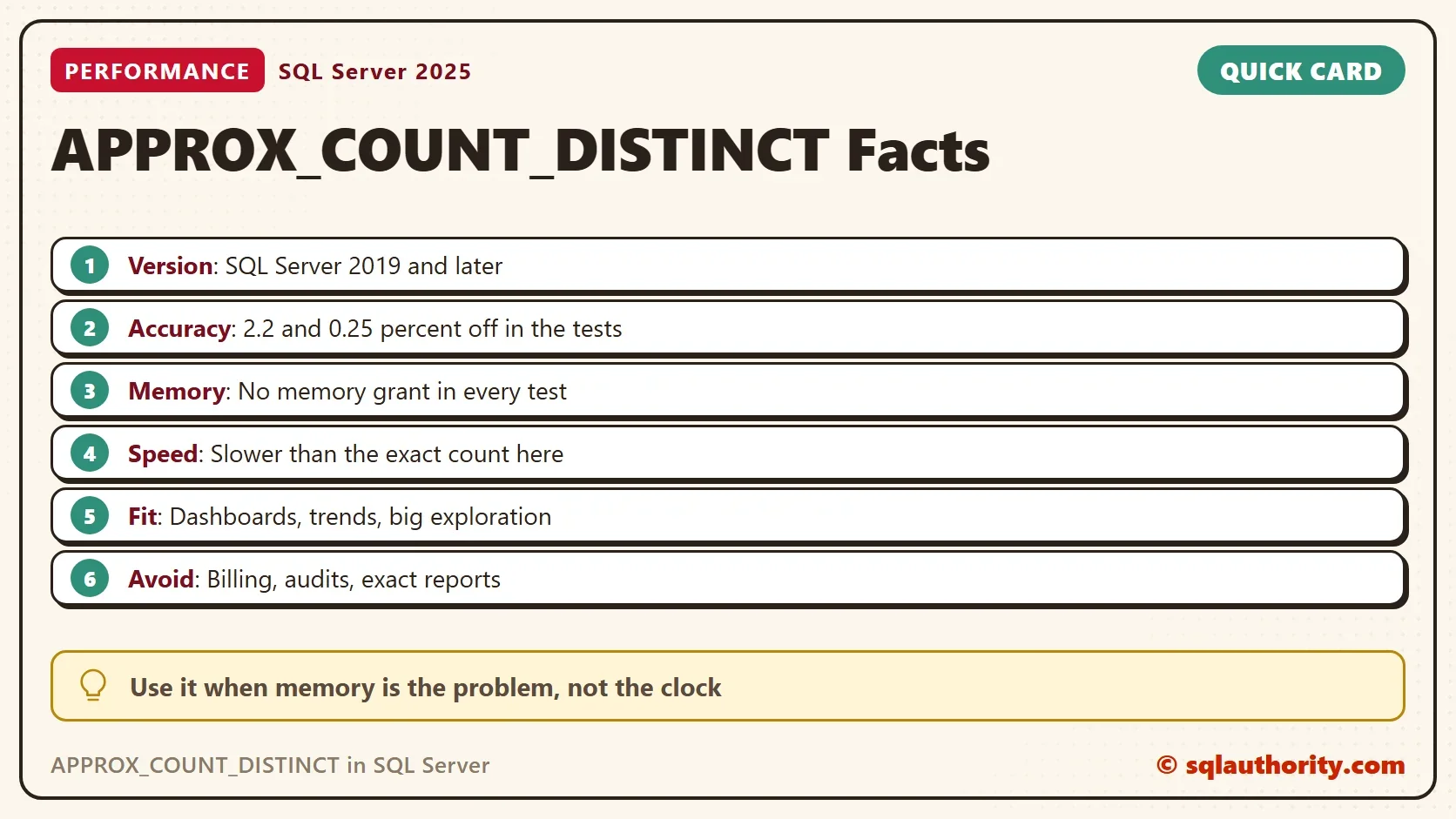
Two columns landed well inside 2 percent. VisitorID missed by 2.2 percent, outside the documented figure. That’s what “97 percent probability” means in practice: the 2 percent is typical, not a promise. Never use APPROX_COUNT_DISTINCT where a single wrong number matters.
Measure Memory and Time
Now the real test. This script runs each count three times, then reads the cost of each statement from the plan cache. The plan cache keeps the CPU time, the elapsed time and the memory grant of every run, plus the parallelism.
DBCC FREEPROCCACHE;  -- test server only: this clears every cached plan
GO
DECLARE @i int = 0, @x bigint;
WHILE @i < 3
BEGIN
    SELECT @x = COUNT(DISTINCT ViewedAt) FROM dbo.PageViews;
    SELECT @x = APPROX_COUNT_DISTINCT(ViewedAt) FROM dbo.PageViews;
    SET @i += 1;
END;
GO
SELECT CASE WHEN s.stmt LIKE '%APPROX_COUNT_DISTINCT%' THEN 'APPROX_COUNT_DISTINCT' ELSE 'COUNT(DISTINCT)' END AS Method,
       qs.execution_count AS Runs,
       qs.total_worker_time / qs.execution_count / 1000 AS AvgCpuMs,
       qs.total_elapsed_time / qs.execution_count / 1000 AS AvgElapsedMs,
       qs.last_dop AS Dop, qs.max_grant_kb AS MaxGrantKB, qs.max_used_grant_kb AS MaxUsedGrantKB
FROM sys.dm_exec_query_stats AS qs
CROSS APPLY sys.dm_exec_sql_text(qs.sql_handle) AS t
CROSS APPLY (SELECT SUBSTRING(t.text, qs.statement_start_offset / 2 + 1,
             CASE WHEN qs.statement_end_offset = -1 THEN 4000
                  ELSE (qs.statement_end_offset - qs.statement_start_offset) / 2 + 1 END) AS stmt) AS s
WHERE s.stmt LIKE 'SELECT @x =%';
The script ran once with VisitorID and once with ViewedAt in the two counts. Here are both results, averaged over three runs each.
| Column and method | CPU ms | Elapsed ms | Memory grant | Memory used |
|---|---|---|---|---|
| VisitorID, COUNT(DISTINCT) | 676 | 676 | 27 MB | 9.5 MB |
| VisitorID, APPROX_COUNT_DISTINCT | 2,076 | 2,076 | 0 | 0 |
| ViewedAt, COUNT(DISTINCT) | 1,269 | 639 | 436 MB | 130 MB |
| ViewedAt, APPROX_COUNT_DISTINCT | 1,716 | 1,716 | 0 | 0 |
A second full run gave different times, with the estimate slower again, and exactly the same memory numbers. Times move from run to run. The grants don’t.
The exact count was faster both times. On ViewedAt, it even went parallel and finished in 639 ms. But look at the memory. For 2.6 million distinct values, the exact count asked for 436 MB and used 130 MB. The estimate asked for nothing at all.
Why the Memory Matters More Than the Clock
One query that takes 436 MB is fine on a quiet server. Twenty of them at once, from a busy dashboard, is a different story. Queries that can’t get their memory grant wait, and the wait shows up as RESOURCE_SEMAPHORE. When a grant is too small for the data, the work spills to tempdb and slows down further.
APPROX_COUNT_DISTINCT steps around that queue. It asks for no grant, so it never waits for one. On a server under memory pressure, that can make it the faster choice overall. It can lose a one-on-one race and still win the day.
When to Use It, and When Not To
Use it for dashboards, trends and exploration on big tables. “About 255,000 visitors this month” answers the question as well as “250,000”. Use it when many distinct counts run at the same time and memory is tight.
Avoid it for anything a person will reconcile: billing, audits, compliance reports and totals that must match another system. You could argue that a 2 percent error never matters. It matters the day finance compares your number with theirs.
What to Remember
APPROX_COUNT_DISTINCT trades a little accuracy for a lot of memory. In these tests it stayed within 2.2 percent, used no memory grant and still ran slower than COUNT(DISTINCT). Measure it on your own data before you switch. When you finish, drop the demo database.
USE master;
DROP DATABASE ApproxCountDemo;
An approximate count is not a faster count, it is a cheaper one.
Published by Pinal Dave on SQLAuthority. More of my work at pinaldave.com.
Discover more from SQL Authority with Pinal Dave
Subscribe to get the latest posts sent to your email.