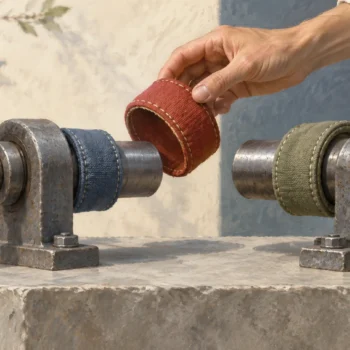
A user-defined table type cannot be altered in place, so changing one means moving every caller to a new version. Create the new type beside the old one, switch the procedure, and drop the old type only when nothing uses it.

The column that did not fit
A developer wants to add a comment column to the table type that feeds an order procedure. “Just ALTER the type,” the developer says. There is no ALTER for table types. And the procedure, plus any app that fills the type, depends on its exact shape.
Let me build a small version so you can watch the moves. The demo creates one type, one procedure and removes them at the end.
DROP PROCEDURE IF EXISTS dbo.ShowLines;
DROP TYPE IF EXISTS dbo.LineItemV1;
DROP TYPE IF EXISTS dbo.LineItemV2;
GO
CREATE TYPE dbo.LineItemV1 AS TABLE (ItemId int, Quantity int);
GO
CREATE PROCEDURE dbo.ShowLines @Rows dbo.LineItemV1 READONLY
AS
SELECT ItemId, Quantity FROM @Rows ORDER BY ItemId;
Call it the way an app would
A caller declares a variable of the table type, fills it and passes it in. This is what your application code does, just in T-SQL.
DECLARE @Lines dbo.LineItemV1;
INSERT @Lines VALUES (1, 2), (2, 5);
EXEC dbo.ShowLines @Rows = @Lines;
You get both rows back, items 1 and 2 with quantities 2 and 5.
Try to drop the old type
The simple idea is to drop V1 and create it again with the extra column. SQL Server refuses, because the procedure still uses it.
BEGIN TRY
    DROP TYPE dbo.LineItemV1;
END TRY
BEGIN CATCH
    SELECT ERROR_NUMBER() AS error_number, ERROR_MESSAGE() AS error_message;
END CATCH;
The error is 3732, and the message names the procedure that blocks it. That message is a gift. It is the dependency list, for free. Here is the same list from the catalog, which is how you find callers declared in the database.
SELECT OBJECT_NAME(p.object_id) AS procedure_name, p.name AS parameter_name, t.name AS type_name
FROM sys.parameters AS p
JOIN sys.types AS t ON t.user_type_id = p.user_type_id
WHERE t.name IN (N'LineItemV1', N'LineItemV2')
ORDER BY procedure_name, parameter_name;
One row: ShowLines uses LineItemV1 through the @Rows parameter. This only covers the database. Your application code, reports and any dynamic SQL need a search of their own.
Create V2 beside V1
Make the new type with the comment column. Then pass a V2 variable to the procedure that still expects V1. Matching column names do not help, because the type identity is what counts. I use dynamic SQL only so TRY and CATCH can catch the error.
CREATE TYPE dbo.LineItemV2 AS TABLE (ItemId int, Quantity int, CommentText nvarchar(100));
GO
BEGIN TRY
    EXEC (N'DECLARE @Lines dbo.LineItemV2;
            INSERT @Lines VALUES (1, 2, N''Sample'');
            EXEC dbo.ShowLines @Rows = @Lines;');
END TRY
BEGIN CATCH
    SELECT ERROR_NUMBER() AS error_number, ERROR_MESSAGE() AS error_message;
END CATCH;
Error 206, operand type clash. The message says V2 is incompatible with V1. So you cannot move callers one at a time against the same procedure. Either you version the procedure too, or you switch everything together.

Switch the procedure, then retire V1
Here the plan is the simple one: change the procedure to take V2. Callers that still use V1 will break, so move them at the same time. Then the old type has no users, and it can go.
ALTER PROCEDURE dbo.ShowLines @Rows dbo.LineItemV2 READONLY
AS
SELECT ItemId, Quantity, CommentText FROM @Rows ORDER BY ItemId;
GO
DECLARE @Lines dbo.LineItemV2;
INSERT @Lines VALUES (1, 2, N'Sample');
EXEC dbo.ShowLines @Rows = @Lines;
GO
BEGIN TRY
    EXEC (N'DECLARE @Lines dbo.LineItemV1;
            INSERT @Lines VALUES (1, 2);
            EXEC dbo.ShowLines @Rows = @Lines;');
END TRY
BEGIN CATCH
    SELECT ERROR_NUMBER() AS error_number, ERROR_MESSAGE() AS error_message;
END CATCH;
GO
DROP TYPE dbo.LineItemV1;

SELECT name FROM sys.table_types WHERE name LIKE N'LineItemV%' ORDER BY name;
The V2 call returns item 1, quantity 2 and the comment Sample. The old V1 caller now fails with error 206, which is the breakage you plan for. Once V1 has no users, the DROP works, and only LineItemV2 is left in the list.
Before you do this for real, check permissions on the new type and procedure, and keep the old definitions around for rollback. An admin test does not prove every application account can use the new type.
DROP PROCEDURE IF EXISTS dbo.ShowLines;
DROP TYPE IF EXISTS dbo.LineItemV2;
Next time a table type needs a new column, plan the move for every caller, not just the type.
A table type change is not a column edit, it is a contract move for every caller.
Published by Pinal Dave on SQLAuthority. More of my work at pinaldave.com.
Discover more from SQL Authority with Pinal Dave
Subscribe to get the latest posts sent to your email.