
This question sounds almost too simple for an interview, yet I have heard it asked: how does the SPACE function work? A result grid makes spaces look like nothing, so the best answer makes the invisible output visible.

Question: What does SPACE(5) return, and how can you check it?
Answer: It returns five ordinary spaces as a varchar value. Put visible characters around it and compare LEN with DATALENGTH:
SELECT '[' + SPACE(5) + ']' AS VisibleGap,
       LEN(SPACE(5)) AS LengthIgnoringTrailingSpaces,
       DATALENGTH(SPACE(5)) AS StoredBytes;
The first result looks like [ ]. LEN(SPACE(5)) is zero because all five characters are trailing spaces. DATALENGTH(SPACE(5)) is five bytes. Those are different questions, so a zero from LEN does not mean SPACE returned an empty string.
My original example used Person.Person from AdventureWorks2014. The current AdventureWorks2025 example below retains that same name formatting and matches the actual screenshot:
USE AdventureWorks2025;
GO
SELECT RTRIM(LastName) + ',' + SPACE(5) + ',' + LTRIM(FirstName)
       AS DisplayName
FROM Person.Person
ORDER BY LastName, FirstName;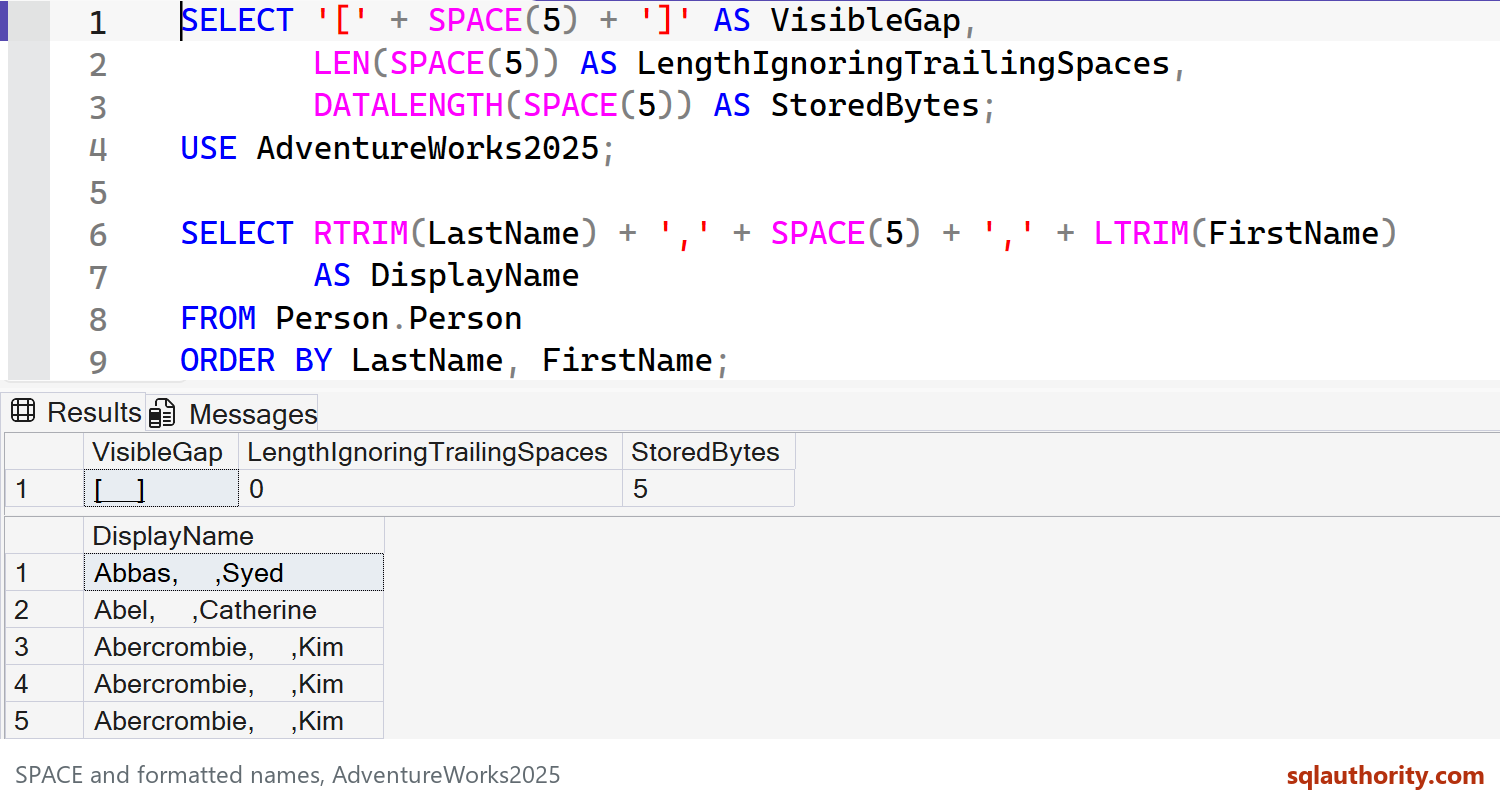
SPACE and formatted names, AdventureWorks2025. Captured in SSMS on SQL Server 2025.
Keep this as display formatting, not a key or a guarantee about exported field width. A negative count or NULL returns NULL. For Unicode spaces or more than 8,000 spaces, use REPLICATE with an appropriate string type. For more than 8,000 bytes, cast its input to varchar(max) or nvarchar(max); repeating an ordinary limited-length input can still truncate the result.
Want to try this yourself? Here is how to install AdventureWorks.
Published by Pinal Dave on SQLAuthority. More of my work at pinaldave.com.
Discover more from SQL Authority with Pinal Dave
Subscribe to get the latest posts sent to your email.
