There are different methods to list out user defined tables in MySQL. We will see two methods in this post.
Let us create the following tables in the database named Test
Create a database named Test
CREATE DATABASE Test;
Create the tables named items and sales in the database Test.
USE TEST;
CREATE TABLE items(item_id INT, item_description VARCHAR(100));
CREATE TABLE sales(sales_id INT auto_increment KEY,item_id INT,
           sales_date DATETIME, sales_amount DECIMAL(12,2));
Now to list out all user defined tables, use any one of the following methods
Method 1: Use SHOW TABLES command
SHOW TABLES;
If you execute the above statement, it will list out all the user defined tables in the database in which it is run (in this example the database name is Test)
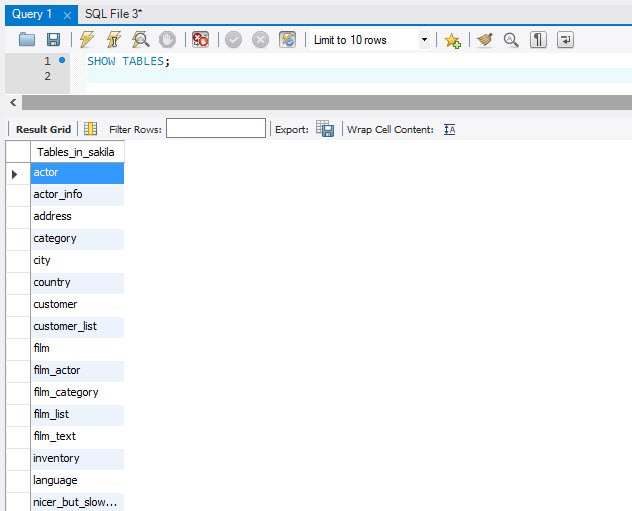
The result is
Tables_in_test
 --------------
 items
 sales
You can also use database name along with this
SHOW TABLES FROM Test;
Which will give you the same result.
Method 2: Use INFORMATION_SCHEMA view
You can make use of ANSI standard INFORMATION_SCHEMA.TABLES view to do the same shown as below
SELECT TABLE_NAME FROM INFORMATION_SCHEMA.TABLES
WHERE TABLE_SCHEMA='Test';
The result is
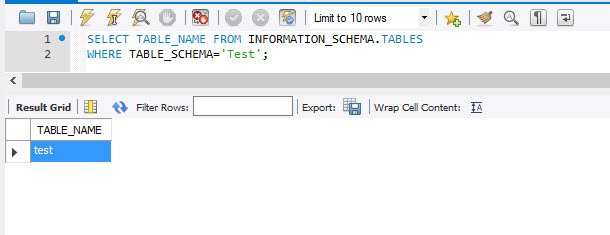
Tables_in_test
 --------------
 items
 sales
This is a very small trick but works great when you want to know what are different tables exist in a MySQL Database.
Published by Pinal Dave on SQLAuthority. More of my work at pinaldave.com.
Discover more from SQL Authority with Pinal Dave
Subscribe to get the latest posts sent to your email.