
This is a follow up, puzzle of SQL Puzzle – A Quick Fun with BitWise Operator. Lots of people really like the earlier puzzle where I have used Bit Wise Operator AND and build a simple puzzle. Today we are going to use another bit wise operator – OR. Let us see if you can explain what the Bit Wise Operator OR returns this time. Here is one more quick fun with Bit Wise Operator for you.
First execute following query:
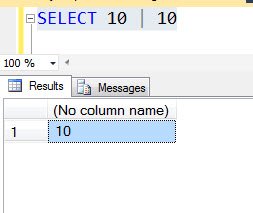
SELECT 10 | 10
It will return us result as a 10.
Now execute following query:
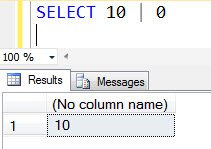
SELECT 10 | 0
The above query will return us result as a 10 as well.
Now let us execute following query:
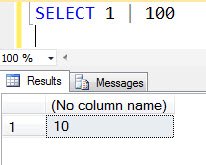
SELECT 1 | 100
It will return us result as a 101.
Here is the question back to you – Why does the last query return us result as a 101 when we have used Bit Wise Operator OR?
Published by Pinal Dave on SQLAuthority. More of my work at pinaldave.com.
Discover more from SQL Authority with Pinal Dave
Subscribe to get the latest posts sent to your email.




7 Comments. Leave new
‘|’ does ORing on binary representation of a given no.
E.g. 1. 10|10
1010
| 1010 = 1010 which is 10
2. 10|0
1010
| 0000 = 1010 which is again 10
Similarly 1|100
0000001
| 1100100 = 1100101 which is 101
Hence the answer.
Or table
0 | 0 = 0
0 | 1 = 1
1 | 0 = 1
1 | 1 = 1
100
001
Result: 101
Just Like your yesterday’s puzzle.
This bitwise OR (|) operator also takes integer values as Parameters and convert them to Binary by self, and do bit by bit comparison.
like:
SELECT 1|100
will be translated as
select
0000001
1100100
and returns
1100101 (101 in decimal)
and this will be translated as integer before displaying
First of all, the result for last SELECT is wrong here, it is 101, not 10 as you show :)
Second, in the bitwise OR the rule is 1 | x = 1 for x either 0 or 1 and only 0 | 0 = 0.
100 has the last binary digit 0 (it divides by 2) and when we do 1 | 100 we get 101, because of the OR rule (1 | 0 = 1, 0 being the last binary digit of 100)
You can write this operation in binary mode:
1 | 1100100 = 1100101 = 101
Pinal, your “Results” image for “SELECT 1 | 100” is incorrect — it should show a result of “101” rather than a result of “10”. The answer is 101 because the bitwise-OR returns a 1 for each bit that is one in either of the expressions — it should be obvious that 0 | 100 would result in 100, and the first expression, 1, adds a bit to the ones column, hence a result of 101.
Binary for 100 – 1100100
So 100 | 1 => 1100100 | 0000001 => 1100101 => 101
The logical OR operator is similar to AND as it works with two values. The difference is that where either of the bits at a specific location is set, the resultant bit will also be set. If both operands contain a zero at a position, the resultant bit will be clear. For example:
00000001 = 1
01100100 = 100
OR
01100101 = 101
So Select 1|100 would be 101.