
Choosing a processor for SQL Server starts with the license, because SQL Server is licensed per core. The cores you buy set the bill, and the license can cost more than the server and its storage. A wise choice gives the speed you need for the fewest licensed cores. This post reads what your server reports and counts what the license counts. It ends with a way to size cores from measured CPU use.

Why the License Comes First
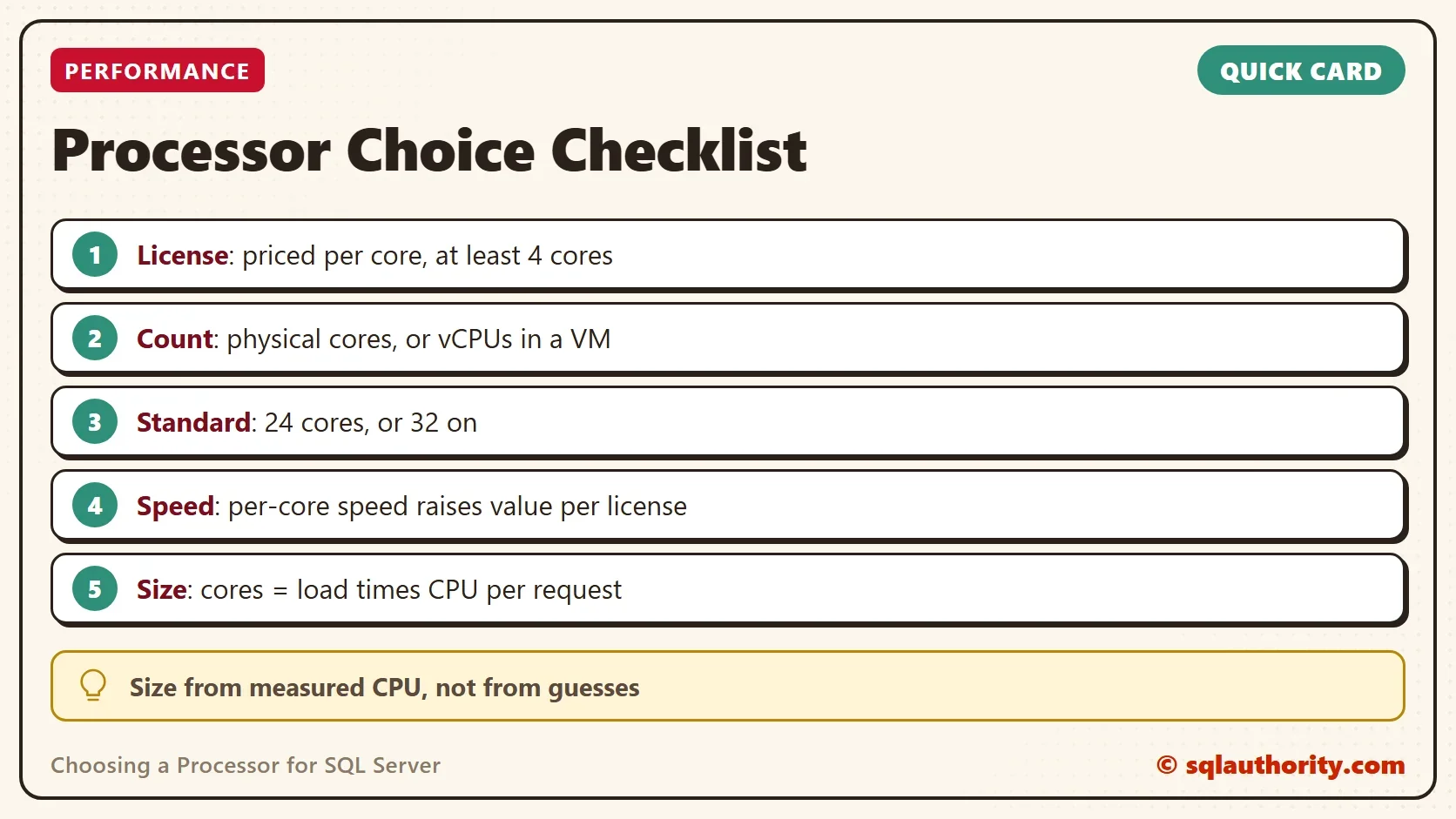
SQL Server Standard and Enterprise are sold per core. You buy at least four core licenses for each server or virtual machine, and they come in packs of two. A server with 16 cores needs 16 core licenses. A server with 8 faster cores needs 8, and it can finish the same work sooner. That is the reason to care about speed per core and not only the core count.
A processor picked without the DBA’s input can waste performance or license money. The questions below come before the purchase order. Prices and product names change every year. The method doesn’t, so this post gives the method and no price tables.
Read What the Server Reports
SQL Server reports its sockets and processors in a dynamic management view. The query below adds the edition and the number of usable schedulers. The edition matters, because it sets a ceiling.
SELECT SERVERPROPERTY('Edition') AS Edition,
       i.socket_count AS Sockets,
       i.cores_per_socket AS CoresPerSocket,
       i.cpu_count AS LogicalCpus,
       (SELECT COUNT(*) FROM sys.dm_os_schedulers WHERE status = N'VISIBLE ONLINE') AS UsableSchedulers
FROM sys.dm_os_sys_info AS i;| Edition | Sockets | CoresPerSocket | LogicalCpus | UsableSchedulers |
|---|---|---|---|---|
| Enterprise Developer Edition (64-bit) | 1 | 16 | 16 | 16 |
The test PC exposes 16 virtual processors in one socket. The view can’t tell you whether those are physical cores or hyperthreads. The operating system can. This Windows PowerShell line reads both counts. It isn’t T-SQL.
Get-CimInstance Win32_Processor | Select-Object NumberOfCores, NumberOfLogicalProcessors
On the test PC it returns 16 and 16. On a hyperthreaded server the second number is double the first. On bare metal the license counts the first number. In a virtual machine it counts the virtual cores you give it.
Know the Edition Limits
Standard edition caps what one instance uses. On SQL Server 2022 and earlier the cap is the lesser of 4 sockets or 24 cores. The buffer pool gets 128 GB. SQL Server 2025 raises the cap to the lesser of 4 sockets or 32 cores, and 256 GB. Cores beyond the cap are paid for and idle. If you plan Standard edition on bare metal, don’t buy a processor that pushes you over the cap.
Memory has a ceiling too. Some processor models cap memory per socket at 1 TB. Check the memory limit of the exact model before you order, especially for a large in-memory workload.
Speed per Core
Two processors with the same core count can differ a lot in single-threaded speed. Transaction systems wait on one thread at a time, so they reward high clock speed and strong per-core performance. Reporting and warehouse systems run wide parallel scans, so they reward core count, memory bandwidth and storage bandwidth.
One way to compare processors is the published TPC-E scores. That is an OLTP benchmark. Take the score of a family’s flagship. Scale it by core count and base clock for the other models. You get an estimated score per core and in total. The method only works inside one family.
In choosing a processor for SQL Server, pick the model with the best per-core score at your core count. A slower model at the same core count saves little. The license costs far more than the price difference.
Size the Cores From Your Own Load
A reader asked whether 4 or 8 cores fit 400 requests per second. Nobody can answer that from the request rate alone. The answer depends on the CPU each request uses. Measure it first. This query averages the CPU per statement execution from the plan cache. A request can run several statements, so multiply by the statements per request. The plan cache holds only plans still cached, so the average covers part of the load.
SELECT SUM(total_worker_time) / NULLIF(SUM(execution_count), 0) AS AvgCpuMicrosecondsPerExecution,
       SUM(execution_count) AS Executions
FROM sys.dm_exec_query_stats;| AvgCpuMicrosecondsPerExecution | Executions |
|---|---|
| 2930 | 143296 |
That was one run on a development server. It changes as the server works, so read it under a real load. The arithmetic below uses example values, not measurements. At 400 requests per second and 5 milliseconds of CPU each, the load uses 2 cores. At 20 milliseconds it uses 8.
Aim to run near half of the cores at peak. Two busy cores need about 4, and eight busy cores need about 16. The request rate stayed the same, and the answer moved by a factor of four.
Development Machines
Two readers asked about processors for a laptop or a home server for development. Developer edition is free for development and test, and it has no core limit. The license argument doesn’t apply. Choose for speed and comfort. Look for strong single-thread performance, 6 to 8 cores, 32 GB of memory or more, and a fast SSD. AMD and Intel both run SQL Server on x64.
You could argue that only server-class parts predict production behavior. For plan shapes and tuning that isn’t true. Treat timing from a development machine as relative, not absolute.
What to Remember
When choosing a processor for SQL Server, read the cores your license counts. Check the edition ceiling and measure CPU per request before you size. Compare processors inside one family by per-core speed. Nothing here creates objects, so there is no cleanup.
A processor is not a hardware choice, it is a license decision with a clock speed.
Published by Pinal Dave on SQLAuthority. More of my work at pinaldave.com.
Discover more from SQL Authority with Pinal Dave
Subscribe to get the latest posts sent to your email.




4 Comments. Leave new
Hi Pinal, great article… a few questions though – why don’t you mention any of the L series for large memory. All of these listed are restricted to 1 TB of memory per socket.
Also, any thoughts on the Gold 6250 – 8 cores, 4.5 GHz ?
Cheers,
Jeff
Thank you Pinal for this analysis, it opens up new thoughts. I am interested in AMD or Intel at the local laptop or desktop as I often run development databases. Any input on processor choice at that level? Let’s say using the free StackOverflow 350 GB or 50 GB version as an base for determining.
Kind of late to this article. Looking to build a smaller server based upon “consumer” processors for home where cost is more of an issue. Thinking about one of the Ryzen Processors (3900XT) vs a similar Intel. Do you have any thoughts on the suggestion. SQL Server is “free” for development, which is what I would be doing.
we have new production server they need to buy SQL server 2019 Enterprise edition with 2 license(4 cores). we have supposed to max 400 records or transactions per second then how many cores recommended for us. Is it fine with 4 cores or 8 cores needed kindly guide us.