
SQL Server has feature which copy database from one database to another database and it can be automated as well using SSIS. Here are the steps to copy database from instance to another instance.
Make sure you have SQL Server Agent Turned on as this feature will create a job. The same job will execute the task. Make sure that SSIS is properly configured as well with necessary security permissions. You can automate this process as well control error logging.
Following are the steps to copy database from one instance to another instance.
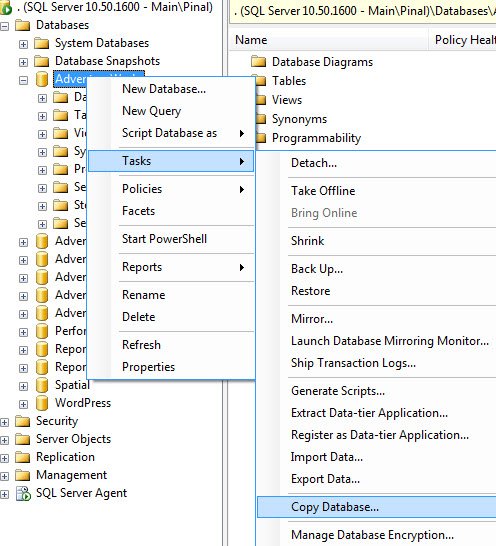
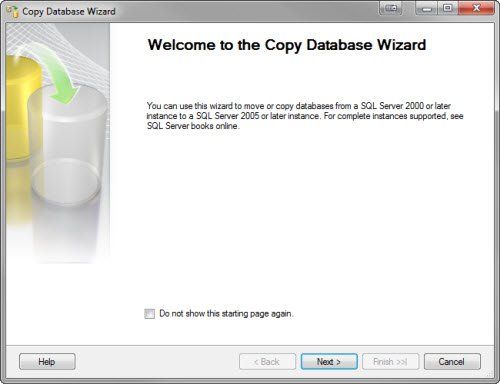
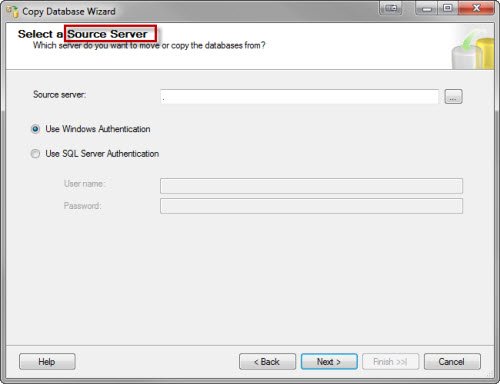
Specify Source Server
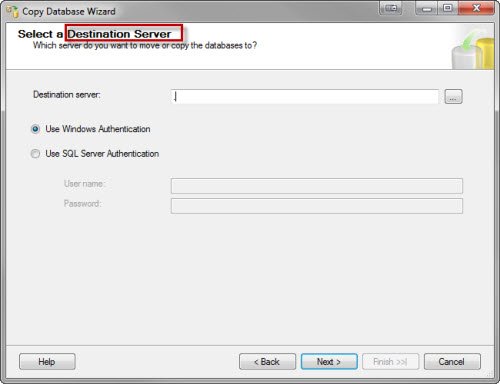
Specify Destination Server
Here you can select option if you want to keep the database ONLINE when it is being copied.
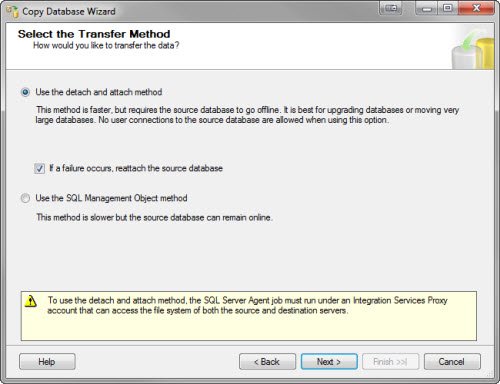
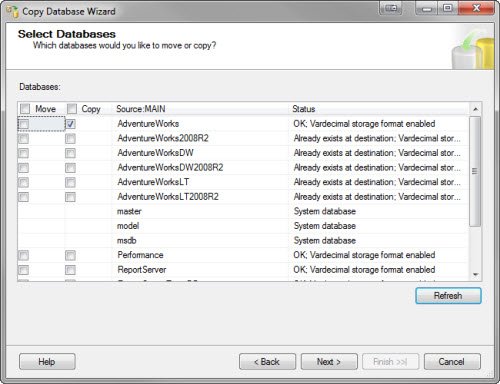
You can also select option of MOVE or COPY database as well.
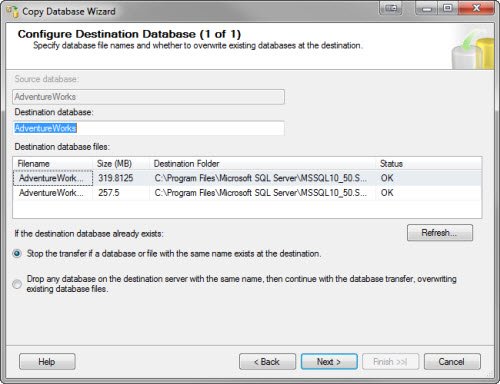
Give appropriate database name.
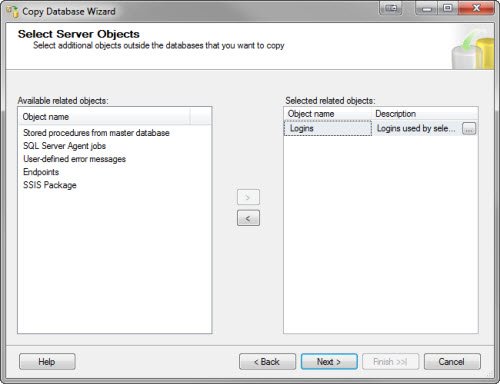
On this screen you can select additional options to copy as well.
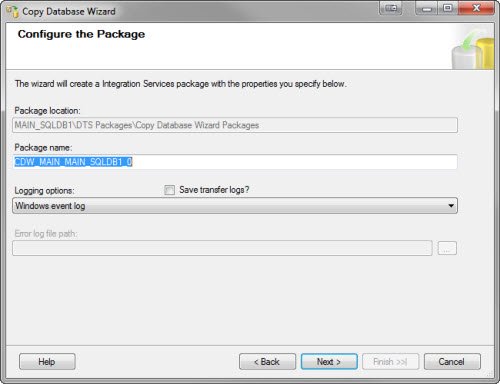
You create the package over here.
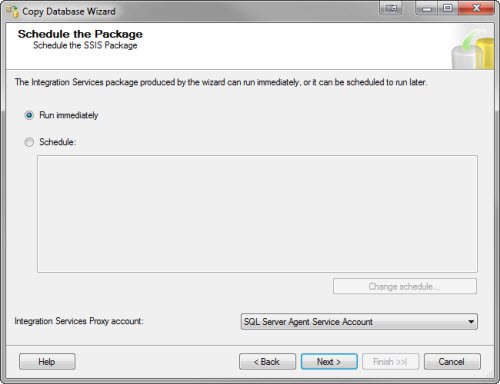
You can schedule the package using SQL Server Agent.
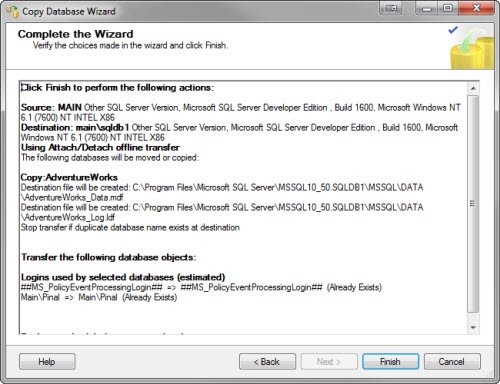
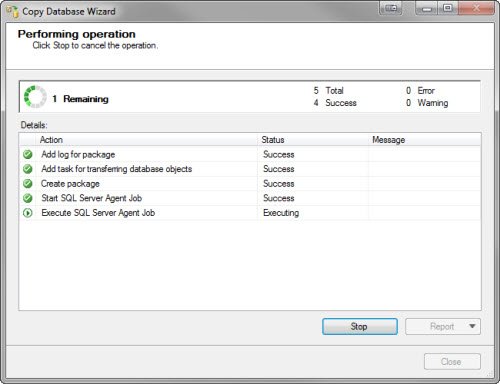
When this process is over it will show the success message and database will be copied to another server.
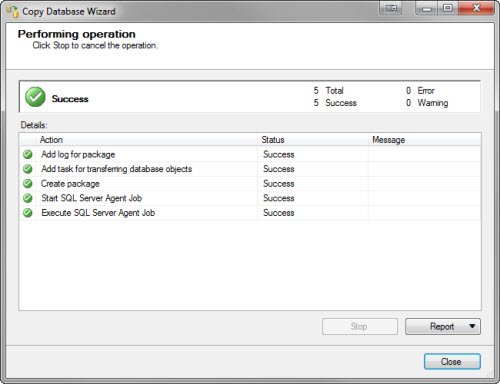
You can see how easy is the process to copy the database to another server.
Watch SQL in Sixty Seconds Episode on same subject.
Published by Pinal Dave on SQLAuthority. More of my work at pinaldave.com.



59 Comments. Leave new
Hello, Dave.
When I run Copy Database Wizard I receive an error on ‘Execute SQL Server Agent job’. Destination server Windows logs shows this error “Message: ERROR : errorCode=-1073548784 description=Executing the query “sys.sp_addrolemember @rolename = N’ifm_usr’, @mem…” failed with the following error: “The role ‘ifm_usr’ does not exist in the current database.”. Possible failure reasons: Problems with the query, “ResultSet” property not set correctly, parameters not set correctly, or connection not established correctly.” CDW doesn’t create ‘ifm_usr’ Database role automatically
SQL Agent job is running under domain account, whom I provided sysadmin rights both on source and destination servers. This account was also added into server admins group (I was desperate :) ).
Can you please provide any guidance.
Hi..is there a limit of size in using copy db wizard?
This example uses the Detach and Attach method as with every other example that I have seen on the web. The issue with this method is that it requires the database to be taken off-line. The alternative method i.e. SQL Management Object method is never demonstrated in any tutorial I have found and I have never managed to get it to work – it always fails. I wonder if there is a known bug in this method and that is why no one ever demonstrates it. Has anyone else tried the alternative method with any success?
Hello – I need some guidance regarding SQL Express and reusing an instance name. I am trying to install a new version of SQL 2014 Express on a desktop that already has SQL 2008 Express installed. I need to be able to reuse the same database and instance name with SQL 2014 Express. I don’t want to upgrade SQL 2008 Express to SQL 2014 Express because our application may not be the only one using SQL 2008 Express.
I am getting errors when trying to install SQL 2014 Express…
////////////////
Exception type: Microsoft.SqlServer.Configuration.SetupExtension.InstanceNameIsUsedByAnotherInstanceException
Message:
Instance name ‘XXXXXXXX’ is already in use. To continue, specify a unique instance name.
HResult : 0x858c0014
FacilityCode : 1420 (58c)
ErrorCode : 20 (0014)
////////////////
Is there a way I can reuse the same instance name and database?
Thanks in advance…
I scheduled the job to run instead of running immediately.
It failed with
” Login failed for user ‘DOMAIN\DOM-USER$’ ”
Yet, I cannot add that user to the source server. (Even checked off ‘Service Accounts’ when searching for the user.)